Do all keycaps fit all switches? The short answer is: No – but about 90% of them do, and understanding why is simpler than you think.
Here’s the thing: if both your switches and keycaps follow the Cherry MX standard (which most do), they’ll physically fit. But that’s where most compatibility guides stop, and that’s where the problems begin.
Think of it like this: switches are the engine of your keyboard, determining how each keypress feels. Keycaps are the steering wheel and body – they transmit that feeling to your fingers, shape the sound, and define the aesthetics. Getting them to work together isn’t just about plugging things in; it’s about creating harmony.
In this guide, we’ll cover the four dimensions of keycap-switch compatibility: physical fit, material pairing, stability, and aesthetics. By the end, you’ll understand not just what can work together, but what should work together for your specific goals.
Table of Contents
Dimension 1: Physical Compatibility
Let’s start with the basics – because if you get this wrong, nothing else matters.
The Universal Standard: Cherry MX Cross Stem
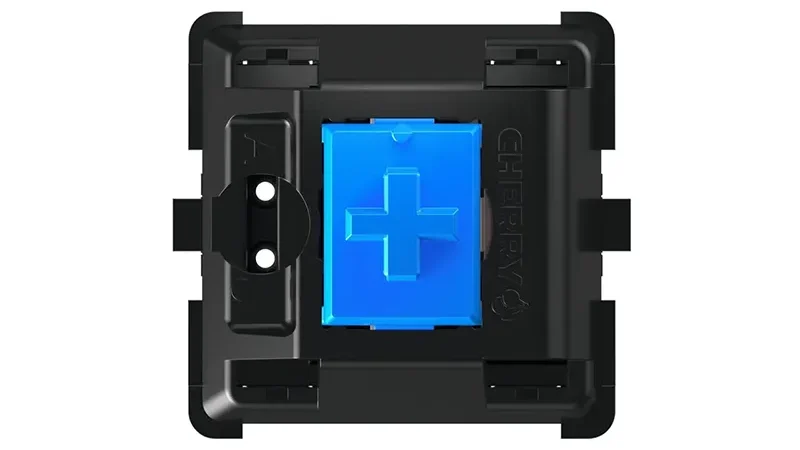
Here’s the good news: approximately 90% of mechanical keyboard switches use the same stem design – the Cherry MX-style cross stem (+). This includes:
- Cherry MX (the original)
- Gateron (most popular Cherry clone)
- Kailh (including Box switches)
- TTC, JWK, Durock, Akko (and most Chinese manufacturers)
- Most optical switches (Gateron Optical, Razer Optical Gen 2+)
- Most Hall Effect/magnetic switches (Gateron KS-20/23, Wooting Lekker)
If your switches have a cross-shaped stem (+) and your keycaps have a cross-shaped mount (sometimes called “MX-compatible” or “Cherry-style”), they will physically fit.
How to Check Your Compatibility
Step 1: Remove one keycap from your keyboard with a keycap puller (gently pull straight up)
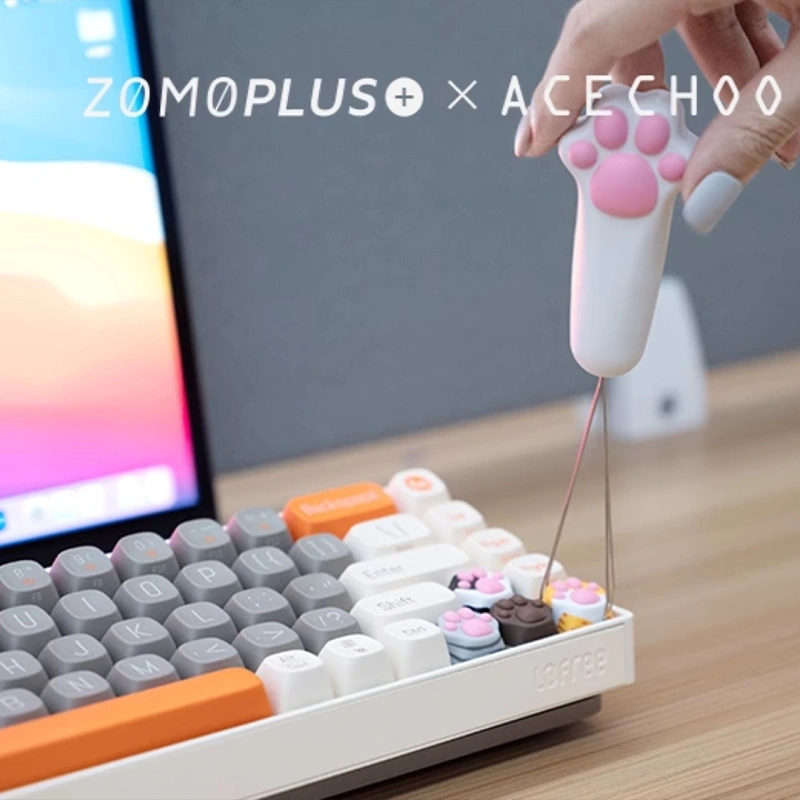
Step 2: Look at the switch stem. Is it a “+” shape?
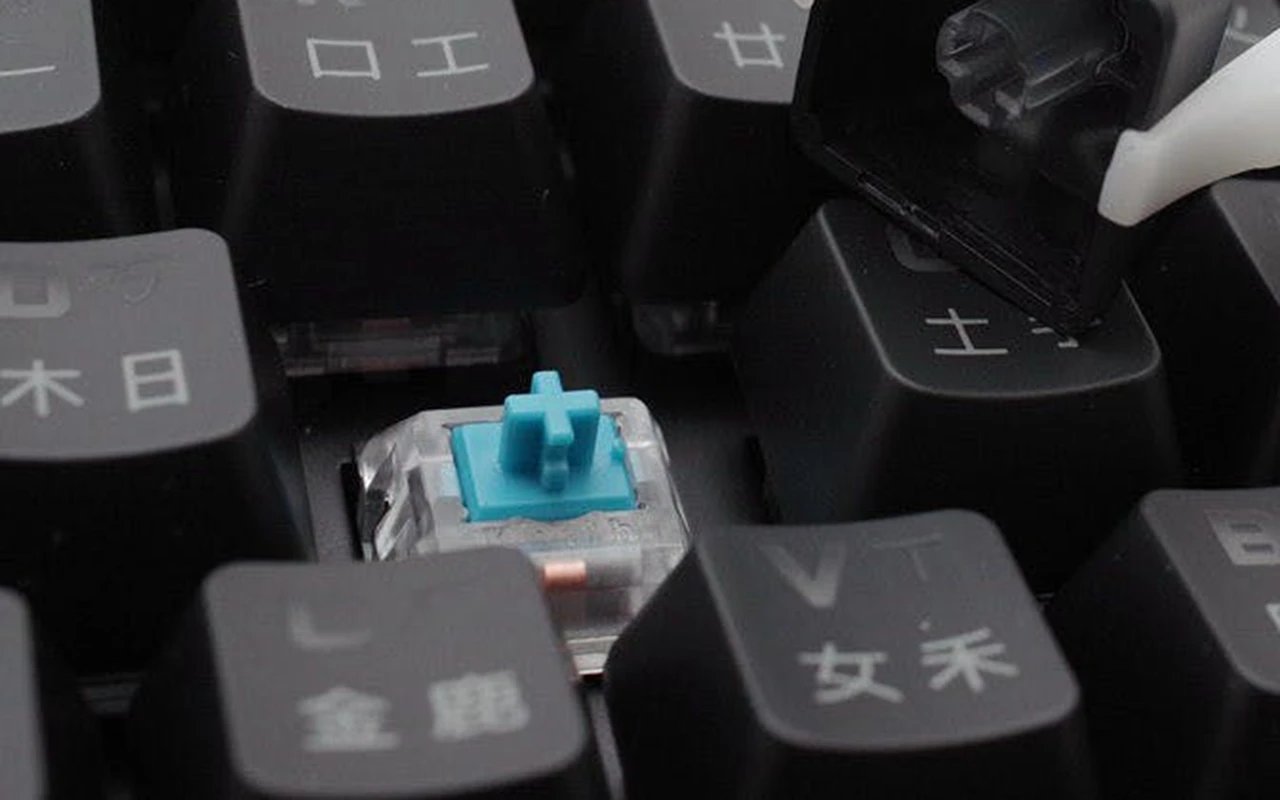
- Yes (+): You can use any MX-compatible keycap
- No: You have a non-standard switch (see Special Cases below)
Step 3: Check your keycap’s underside. Does it have a cross-shaped hole?
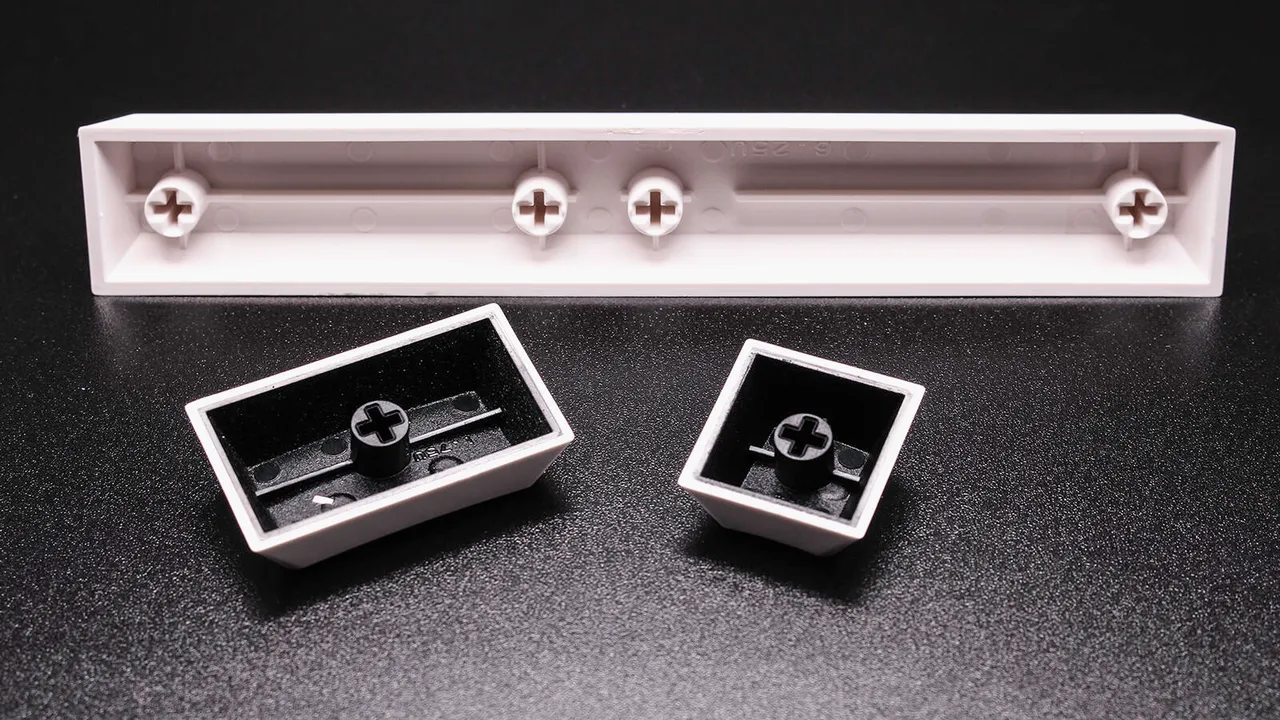
- Yes: It’s MX-compatible
- No: It won’t fit standard switches
Special Cases: Switches That DON’T Use Standard Stems
Not everything follows the Cherry MX standard. Here are the exceptions you need to know:
⚠️ Low-Profile Switches
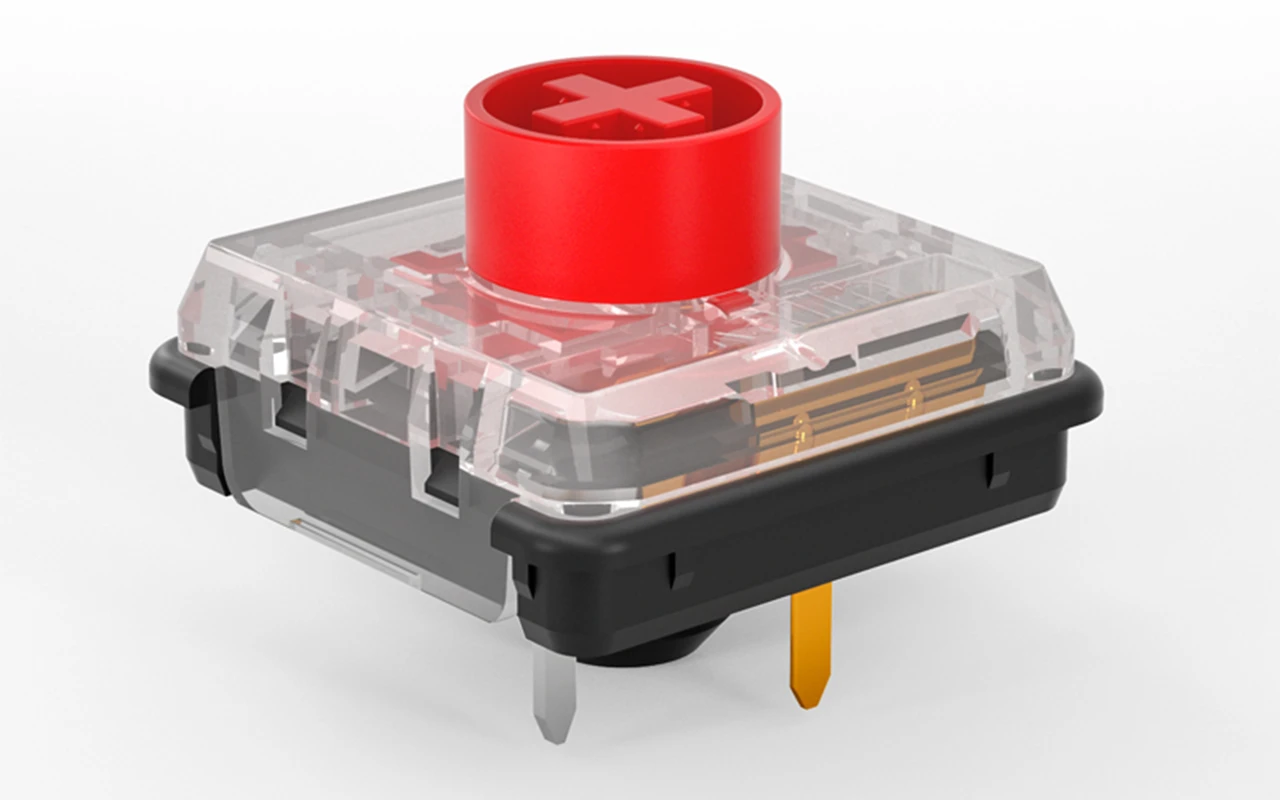
Examples: Kailh Choc, Cherry MX Low Profile, Gateron Low Profile
The Problem: These switches are physically shorter, and their stems are often different sizes or shapes. Standard keycaps are too tall and will either:
- Not fit at all
- Hit the keyboard case/plate
- Bottom out incorrectly
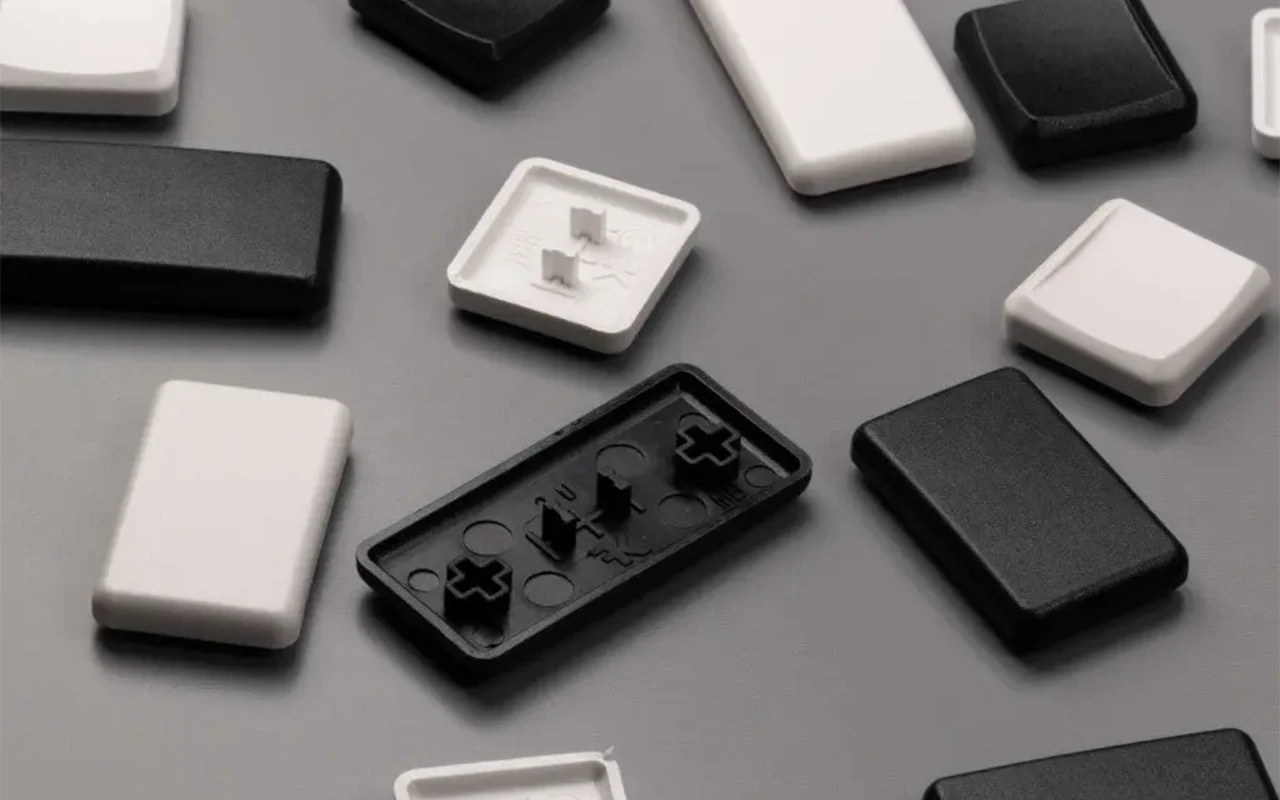
Solution: You must buy keycaps specifically designed for your low-profile switch type. “Choc-compatible” keycaps only work with Kailh Choc switches, not Cherry Low Profile, and vice versa.
⚠️ Alps Switches
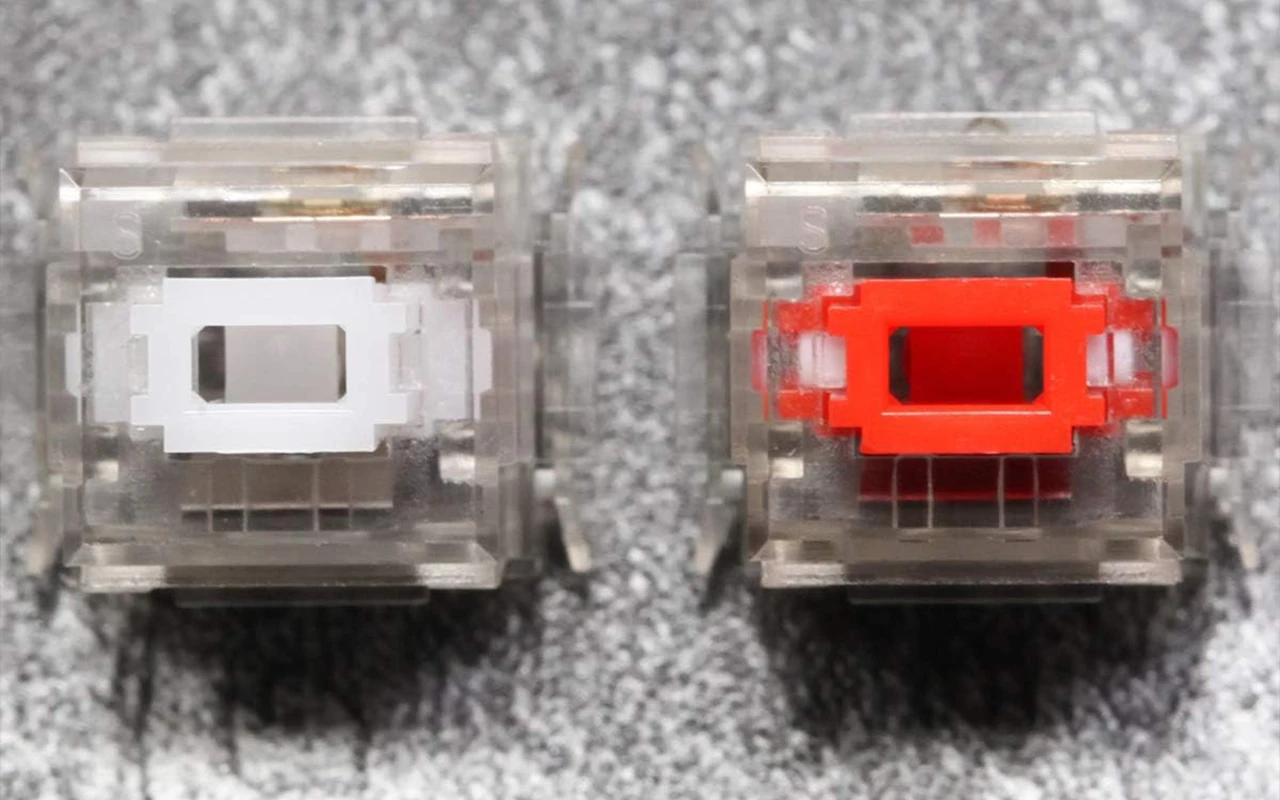
Examples: Alps SKCM, Matias switches
The Problem: Alps switches use a completely different rectangular stem design. Zero compatibility with MX keycaps.
Solution: Buy Alps-specific keycaps. Selection is extremely limited compared to MX-compatible options.
⚠️ Proprietary Switches
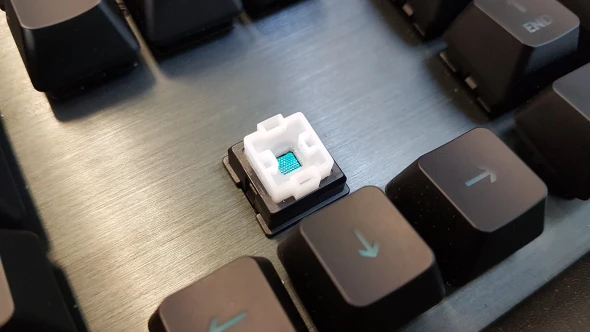
Examples: Razer Optical Gen 1, older Logitech Romer-G, some SteelSeries boards
The Problem: Some gaming brands developed proprietary switch designs with non-standard stems.
Solution: You’re typically locked into the brand’s own keycap offerings. Check your specific keyboard model before buying aftermarket keycaps.
⚠️ Topre Switches
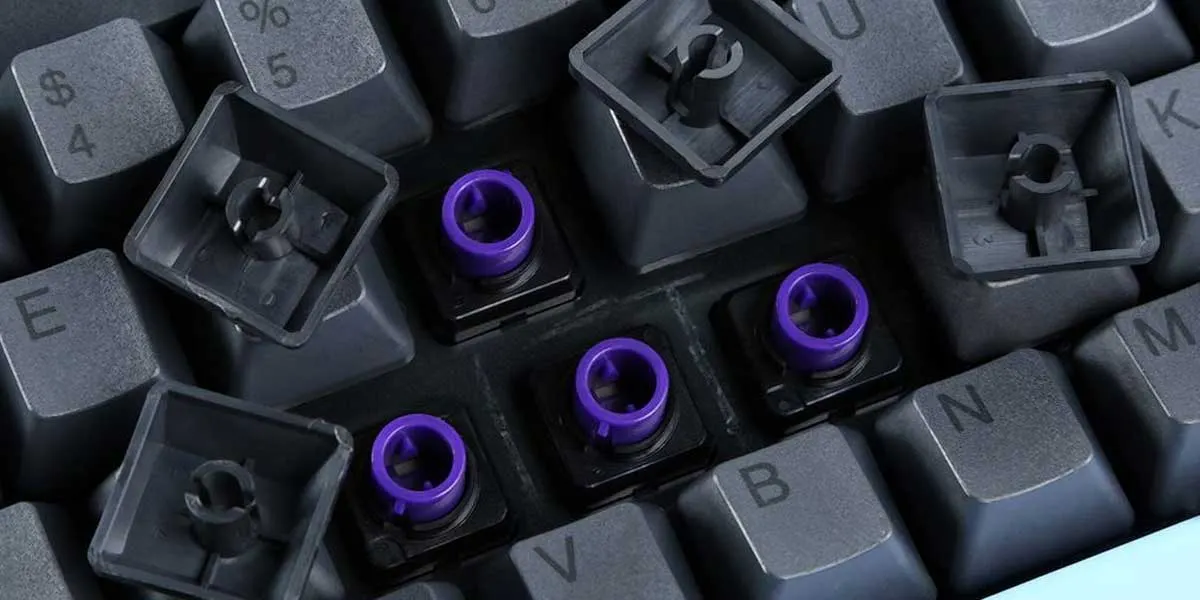
Examples: Realforce, HHKB, Leopold FC660C
The Problem: Topre uses a unique stem design that’s incompatible with MX keycaps.
Solution: Buy Topre-specific keycaps, or use MX-to-Topre stem adapters (these exist but add wobble).
Quick Compatibility Reference
| Switch Type | Standard MX Keycaps? | Notes |
| Cherry MX | ✅ Yes | The original standard |
| Gateron (regular) | ✅ Yes | Fully compatible |
| Kailh (regular + Box) | ✅ Yes | Box stems slightly tighter fit |
| TTC, JWK, Durock | ✅ Yes | Fully compatible |
| Gateron/Razer Optical | ✅ Yes | Cross stem, compatible |
| Hall Effect (Gateron, Wooting) | ✅ Yes | Cross stem, compatible |
| Kailh Choc | ❌ No | Requires Choc-specific keycaps |
| Alps/Matias | ❌ No | Requires Alps-specific keycaps |
| Topre | ❌ No | Requires Topre-specific keycaps |
| Cherry Low Profile | ❌ No | Requires Cherry LP keycaps |
Dimension 2: Material Pairing
Once you’ve confirmed physical compatibility, the real fun begins: optimizing for sound and feel.
The material of your keycaps dramatically affects how your keyboard sounds and feels. This isn’t just audiophile nonsense – the difference between PBT and ABS on the same switches can be genuinely surprising.
PBT vs ABS: The Core Decision
PBT (Polybutylene Terephthalate)
Sound characteristics:
- Deeper, lower-pitched “thock”
- More muted, less resonant
- Dampens high frequencies
Feel characteristics:
- Slightly textured surface
- More rigid, less flex
- Won’t develop shine over time
Best paired with:
- Linear switches: PBT’s rigidity provides a solid, definitive bottom-out that complements the smooth travel of linears. The result is that satisfying “thock” sound enthusiasts chase.
- Silent switches: If your goal is quiet operation, PBT’s dampening properties help minimize both bottom-out and upstroke sound.
- Heavy tactile switches (Holy Panda, U4T, Zealios): The solid PBT bottom-out provides a clear “endpoint” that prevents the tactile bump from feeling mushy.
ABS (Acrylonitrile Butadiene Styrene)
Sound characteristics:
- Higher-pitched, brighter “clack”
- More resonant, carries further
- Crisper high frequencies
Feel characteristics:
- Smoother surface
- Slightly softer, more flex
- Will develop shine after months of use
Best paired with:
Vintage/retro builds: Many classic keyboards used ABS, so it’s “period correct” for retro-themed setups.
Clicky switches: The brighter ABS sound complements the click mechanism, creating that classic “typewriter” aesthetic some users love.
RGB builds: ABS allows for better light transmission in shine-through legends.
Dimension 3: Stability & Wobble
You’ve got physically compatible keycaps made from the right material. But there’s still one thing that can ruin the experience: wobble.
What Causes Keycap Wobble?
Wobble occurs when there’s play between the keycap’s stem mount and the switch’s stem. This can come from:
- Loose stem tolerances: Some switches have stems that are slightly undersized
- Loose keycap mounts: Some keycaps have stem holes that are slightly oversized
- Stem design: Traditional stems wobble more than dustproof designs
The Dustproof Stem Solution
Modern “premium” switches often feature dustproof stems (sometimes called “sealed stems” or “box-style top housing”). These have a rectangular wall surrounding the cross stem that dramatically reduces wobble.
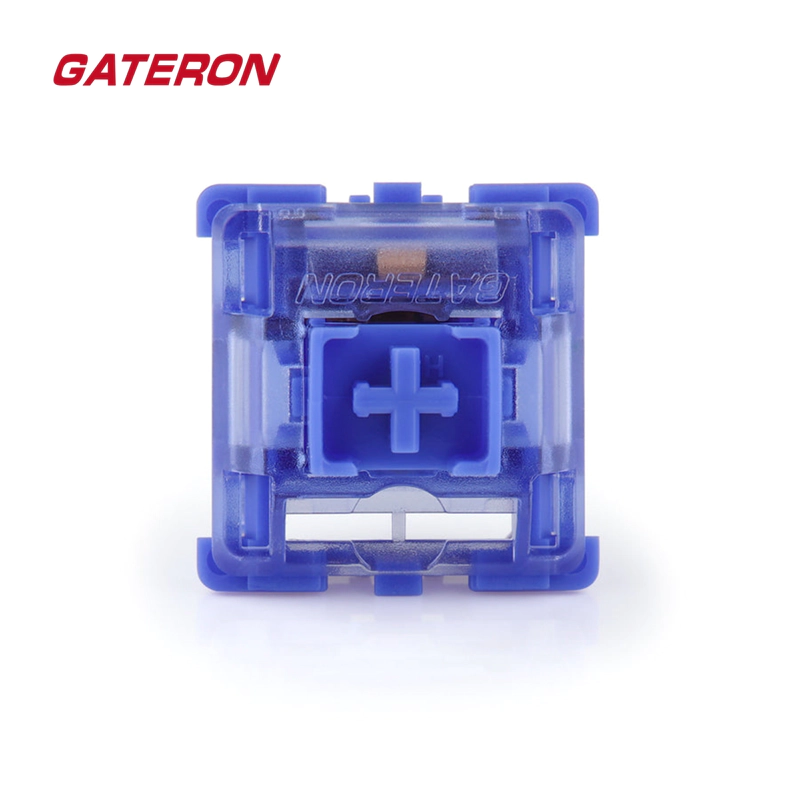
Switches known for excellent stability:
- TTC (most models) – renowned for tight tolerances
- Gateron Ink series
- JWK/Durock linears
- Akko CS switches
- Kailh Box switches (unique box design)
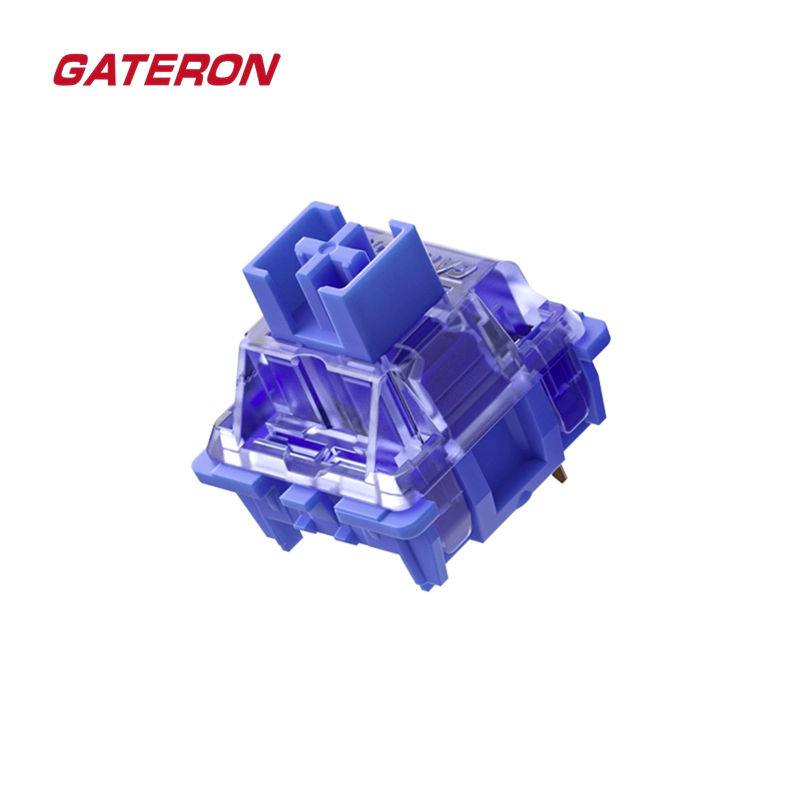
Gateron CJ Wall Stem Linear Switches
Keycap Compatibility with Dustproof Stems
Here’s the catch: Some older or budget keycaps weren’t designed for dustproof stems. The outer wall can prevent the keycap from seating fully.
Signs of incompatibility:
- Keycap sits higher than it should
- Keycap feels “floaty” or not fully seated
- Visible gap between keycap and switch top housing
Solution: Modern keycaps often feature slotted stems – cutouts in the keycap’s mount that accommodate the dustproof walls. When shopping, look for:
- “Compatible with dustproof stems”
- “Fits Box switches”
- “Universal stem compatibility”
Most keycaps made after 2020 from reputable manufacturers include this design.
Dimension 4: Stabilizer Compatibility (The Forgotten Piece)
Here’s something most “compatibility guides” completely ignore: stabilizers.
Stabilizers are the mechanisms under your large keys (spacebar, Shift, Enter, Backspace) that keep them from tilting when pressed off-center. And they have their own compatibility requirements.
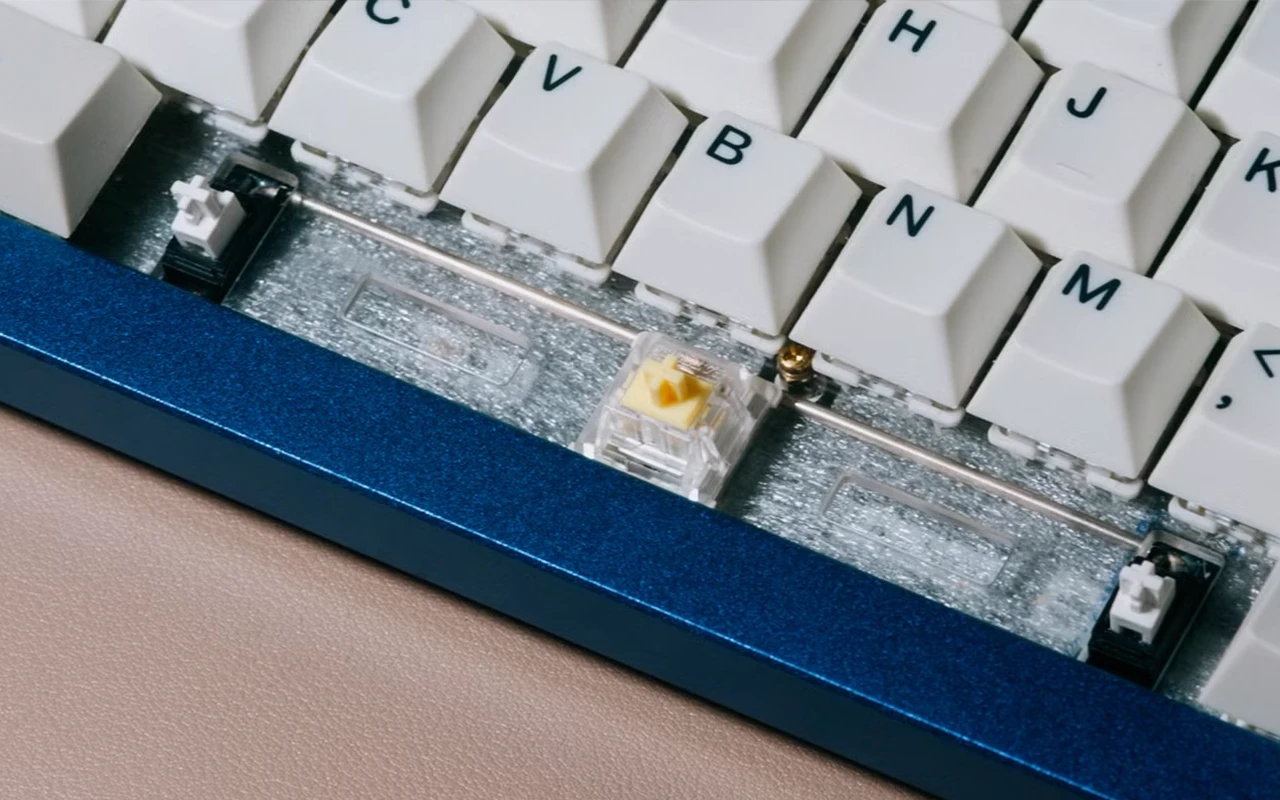
Cherry-Style vs Costar Stabilizers
Cherry-style stabilizers (most common):
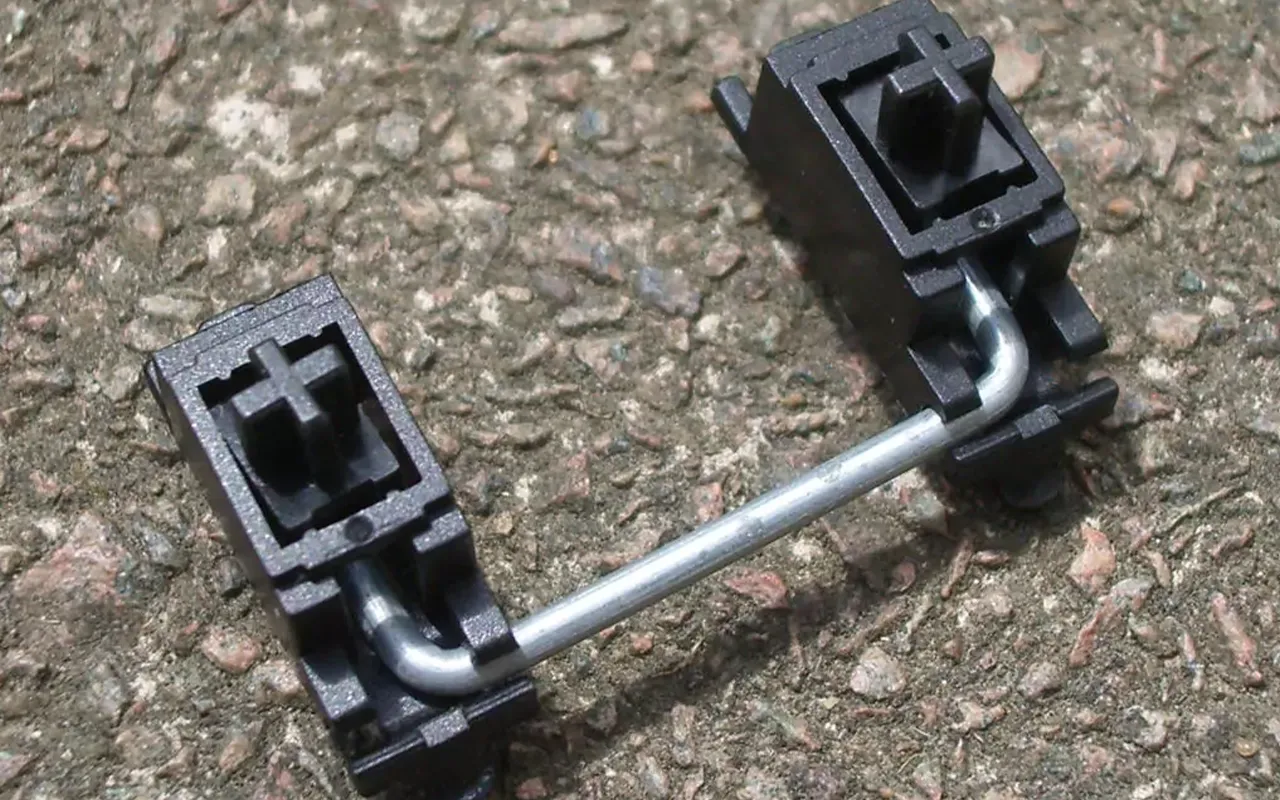
- Wire inserts into the stabilizer housing, not the keycap
- Keycap has simple rectangular slots for the stabilizer stems
- Easier to work with, widely compatible
Costar stabilizers (older, rarer):
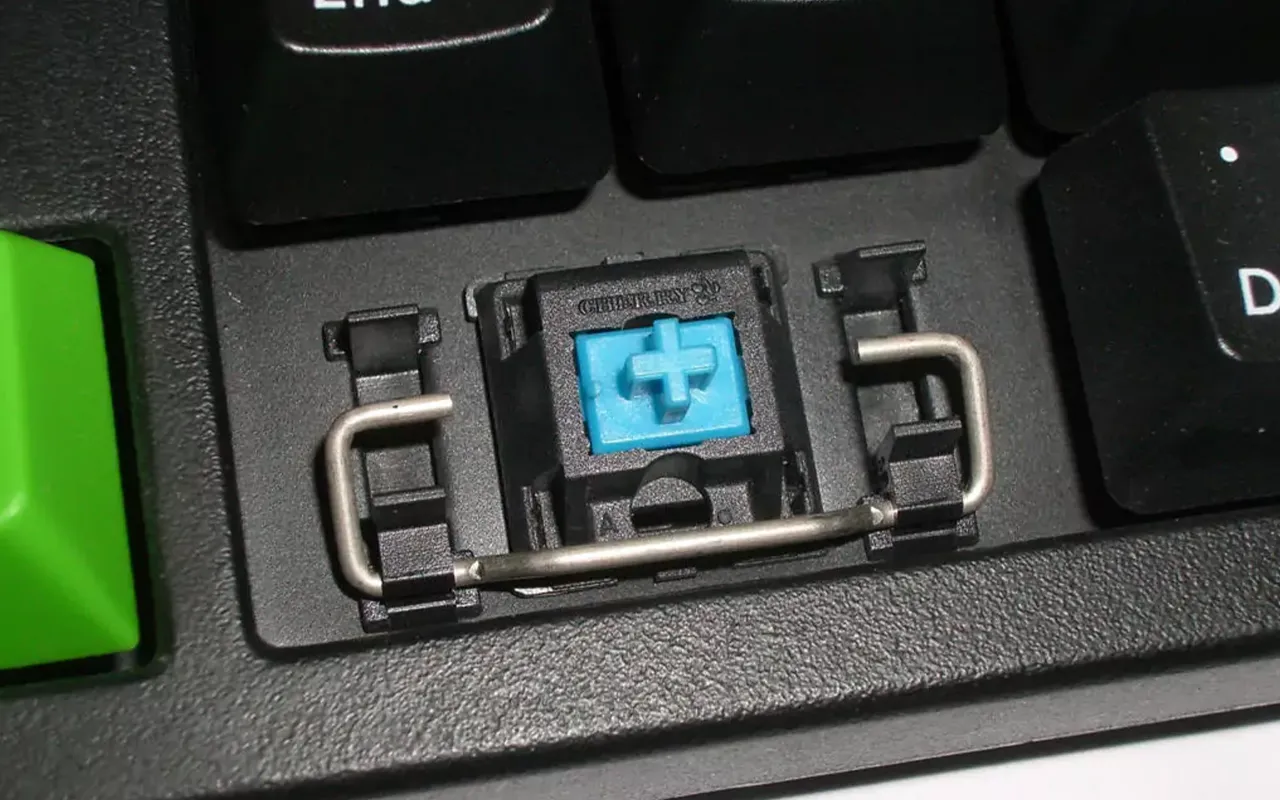
- Wire clips directly into the keycap via “stabilizer inserts”
- Keycaps need included inserts to work
- More complex, but some prefer the feel
Compatibility check:
- Most aftermarket keycap sets are designed for Cherry-style stabs
- If your keyboard uses Costar stabs, verify the keycap set includes inserts
- Budget keycap sets sometimes omit Costar inserts
Stabilizer Sizing
The stabilized keys on your keyboard need keycaps of specific sizes (measured in “units” or “u”):
| Key | Standard Size | Common Alternatives |
| Spacebar | 6.25u | 7u, 6u, split spaces |
| Left Shift | 2.25u | 2u (some 65% boards) |
| Right Shift | 2.75u | 1.75u (65%), 1u (some 40%) |
| Backspace | 2u | 1.5u (HHKB-style) |
| Enter | 2.25u | ISO Enter (different shape) |
Why this matters: If your keyboard uses non-standard stabilizer sizes, you need a keycap set that includes those specific sizes. Many budget sets only include standard sizing.
Pro tip: Before buying, check if the keycap set includes a “compatibility kit” or “extension kit” for non-standard layouts.
Dimension 5: Profile & Interference
One more compatibility issue that catches people off guard: keycap profile interference.
North-Facing vs South-Facing LEDs
Many keyboards place their per-key LEDs in one of two positions:
- North-facing: LED at the top of the switch (toward the number row)
- South-facing: LED at the bottom of the switch (toward the spacebar)
The problem: Cherry Profile keycaps (and some other profiles) can physically interfere with north-facing LEDs. The bottom of the keycap hits the LED housing, preventing full travel or creating a “clack” sound before true bottom-out.
Affected profiles:
- Cherry Profile (most affected)
- OEM Profile (slightly affected on some switches)
Unaffected profiles:
- SA Profile (tall enough to clear)
- XDA/DSA (uniform height, no interference)
- Most profiles on south-facing LED boards
Solutions:
- Use south-facing LED keyboards with Cherry Profile
- Use long-pole switches (bottom out before interference)
- Use alternative profiles that don’t interfere
- Accept the slightly altered bottom-out (many people don’t notice)
Profile Height & Case Clearance
Some keyboard cases have very tight tolerances. Tall profiles like SA may:
- Not fit under low-clearance case lips
- Scrape against case edges during key travel
- Look disproportionate on certain board sizes
Before buying tall-profile keycaps, verify your case has adequate clearance. This is rarely an issue with OEM or Cherry Profile.
The Ultimate Compatibility Checklist
Before you buy any keycap set, run through this checklist:
✅ Physical Compatibility
- Switches have Cherry MX-style cross stems (+)
- Keycaps are listed as “MX-compatible” or “Cherry-style”
- If using low-profile switches, keycaps are specifically designed for them
- If using Box switches, keycaps are compatible with box stems
✅ Material Pairing
- Material matches your sound goals (PBT for thock, ABS for clack)
- If using ultra-light switches (<35g), keycaps aren’t excessively heavy
- If using silent switches, keycaps are PBT for maximum noise reduction
✅ Stabilizer Compatibility
- Set includes correct spacebar size (6.25u standard, check yours)
- Set includes correct modifier sizes for your layout
- If using Costar stabs, set includes stabilizer inserts
- Set includes any non-standard sizes your layout requires
✅ Stability
- If switches have dustproof stems, keycaps are compatible (slotted mounts)
- Keycap brand is known for tight stem tolerances (if wobble concerns you)
✅ Interference
- If using north-facing LEDs + Cherry Profile, you’ve accepted potential interference
- If using tall profiles (SA, MT3), case has adequate clearance
Final Thoughts: Compatibility Is More Than “Yes or No”
Here’s what I hope you take away from this guide: keycap-switch compatibility isn’t binary.
Yes, physical fit is pass/fail – either the keycap goes on the switch or it doesn’t. But everything else exists on a spectrum. There’s no single “correct” pairing of materials, no universally “right” amount of wobble, no profile that works best for everyone.
The guidelines in this article are starting points based on what most enthusiasts prefer. But the mechanical keyboard hobby is fundamentally about personalization. What sounds amazing to me might be too loud for you. What feels premium to you might feel mushy to someone else.
So use this guide to avoid the obvious mistakes – don’t buy Topre keycaps for an MX board, don’t expect Cherry Profile to work perfectly on north-facing LED boards, don’t pair heavy SA caps with 35g springs.
But beyond those basics? Experiment. Try the “wrong” combination and see if you like it. Some people love ABS on linears despite the conventional wisdom. Some people prefer the wobble of loose-tolerance switches.
The only truly compatible combination is the one that makes you want to type.
Happy building. 🎹✨
Common Compatibility Questions
Yes. Gateron switches use the exact same cross-stem design as Cherry MX. Any MX-compatible keycap will fit.
Usually no. Most optical switches (Gateron Optical, Razer Optical, etc.) use standard cross stems. The only exception is some very early or proprietary designs.
Slightly, but probably not noticeably. The extra 1-2g per keycap adds about 1-2g to the effective weight of each keypress. You won’t notice this on anything 45g or heavier.
Physically, yes (assuming MX-compatible). But check case clearance for very tight cases, and note that SA requires wrist rest support for comfortable extended use.
Some wobble is normal, especially on budget switches. If you can only notice it by deliberately wiggling keycaps, it’s fine. If keycaps move during normal typing, consider switch films or keycaps with tighter tolerances.
Kailh Box switches have a slightly different stem shape. Older keycaps weren’t designed for this and may not seat fully. Most modern keycaps (post-2020) are Box-compatible.