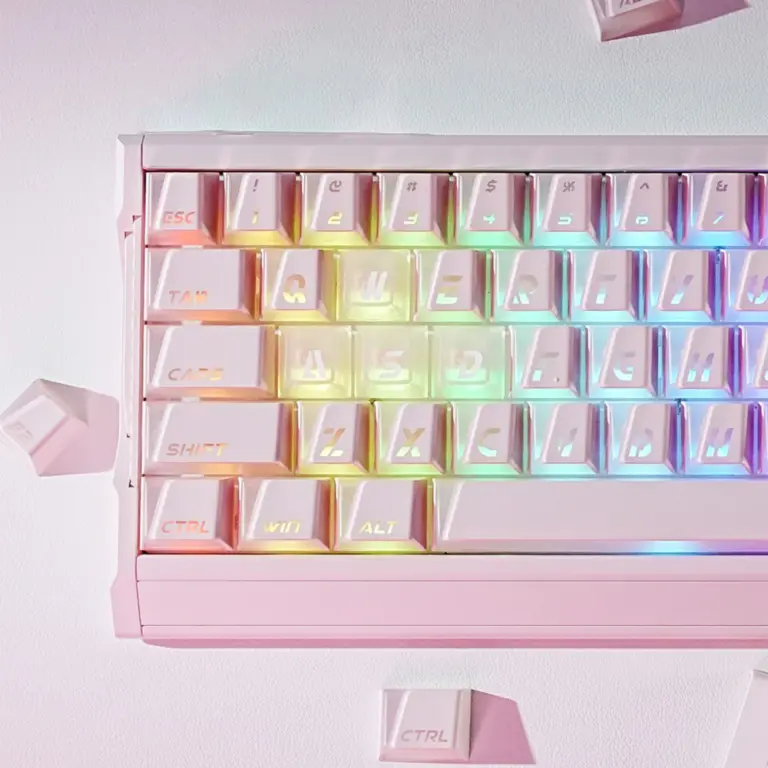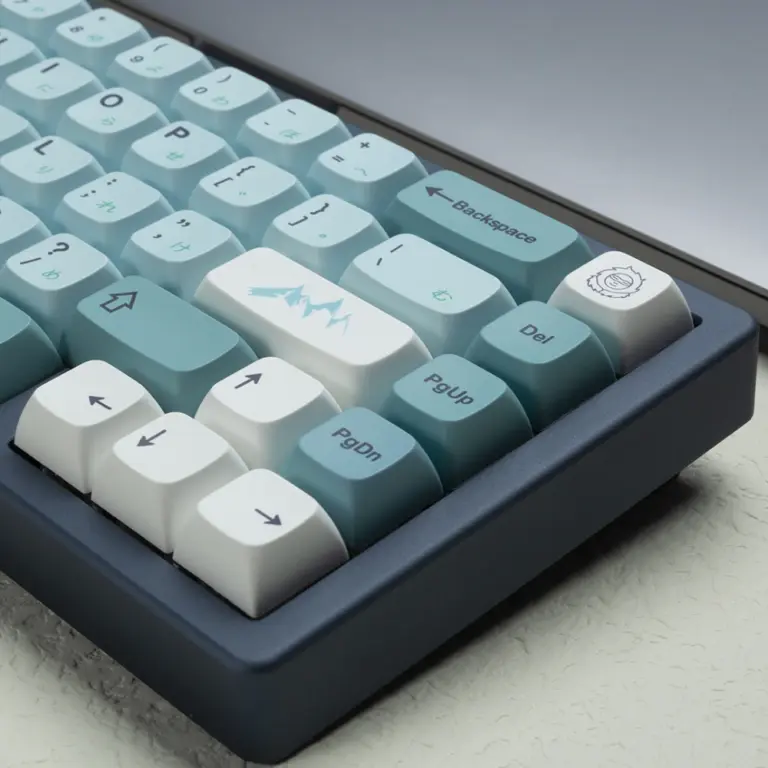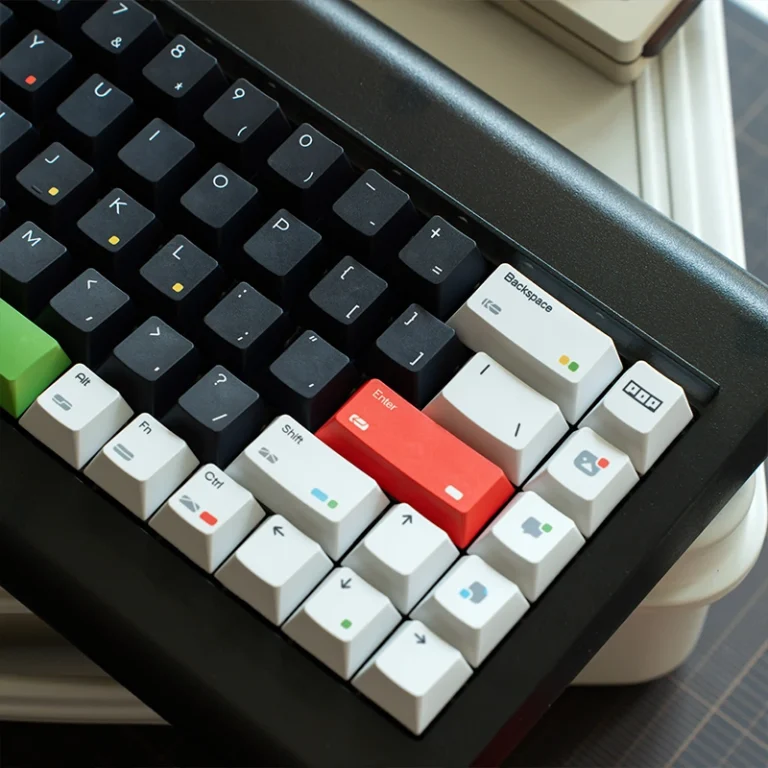
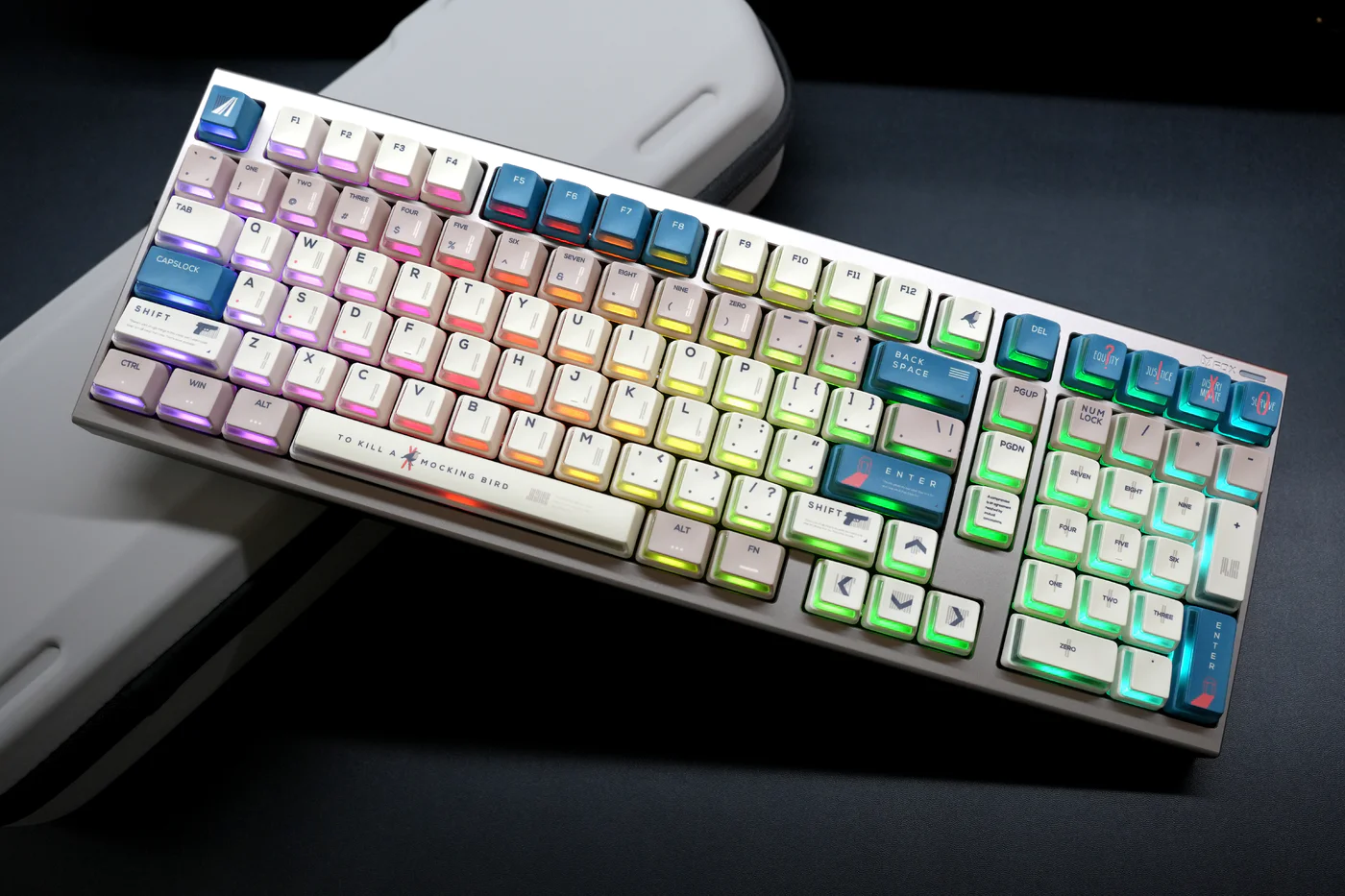
Here’s a problem that’s plagued custom keyboard builders for years: you have to choose between great keycaps and great RGB.
Want premium PBT keycaps with beautiful legends and texture? Say goodbye to your RGB lighting—those thick, opaque caps block 90% of the light. Want to show off your per-key RGB? Get ready for thin, shiny ABS keycaps with legends that’ll wear off in six months.
It’s been a frustrating trade-off that the community has just… accepted. Until now.
Nuclear Power Profile is the first keycap design that refuses to compromise. Dual-material construction. Innovative L-shaped RGB windows. PBT durability with PC transparency. And a height specification that’s lower than OEM but more sculpted than Cherry Profile.
In this guide, we’ll break down what makes Nuclear Power Profile genuinely revolutionary, whether the hype is justified, and if it’s the right choice for your RGB build (spoiler: if you have south-facing LEDs and love RGB, this might be your endgame profile).
Table of Contents
What Is Nuclear Power Profile?
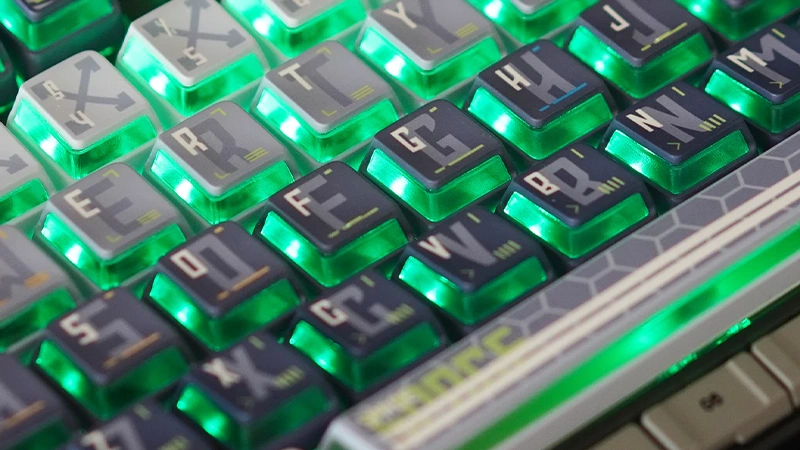
Nuclear Power Profile is a dual-material keycap profile developed by GXINDA that combines PBT plastic (outer shell) with PC polycarbonate (inner layer) to create keycaps that are simultaneously durable, RGB-transparent, and aesthetically detailed.
Released in 2024 by Chinese keycap manufacturer GXINDA, Nuclear Power Profile represents the first mass-production attempt to solve the “RGB vs. quality keycaps” dilemma through material innovation rather than compromise.
The Core Innovation: Dual-Material Construction
Traditional keycaps are single-material:
- PBT keycaps: Durable, textured, won’t shine—but completely blocks RGB
- ABS keycaps: Allows some RGB through shine-through legends—but develops shine and wears quickly
Nuclear Power Profile uses both:
The outer PBT layer provides the typing feel and durability you want. The inner PC layer allows controlled RGB transmission through strategically designed “windows.”
The result: You get PBT-quality keycaps that actually showcase your RGB lighting—something that was previously impossible.
Nuclear Power Profile Height Specifications
Nuclear Power Profile uses a unique height specification that’s based on OEM’s number row height but creates a more pronounced sculptural arch across other rows.
Precise Height Measurements
| Row | Height | Location | Angle |
| R5 | 12.55mm | Function keys (F1-F12) | Negative tilt |
| R4 | 10.50mm | Number row (1,2,3…) | Slight negative |
| R3 | 9.20mm | Upper letters (QWERTY) | Minimal angle |
| R2 | 8.75mm | Home row (ASDF) | Slight positive |
| R1 | 10.15mm | Bottom row (ZXCV) | Upward angle |
Note: R5 is the function key row, which not all profiles include as a separate specification
Comparison to Other Profiles
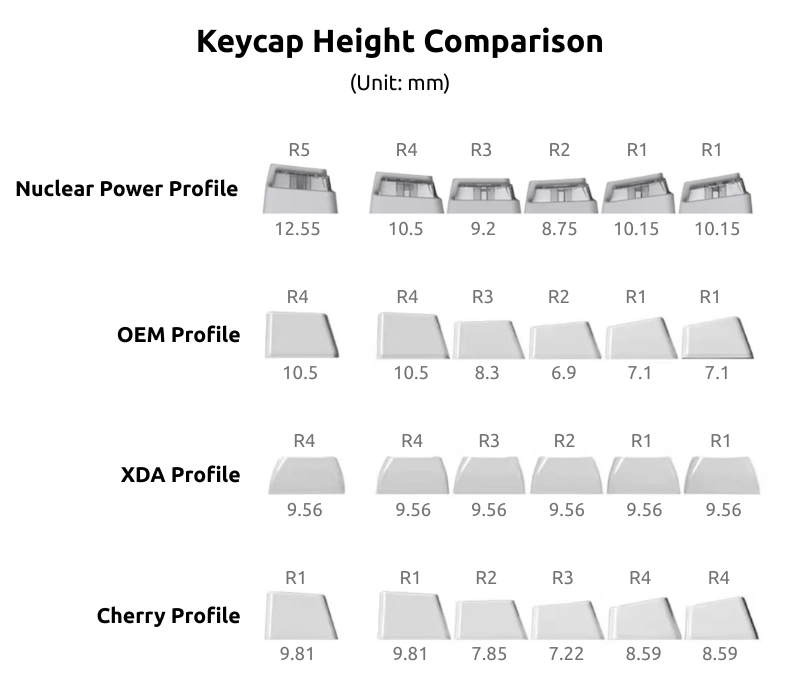
Nuclear Power creates a more dramatic “bowl” shape by raising the home row and bottom row significantly above OEM heights. Think of Nuclear Power Profile as taking OEM’s number row height as the starting point, then dramatically raising the home row and bottom row to create a more ergonomic arch.
Typing Experience Differences:
Compared to OEM:
- ✅ More comfortable for long typing sessions: The raised R2 (home row) at 8.75mm vs OEM’s 6.9mm means your fingers rest in a more neutral position
- ✅ More defined row separation: The dramatic height difference between R2 (8.75mm) and R1 (10.15mm) makes it easier to feel which row you’re on
- ✅ Better ergonomic arch: The pronounced bowl shape matches natural finger curvature more closely than OEM’s flatter profile
Compared to Cherry:
- 🔄 Lower at top, higher at bottom: Creates a different typing angle—your hands sit at a steeper angle
- 🔄 More aggressive sculpting: 3.8mm range vs Cherry’s 2.59mm means more pronounced height transitions between rows
The L-Shaped RGB Window Design
This is where Nuclear Power Profile gets genuinely innovative.
Traditional RGB Keycap Problems
Shine-through legends (common solution):
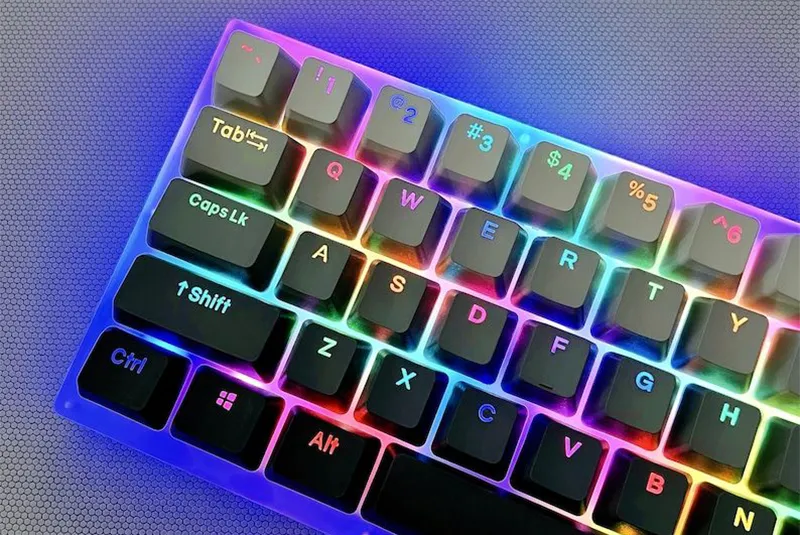
- ❌ Ugly in daylight (clear plastic letters look cheap)
- ❌ Light only comes through letters (not uniform glow)
- ❌ Limits font choices and design complexity
Fully transparent keycaps:
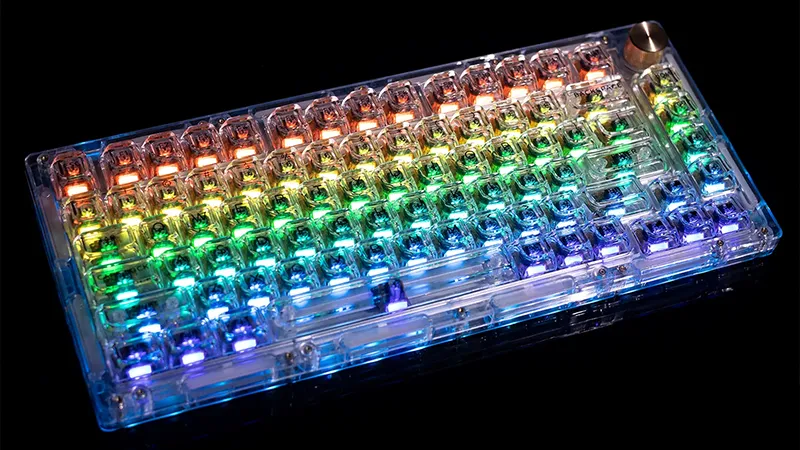
- ❌ Legends get washed out by RGB
- ❌ Too much light bleed (looks messy)
- ❌ No color contrast or detail work
Nuclear Power’s L-Shaped Solution
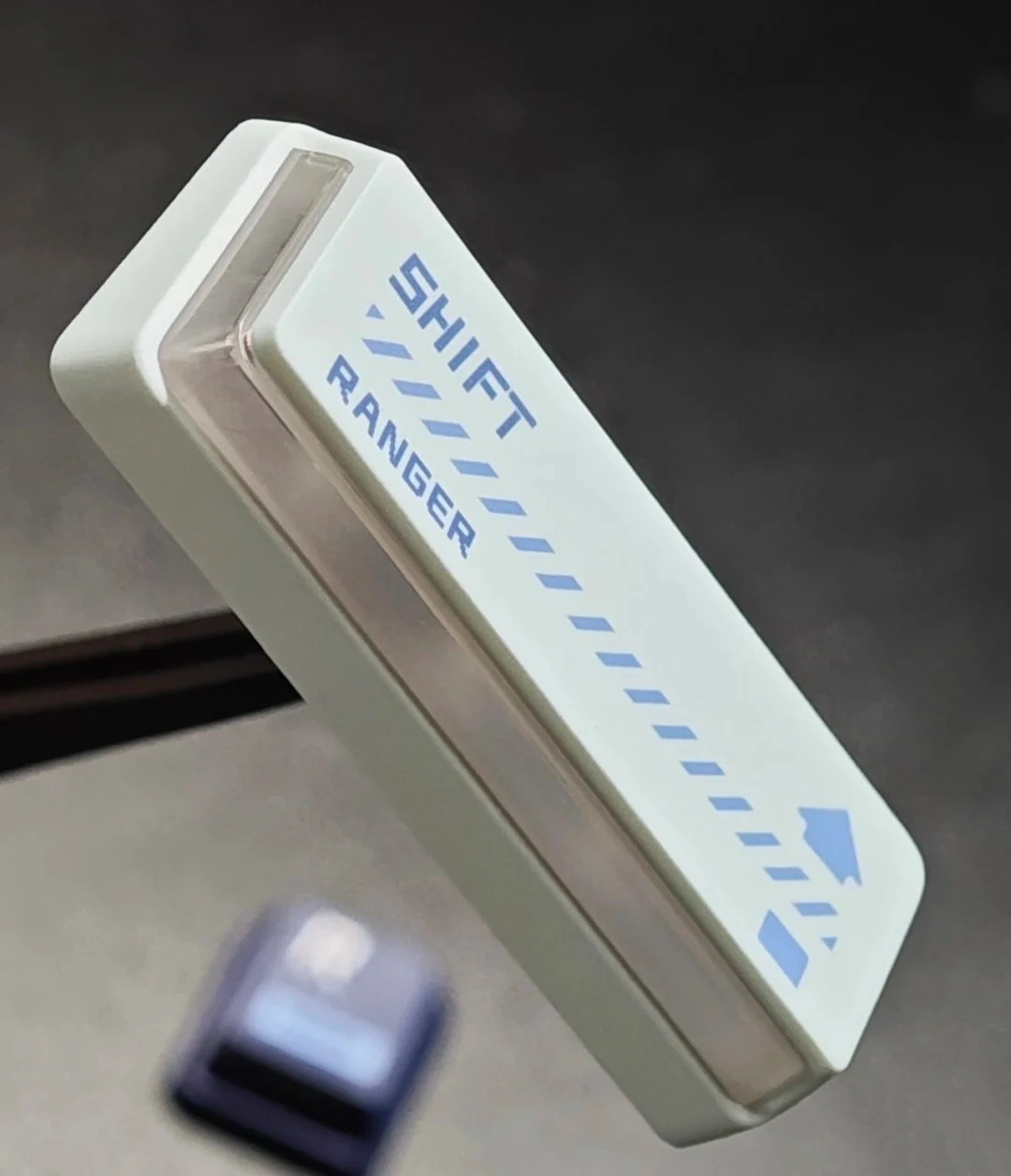
How it works:
- PBT outer shell has dye-sublimated legends (won’t fade, stays sharp)
- L-shaped PC window wraps around the bottom and sides of the keycap
- RGB light enters through PC layer, creating ambient glow around (not through) the legend
- Frosted PC diffuses light evenly, preventing hotspots
The genius part: The legend and the RGB light are separated. You get crisp, readable characters in daylight AND beautiful RGB glow in the dark—without one compromising the other.
Manufacturing Process: Dual-Shot + Five-Face Dye-Sublimation
Nuclear Power Profile uses a hybrid manufacturing process that’s more complex (and expensive) than standard keycaps.
Step 1: Dual-Material Injection Molding
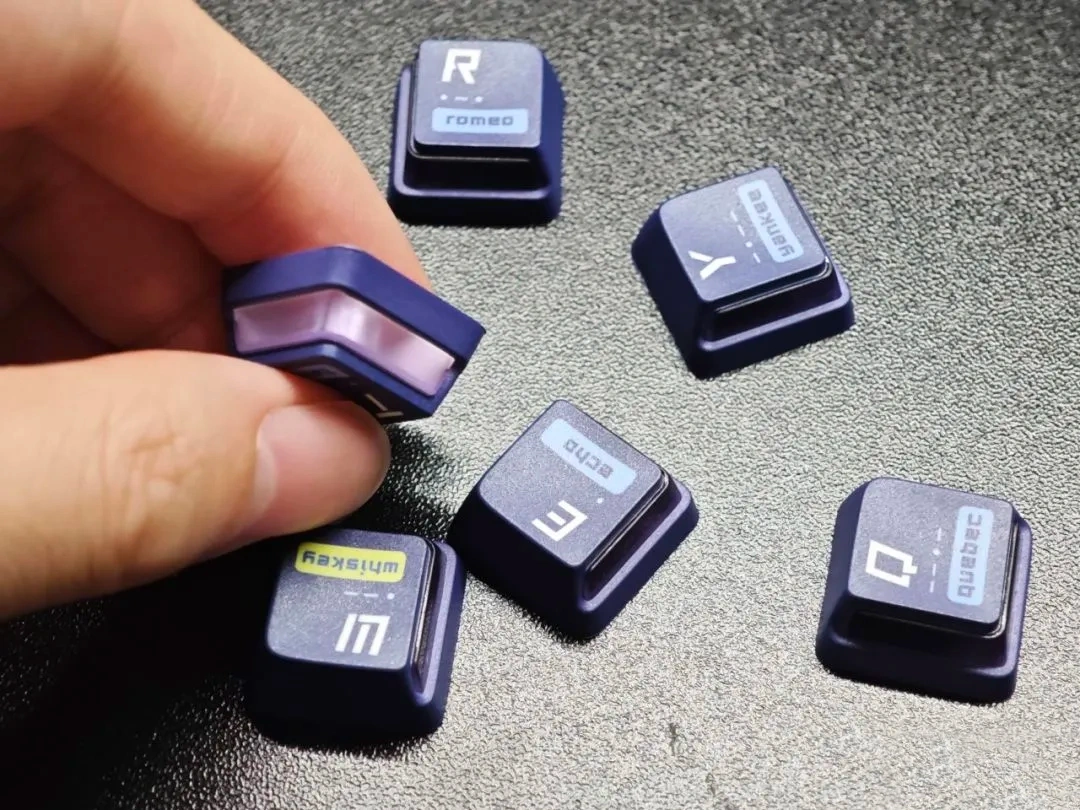
First shot: PC (polycarbonate) inner layer
- Frosted/translucent PC for light diffusion
- Forms the L-shaped window structure
- Creates the mounting stem
Second shot: PBT (polybutylene terephthalate) outer layer
- Injected around the PC layer
- Forms the top surface and sides
- Provides the typing surface texture
This is similar to double-shot keycap manufacturing, but instead of two colors of the same material, it’s two different materials with different optical properties.
Step 2: Five-Face Dye-Sublimation
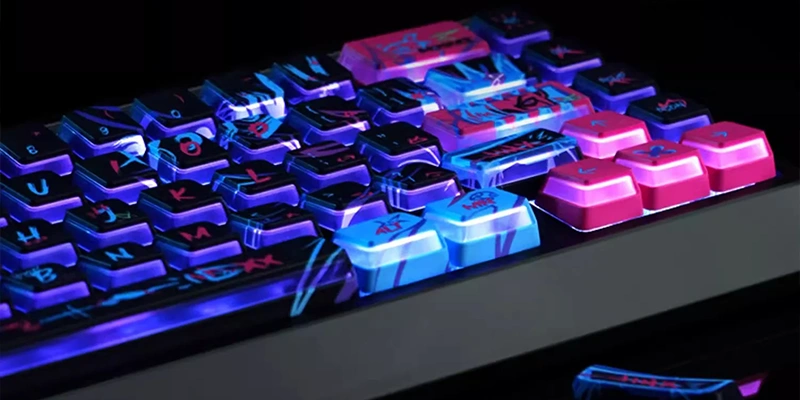
After the dual-material keycap body is formed, legends are applied via dye-sublimation on up to five faces:
- Top surface (main legends)
- Front face (sublegends, if present)
- Side faces (additional graphics/text)
Why dye-sublimation instead of doubleshot for legends?
- Allows complex, multi-color graphics (not just solid colors)
- Enables fine detail work and gradients
- Can cover curved surfaces better than doubleshot
- Legends are permanently infused into the PBT (won’t wear off)
The trade-off: Dye-sub legends aren’t backlit like doubleshot. But that’s fine—Nuclear Power Profile doesn’t need backlit legends because the L-shaped window provides the RGB glow separately.
RGB Performance: South-Facing LED Optimization
Here’s something crucial that often gets buried in the marketing: Nuclear Power Profile is specifically optimized for south-facing LED switches.
Why South-Facing Matters
North-facing LEDs (LED at top of switch):
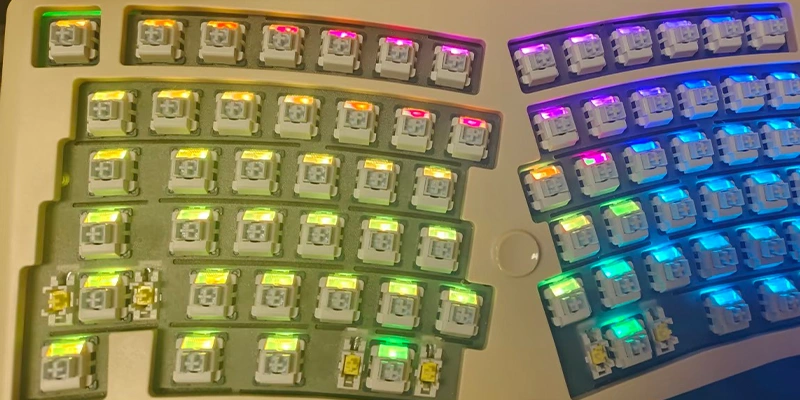
- Light has to travel through/around the keycap
- Often creates hotspots
South-facing LEDs (LED at bottom of switch):
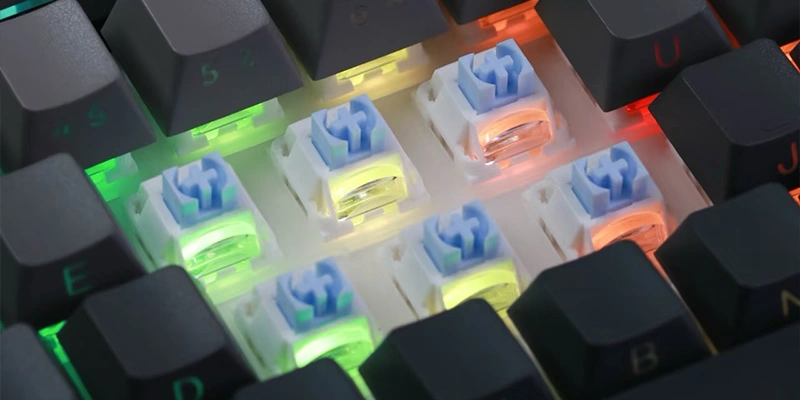
- Light enters the L-shaped PC window directly
- Even diffusion through the frosted PC layer
- No interference issues
- Creates ambient underglow effect
Nuclear Power Profile’s design specifically leverages this: The L-shaped window wraps around the bottom and sides of the keycap, perfectly positioned to catch light from south-facing LEDs.
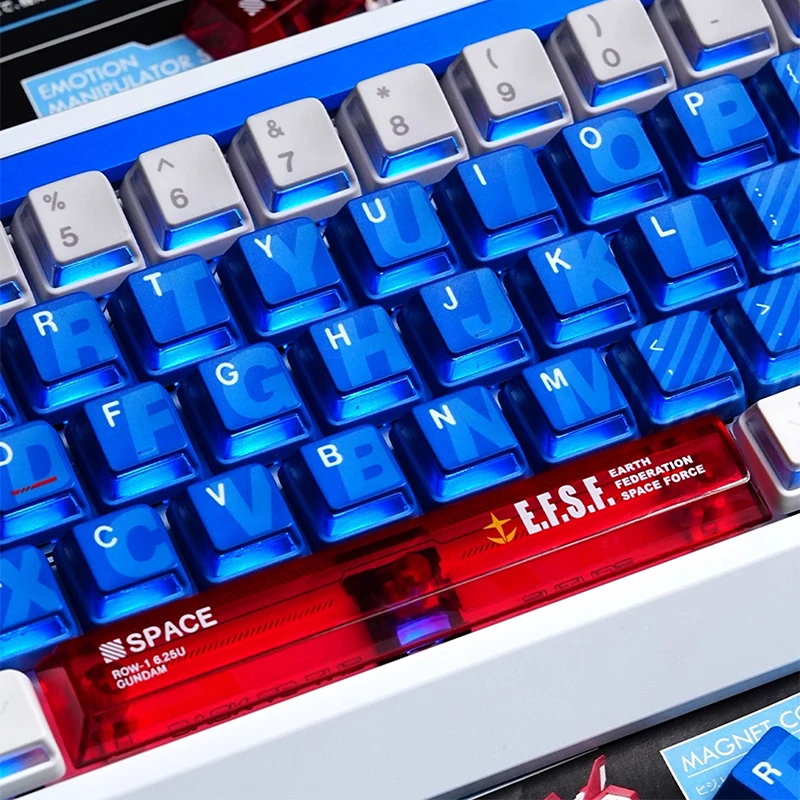
Compatibility note: Nuclear Power Profile will work with north-facing LEDs, but the RGB effect will be significantly dimmer and less impressive. This profile truly shines (literally) with south-facing LED boards.
Who Should Use Nuclear Power Profile?
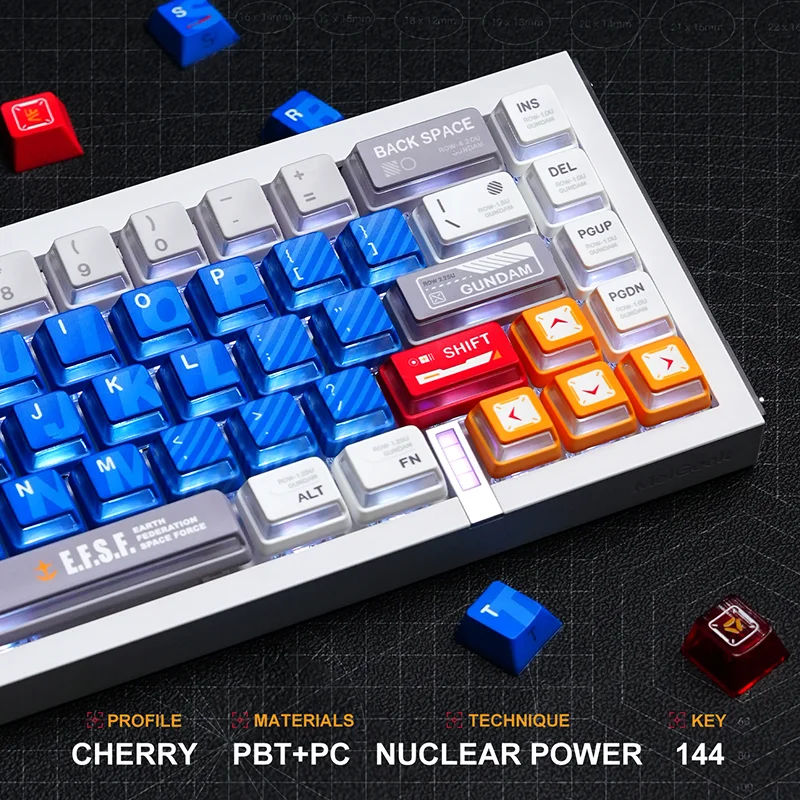
Mecha Armor Side-lit Nuclear Power Profile Keycaps
Perfect For:
✅ RGB keyboard owners with south-facing LEDs This profile is literally designed for you. The L-shaped window + south-facing LED combo creates stunning underglow effects.
✅ Enthusiasts who want RGB without compromise If you’ve been frustrated by the “good keycaps OR good RGB” dilemma, Nuclear Power Profile is your answer.
✅ Gamers who want premium feel + RGB You get the durability and typing feel of PBT with the visual punch of RGB. Best of both worlds for gaming setups.
✅ Content creators with RGB setups If your keyboard is in your stream/video background, Nuclear Power Profile photographs/films beautifully with its controlled RGB glow.
Consider Alternatives If:
🤔 You have north-facing LEDs The RGB effect will be significantly diminished. You’d be paying for a feature that doesn’t work optimally on your board.
🤔 You don’t care about RGB If you never turn on your RGB, you’re paying for dual-material construction you don’t need. Save money with standard PBT.
🤔 Budget is tight Nuclear Power Profile sets typically cost $80-120+ due to complex manufacturing. If $40 is your keycap budget, stick with standard profiles.
🤔 You prefer extremely low profiles At 8.75-12.55mm, Nuclear Power is higher than OEM and Cherry Profile. If you want absolute minimal height, look elsewhere.
🤔 You want maximum keycap selection This is a relatively new profile with limited availability compared to OEM or Cherry. Colorway options are restricted.
Final Thoughts
Nuclear Power Profile is the most innovative keycap profile to emerge in the last 3-4 years—period. Dual-material construction, L-shaped RGB window design, and thoughtful height specification represent genuine engineering advancement, not just aesthetic variation.
But innovation costs money, and this profile is premium-priced. If you’re in the market it’s designed for (RGB enthusiasts with south-facing LED boards), it’s absolutely worth it. You’re getting something that genuinely didn’t exist before GXINDA developed this manufacturing process.
If you’re outside that market? Standard PBT or Cherry Profile will serve you better for less money.
The exciting part? Nuclear Power Profile proves that keycap design isn’t stagnant. We’re not stuck with “Cherry, OEM, or SA forever.” New manufacturers are still pushing boundaries with new profiles and new solutions. And that’s worth celebrating, whether you buy these particular keycaps or not.
Common Questions
Mostly yes—any board using MX-style switches will work. The one thing to watch is LED orientation. These keycaps do function on north-facing boards, but the RGB effect will look noticeably dimmer. For full brightness and the intended glow effect, a south-facing LED board is ideal.
No. The legends are dye-sublimated onto the PBT outer shell, so they stay crisp and opaque. The RGB glow comes from the L-shaped PC window around the sides and bottom—not through the letters themselves.
Absolutely. The more defined row separation makes it easier to find keys without looking, and the enhanced RGB makes peripheral vision cues clearer. Fast double-taps and WASD movement feel similar to OEM, but with more stability thanks to the internal PC layer.
More than typical OEM. The raised home row and bottom row form a steeper sculpted arc, which feels more natural for long sessions. If you’re coming from Cherry Profile, expect slightly higher bottom rows and easier access to the number row.