PBT keycaps are the premium choice for mechanical keyboard enthusiasts who want durability, a matte texture that stays grippy for years, and a deeper typing sound than ABS can deliver, but they’re not automatically better at everything, and spending more doesn’t always mean getting more.
If you’ve spent any time scrolling through keyboard communities, you’ve heard it a hundred times: “PBT good, ABS bad.” It’s the kind of internet wisdom that spreads because it’s simple, not because it’s accurate. The reality is messier and way more interesting. Some $30 PBT sets punch well above their weight. Some $100 sets leave you wondering where the money went. And if you’ve never actually compared them side by side, the difference between a good PBT cap and a bad one isn’t always obvious on day one. It’s on day 90, when your ABS spacebar looks like someone polished it with bacon grease, that the gap becomes impossible to ignore.
I’ve watched someone swap a thin ABS set for a 1.6mm PBT set on the same board with the same switches, same everything, and the sound changed so dramatically they thought they’d accidentally bought new switches. That’s the thing nobody tells you in the spec sheets: PBT changes what your keyboard sounds like, not just what it feels like. And that’s what we’re going to dig into.
By the end of this guide, you’ll know exactly what to look for in PBT keycaps, thickness, manufacturing method, profile compatibility, and how to pick a set that actually matches how you type, what you like to hear, and what you’re willing to spend.
Key Takeaways
- PBT keycaps resist shine 5x longer than ABS thanks to a harder, more wear-resistant polymer structure, but cheap PBT blends cut corners on density
- Keycap thickness (1.5mm+) matters more than material alone for sound depth, thin PBT sounds closer to ABS than you’d think
- Quality PBT sets start at $30–50 (dye-sub or doubleshot); sub-$20 “PBT” sets are almost always PBT/ABS blends with compromised durability
- PBT’s deeper, muted sound profile is the foundation of the “thocky” keyboard everyone’s chasing, pair it with linear switches for maximum depth
- The right PBT set depends on your switch choice, preferred profile height, and whether you care about RGB shine-through more than texture
Table of Contents
What Are PBT Keycaps? (And Why Your Fingers Care)
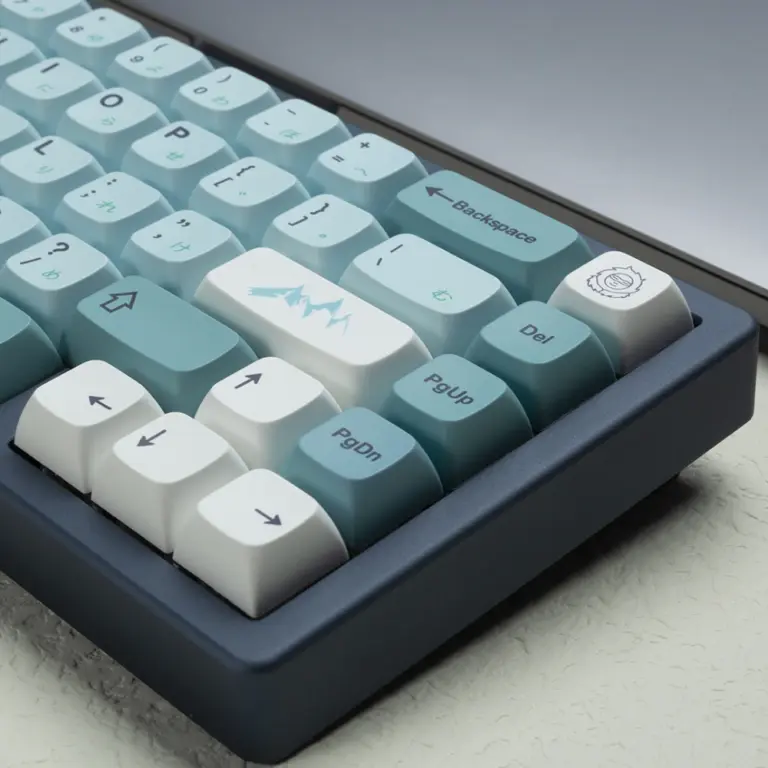
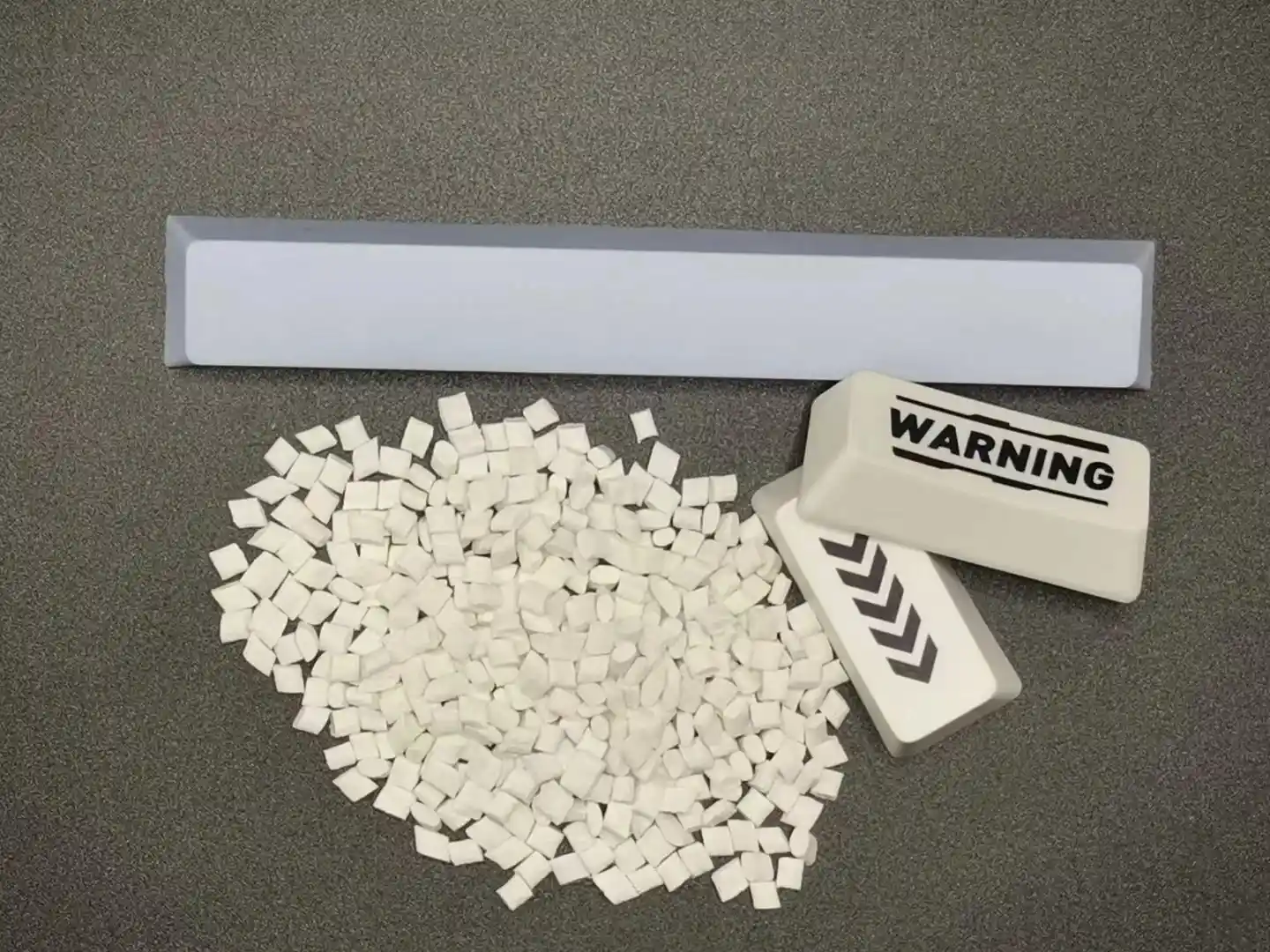
PBT stands for Polybutylene Terephthalate, a semi-crystalline thermoplastic that’s denser, harder, and more chemically resistant than the ABS (Acrylonitrile Butadiene Styrene) plastic used in most stock keyboard keycaps. If that sounds like a chemistry textbook, here’s what it actually means at your desk: PBT is the plastic that doesn’t get shiny after six months of daily typing. It’s the material that feels dry and slightly textured under your fingertips instead of slick and oily. And it’s the plastic that makes your bottom-out sound deeper and more muted, not high-pitched and hollow.
The Science That Actually Matters
PBT has a density of roughly 1.3 g/cm³ compared to ABS at around 1.05 g/cm³. That extra density is the root of everything you’ll actually notice: the weightier feel, the deeper sound, the resistance to wear. It’s also harder, PBT sits higher on the Shore D hardness scale, which is why cheap keycap pullers sometimes leave marks on ABS caps but barely scratch PBT.
The tradeoff? That same hardness makes PBT more brittle. It shrinks more during the injection molding process, which is why PBT spacebars sometimes arrive with a slight curve. And PBT doesn’t take bright, saturated colors as easily as ABS, which is why those hyper-vivid GMK sets you see are almost always ABS.
PBT vs ABS: The Differences That Actually Matter
| Comparison Point | PBT Keycaps | ABS Keycaps |
|---|---|---|
| Texture | Dry, matte, slightly rough, like very fine sandpaper | Smooth, slightly slick, feels faster under the fingers |
| Wear Over Time | Resists shine; stays matte for 3+ years with heavy use | Develops visible shine in 6–12 months |
| Sound Profile | Deeper, more muted, the “thock” foundation | Higher-pitched, more “clacky”, thinner sound |
| Durability | Harder, more scratch-resistant, but more brittle | Softer, less scratch-resistant, but more flexible |
| Color Vibrancy | Muted, slightly desaturated tones | Bright, deep, highly saturated colors |
| RGB Shine-Through | Rarely available (legends are usually opaque) | Common, doubleshot ABS with clear legends |
| Price Range | $30–$150+ for quality sets | $15–$200+ (varies wildly by brand) |
| Typical Lifespan | 5–10 years before noticeable wear | 1–3 years before visible shine |
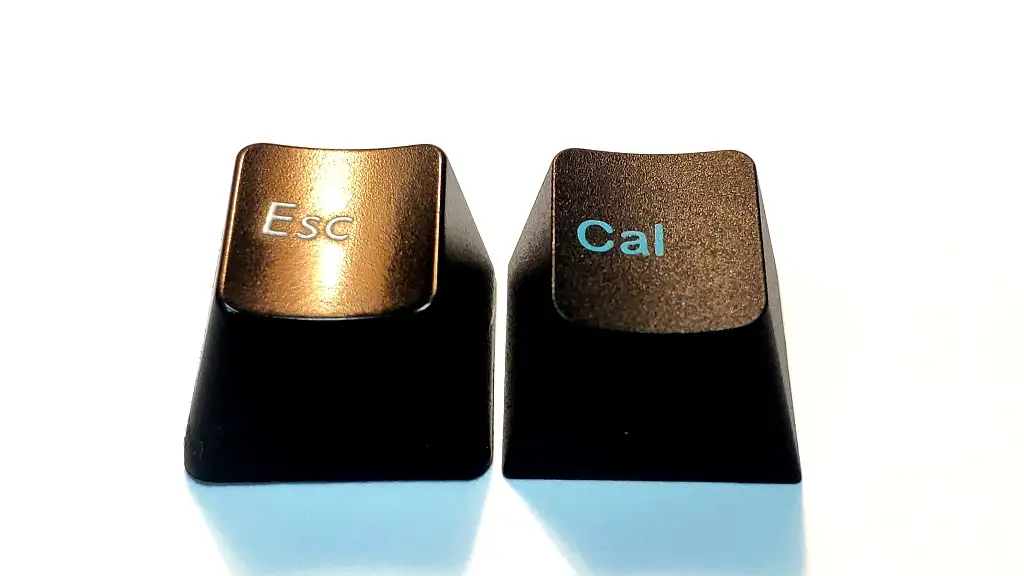
Here’s the thing most guides skip: neither material is universally “better.” If you’re building a board around vibrant RGB and want shine-through legends, ABS is the pragmatic choice. If you type eight hours a day and hate the greasy-shiny look, PBT is going to make you happier. The right answer depends on what you prioritize, feel, sound, aesthetics, or longevity. What matters more is knowing which PBT sets are actually good, and that’s where thickness and manufacturing come in.
Want to see how different materials and profiles compare in person? Browse our full collection of keycap sets to compare PBT, ABS, and artisan options, real photos, close-up texture shots, and specs across every profile and theme.
PBT Keycap Quality Tiers, What $20 vs $50 vs $100 Actually Buys You
Price doesn’t always track quality in keyboards, but with PBT keycaps, there are real material and manufacturing differences at each tier. Here’s what you’re actually paying for, and what you’re trading off, at each level.
Budget PBT ($15–$40): What You Trade Off
At this tier, you’re getting keycaps that are technically PBT, or at least labeled PBT. Most budget sets are thin (1.0–1.2mm wall thickness), use dye-sublimation for legends, and often contain some percentage of ABS blended in to make injection molding easier and cheaper.
The good news: even budget PBT gives you that dry, matte texture and better shine resistance than similarly-priced ABS. You’ll notice the difference after a few months of use. The bad news: thin PBT sounds thin, it’s closer to ABS acoustically than to premium PBT. And at this price, quality control is hit or miss. Expect minor legend inconsistencies, occasional stem fitment issues, and spacebars that might arrive with a slight warp.
I’ve seen $25 dye-sub PBT sets on AliExpress that looked fantastic in photos and felt completely hollow the moment they hit the plate. The material was right, it was PBT. But at 1.0mm, there just wasn’t enough mass to do anything interesting with the sound.
Mid-Range PBT ($40–$80): The Sweet Spot
This is where most people should be shopping. At this price, you get 1.4–1.6mm wall thickness, consistent dye-sub or entry-level doubleshot legends, and proper quality control from reputable manufacturers, their sets use genuinely thick PBT and the sound difference is immediately noticeable.
Mid-range PBT keycaps give you 90% of what premium sets offer for about half the price. The legends might not be quite as crisp at 10x magnification, and the kitting (the number of extra modifier keys in the box) might be slightly less generous, but your fingers won’t know the difference. This is where the law of diminishing returns kicks in hardest, moving from $50 to $100 buys you refinement, not transformation.
Premium PBT ($80–$150+): When It’s Worth Spending More
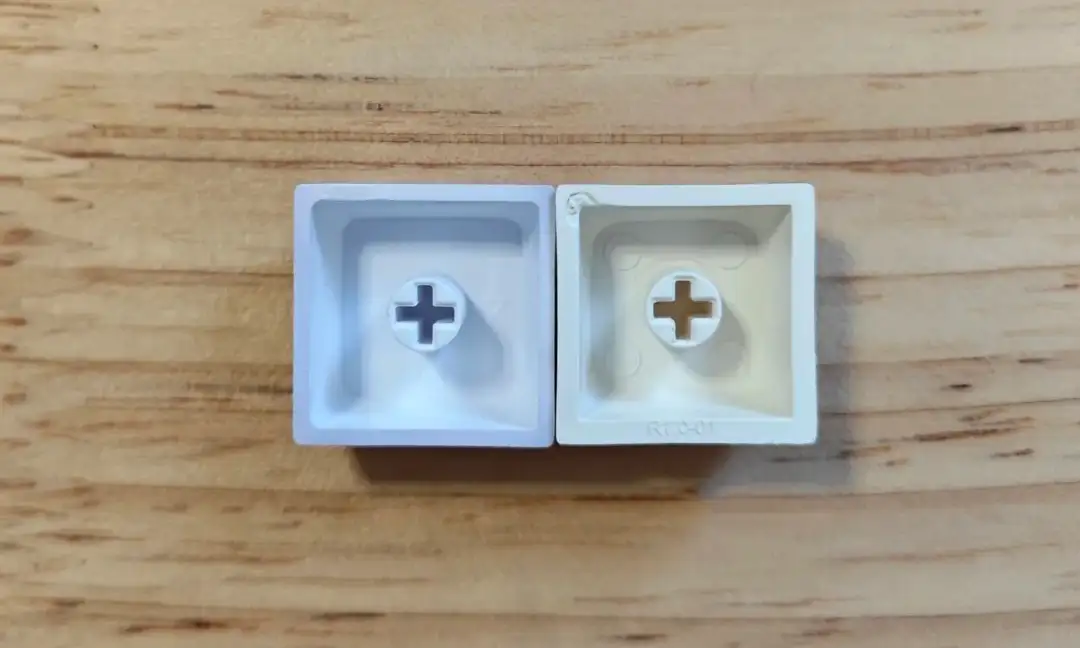
Premium PBT is where you find 1.7mm+ wall thickness, perfect legend consistency, and elaborate kitting that covers every possible layout from 40% ortho to full-size with Alice support. Advanced doubleshot molding at this tier can produce legends that rival GMK ABS in sharpness, something that wasn’t possible in PBT even five years ago.
You’re also paying for limited runs, designer collaborations, and color-matching precision. Is it worth it? If you’re the type of person who notices that the tab key legend is 0.2mm off-center, yes. If you just want great-feeling keycaps that last, the mid-range tier will make you just as happy for less money.
Quick Decision Table
| Your Situation | Recommended Tier | Why |
|---|---|---|
| First mech keyboard upgrade | Budget ($25–$40) | You’ll feel the difference from stock ABS; save money for your next board |
| Daily driver for work/gaming | Mid-Range ($40–$80) | Best value, thick PBT, good sound, no regrets |
| Endgame build / gift | Premium ($80+) | The refinement is real, but only worth it if you’re done experimenting |
| RGB showpiece build | Budget/Mid ABS alternative | PBT usually isn’t shine-through; consider ABS for lit legends |
The Sound of PBT, Thock, Clack, and Everything In Between
Here’s where things get interesting. Most people buy PBT for the texture and durability. But the sound difference, that’s what keeps people from ever going back.
Why Thicker Keycaps Sound Deeper
Think of a keycap like a bell. A thin metal bell rings at a high pitch. A thick, dense bell produces a lower, more muted tone. Same physics apply to plastic. When your switch bottoms out, the keycap vibrates. A thicker, denser keycap vibrates at a lower frequency with less resonance, that’s the foundation of “thock.” A thin, less dense cap vibrates at a higher frequency with more sustain, that’s “clack.”
PBT’s higher density (~1.3 g/cm³) naturally pushes the dominant frequency lower than ABS (~1.05 g/cm³). Combine that with 1.5mm+ wall thickness, and you get a sound that’s deeper, quieter, and more solid, the kind of sound that makes typing feel intentional. I’ve put the same Gateron Oil Kings in the same board with three different keycap sets, and the difference was so stark it genuinely felt like I’d swapped switches. Thin ABS sounded bright and slightly hollow. Thick PBT sounded deep and muted, same switches, same board, same desk.
PBT + Switch Pairings: What Sounds Best Together
Not all switches play nice with all keycaps. Here’s a quick pairing guide based on what I’ve tested:
| Switch Type | With Thick PBT | Sound Result |
|---|---|---|
| Long-pole linear (Oil Kings, Black Sesame) | Excellent | Deep, muted thock, the gold standard |
| Standard linear (Gateron Milky Yellow, Cherry Red) | Great | Balanced depth, moderate volume |
| Tactile (Boba U4T, Holy Panda) | Good | Tactile bump dominates the sound; PBT rounds off the high end |
| Clicky (Kailh Box Jade) | Mixed | PBT can make clicky switches sound “thicker” but the click still cuts through |
Linear switches tend to benefit most from thick PBT because there’s no tactile event competing for sonic attention. The smooth bottom-out lets the keycap’s acoustic properties shine through. If you’re chasing thock, the formula is thick PBT + long-pole linear switches + a well-dampened board. If you’re starting a new build, Cherry profile keycaps in PBT are the enthusiast default, the sculpted rows pair perfectly with the deep, muted PBT sound signature.
Dye-Sub vs Double-Shot, Which Legend Type Should You Pick?
The way legends are applied to PBT keycaps affects durability, appearance, and what designs are even possible. Both dye-sub and double-shot can produce excellent results, they just solve the problem differently.
Dye-Sublimation (Dye-Sub)
Dye-sublimation forces dye into the plastic at high heat (~330°C for 4–5 seconds), permanently embedding the legend into the surface of the keycap. The dye penetrates the PBT, so you can’t feel it with your fingertip and it won’t wear off. Dye-sub is great for complex, multi-color designs and is the standard for most mid-range PBT sets. The limitation: it only works on lighter-colored PBT (the dye needs to be darker than the cap surface), which is why you rarely see dye-sub on black keycaps.
Double-Shot Injection Molding
Double-shot molding injects a second plastic into a mold to form the legend, the legend is literally a separate piece of plastic embedded through the entire keycap. This means the legend can never rub off (it goes all the way through) and works on any color combination. Historically, doubleshot PBT had noticeably thicker, less-sharp legends than ABS doubleshot. But modern manufacturing has narrowed that gap significantly, companies are now producing doubleshot PBT with legend sharpness that rivals GMK.
| Dye-Sub PBT | Double-Shot PBT | |
|---|---|---|
| Legend Durability | Permanent (dye in plastic) | Permanent (plastic through plastic) |
| Color Options | Darker legends on lighter caps only | Any color combination |
| Legend Sharpness | Very good to excellent | Good to excellent (improving fast) |
| Multi-Color Designs | Excellent, complex graphics possible | Limited, each color needs a separate mold |
| Price | $25–$80 | $40–$150+ |
| Best For | Themed sets, gradients, anime designs | Clean, crisp legends; dark base colors |
For most people, dye-sub is the practical choice, it’s cheaper, looks great, and lets you run elaborate themed sets. If you want crisp white-on-black legends or maximum longevity, doubleshot is the way to go. Either way, make sure the set uses genuine PBT, not a blend, thin, cheap doubleshot PBT with blurry legends defeats the purpose.
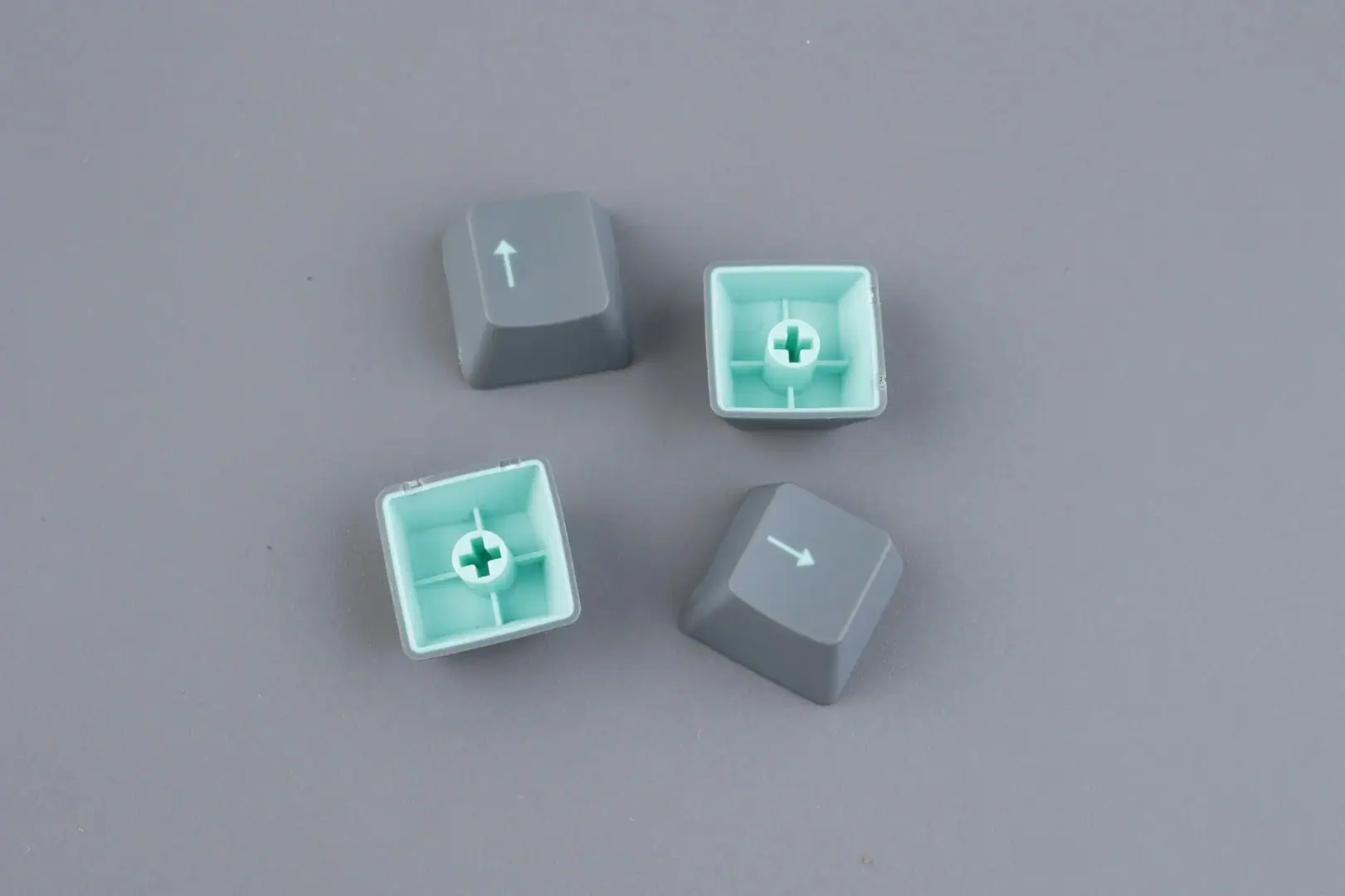
Looking for themed PBT sets? Explore our keycap collections, from floral dye-sub designs to anime-themed doubleshot sets across multiple profiles.
PBT Keycaps and Switch Compatibility: What You Need to Know
PBT keycaps use the standard Cherry MX stem, the cross-shaped mount that’s been the industry standard since the 1980s. That means they’re compatible with virtually every modern mechanical switch that calls itself MX-compatible: Cherry, Gateron, Kailh, TTC, JWK, Outemu, and more.
That said, compatibility isn’t just about the stem. Topre, low-profile, and some optical switches use different mounts entirely. And on the layout side, non-standard bottom rows (common on Corsair and Razer boards), shorter right shifts on 60%/65% boards, and 7u spacebars on certain 75% layouts can all trip you up if you don’t check before buying.
For a complete breakdown of every switch type, layout variation, and what to verify before ordering, read our dedicated guide: Do All Keycaps Fit All Switches? The Complete Compatibility Guide.
The Downsides of PBT, Honest Talk
PBT isn’t perfect. And pretending it is does a disservice to anyone trying to make a good buying decision. Here’s what actually frustrates people about PBT keycaps, and when ABS is genuinely the better choice.
When ABS Is Actually Better
If your top priority is vibrant, deeply saturated color, the kind of eye-searing neon pink or rich midnight blue that makes a keyboard pop on Instagram, ABS wins. PBT’s crystalline structure scatters light in a way that naturally mutes colors. ABS’s amorphous structure reflects light more uniformly, producing richer hues. This is why GMK, the gold standard for color-critical keycap sets, uses ABS.
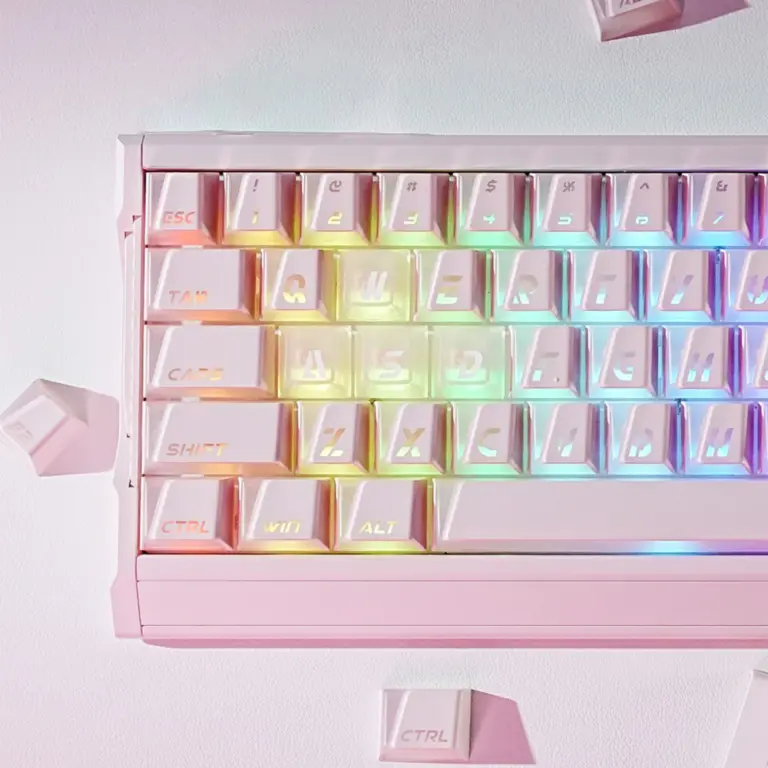
ABS is also the better choice if you want shine-through RGB legends. While side-lit PBT keycaps exist, like the Kangel Side Lit Cherry Profile set, most PBT caps have opaque legends that block backlighting.
And if you’re deeply sensitive to texture, some people genuinely prefer the slicker, faster feel of ABS, don’t let community pressure talk you out of what your fingers actually like.
PBT Spacebar Warping, What It Is and How to Deal
This is the most common PBT complaint and it’s worth addressing directly. PBT shrinks more than ABS during cooling, and long, thin parts like spacebars are disproportionately affected. A slight upward curve (under 2mm of lift at the center) is normal and usually doesn’t affect function, the stabilizer stems still engage and the key still returns properly.
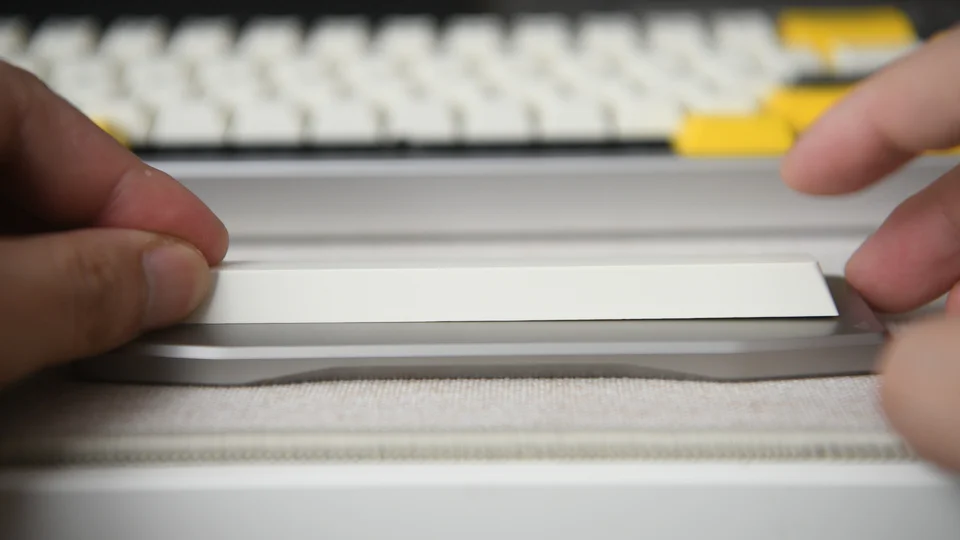
If you get a spacebar that’s warped enough to cause binding or inconsistent feel, you have options:
- Heat + weight method: Submerge in hot water (~80°C / 175°F) for 30 seconds, then lay flat under a heavy book until cool
- Contact the vendor: Most quality sellers will replace severely warped spacebars
- Accept it if minor: A 1–2mm curve that doesn’t affect typing is cosmetic only, nobody will notice except you
The RGB Tradeoff
Most PBT keycaps don’t do shine-through. The material’s opacity, combined with manufacturing methods that don’t leave clear legend channels, means your per-key RGB either disappears or turns into a faint underglow. For some people, this is a dealbreaker. For others, myself included, it’s actually a feature. It shifts the visual focus from flashy lighting to the keycap design itself. If you do want RGB through PBT, look for side-lit PBT sets like our Nuclear Power profile keycaps, which route light through the sides of the cap.
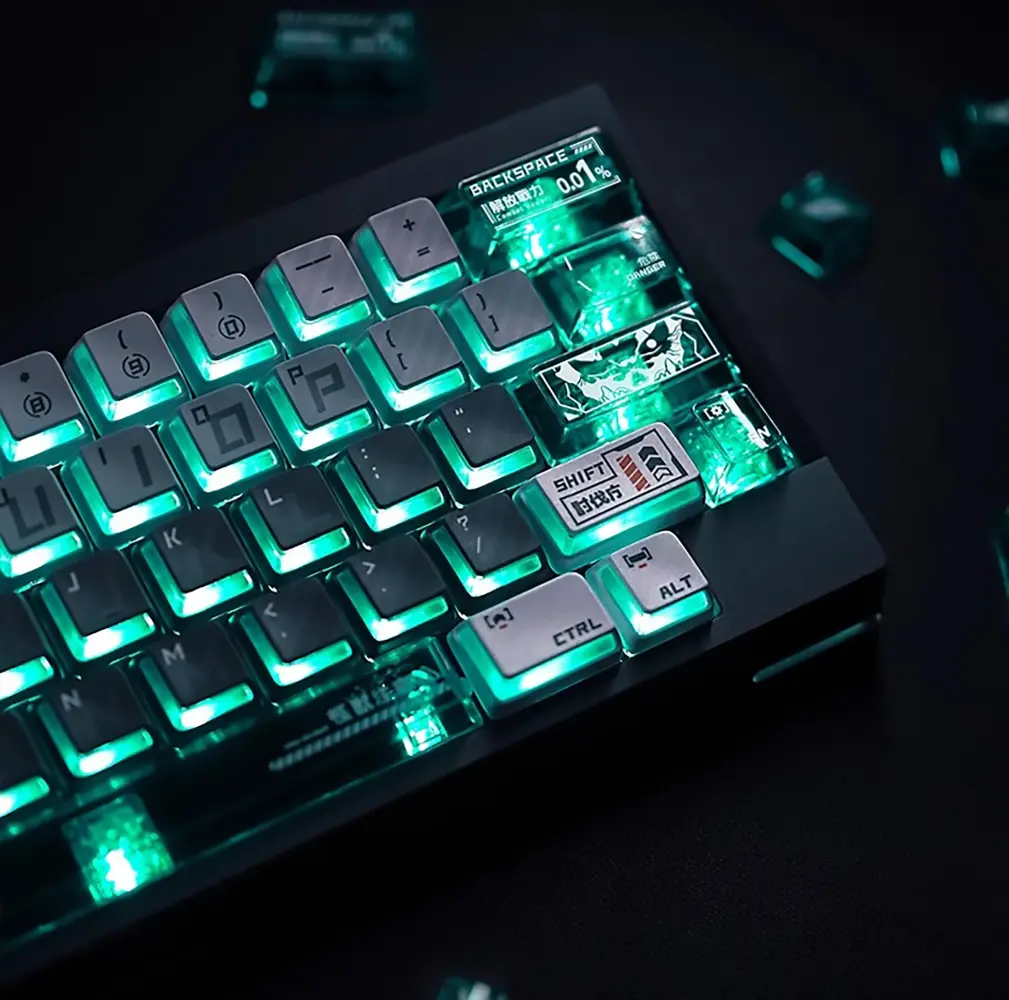
Kaiju No. 8 Nuclear Power Side-lit Keycaps
Best PBT Keycaps by Use Case
Rather than give you a generic “top 10” list, here are recommendations organized by what you actually care about. These picks are based on real sets available in 2026, weighted toward what delivers the most value per dollar.
For the Thock Lover
You want the deepest, most muted sound possible. Go with 1.5mm+ thick PBT, Cherry or MOA profile, paired with long-pole linear switches. The MOA profile PBT keycaps tend to deliver exceptional depth because the uniform height means more plastic mass per key.
For the Aesthetic Builder
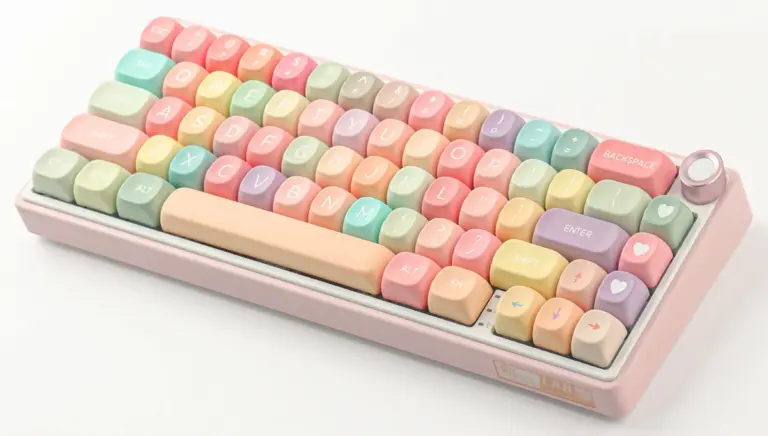
Your keyboard is a visual statement as much as a tool. Themed PBT sets with five-sided dye-sublimation give you vibrant, permanent designs that won’t fade. The Roses Poem Floral PBT Keycaps are a standout, full floral dye-sub across every key, 1.5mm+ thickness, and the kind of design that starts conversations. Sets like Cinnamoroll PBT Cherry MOA and Pokemon Sylveon Dream MOA bring officially-inspired anime aesthetics without sacrificing material quality.
For the Gamer
You need grip and durability. PBT’s textured surface gives your fingers better traction during intense sessions, no slipping off WASD in the middle of a clutch. The Summer Blue Cherry Profile Keycaps offer that classic Cherry sculpt in clean PBT with a colorway that looks sharp without being distracting.
For the Budget-Conscious Upgrader
If you’re coming from the stock ABS caps that came with your prebuilt board, almost any mid-range PBT set will feel like a massive upgrade. Don’t overthink it, grab a $35–50 dye-sub PBT set in the profile you already use, and you’ll immediately notice the difference in texture and sound. The PBT keycaps collection has options starting at entry-level prices with enthusiast-grade quality control.
Ready to upgrade your stock keycaps? Shop PBT keycaps at KeysFusion, curated sets vetted for thickness, legend quality, and real-world durability.
Caring for Your PBT Keycaps, Make Them Last Even Longer
PBT is tough, but not invincible. A few simple habits will keep your keycaps looking and feeling new for years.
Cleaning Without Damage
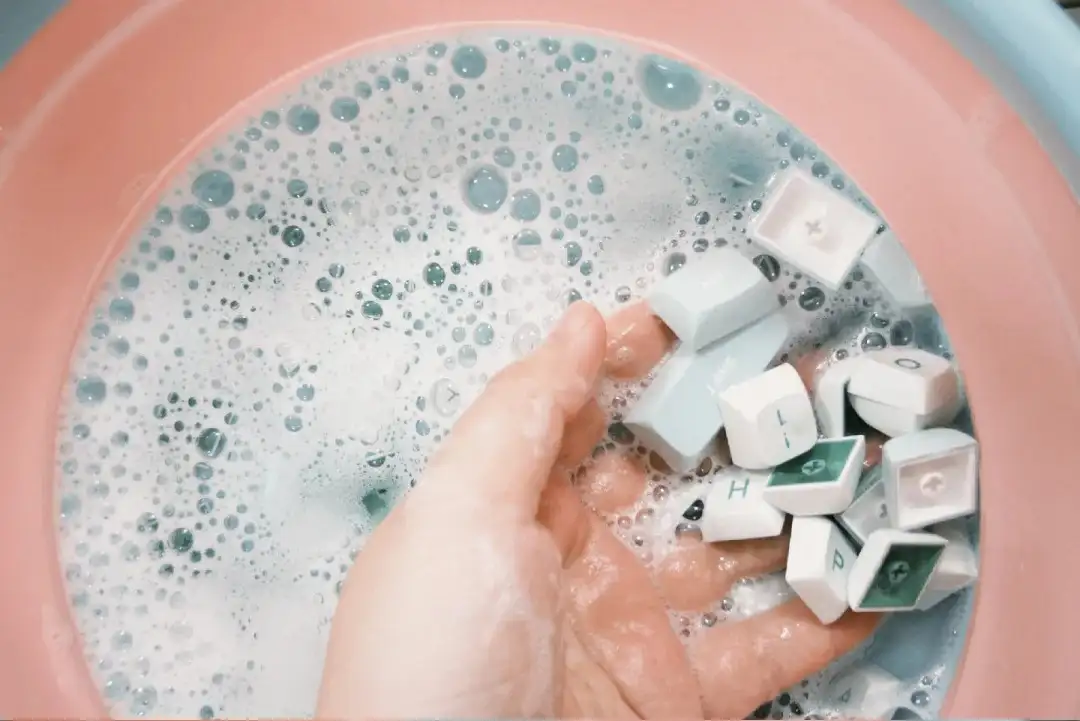
Pull the caps, don’t try to clean them on the board. Use a proper keycap puller (wire pullers are gentler on stems than plastic ring pullers). Soak in warm water with a small amount of mild dish soap for 15–20 minutes. Rinse thoroughly and let them air dry completely, 24 hours minimum, before reinstalling. Don’t use isopropyl alcohol on dye-sub PBT; it can dull the legends over time. For doubleshot PBT, alcohol is fine.
Preventing UV Yellowing
PBT is naturally UV-resistant, far more so than ABS, but white and light-colored caps can still discolor after years of direct sunlight exposure. Keep your keyboard out of direct sun when you’re not using it. If you rotate between sets, proper storage in a covered container keeps dust off and UV out.
What Not to Do
Skip the dishwasher trick you might have seen on Reddit. The heat and aggressive detergents can warp PBT and dull legends. Skip ultrasonic cleaners unless you know exactly what detergent and temperature to use. And never, ever use acetone or nail polish remover near PBT, most PBT blends contain enough additives that strong solvents can cause surface damage.
FAQ
Do PBT keycaps fit all mechanical keyboards?
Most PBT keycaps fit keyboards with standard Cherry MX-style switches, that covers Cherry, Gateron, Kailh, TTC, JWK, Outemu, and the vast majority of modern mechanical boards. They don’t fit Topre, optical-only, or low-profile switch keyboards. Always verify your switch type and bottom row layout (standard vs non-standard) before ordering. See our full keycap compatibility guide for specific layouts.
Are PBT keycaps worth the extra cost over ABS?
If you type more than four hours a day: absolutely. The matte texture stays grippy for years instead of turning glossy in months. The deeper sound is immediately noticeable. And a $50 PBT set typically lasts three to five times longer than a similarly priced ABS set. For casual use (an hour or two a day), the difference matters less, you might never wear through a quality ABS set.
How can I tell if my keycaps are real PBT or a blend?
Real PBT has a dry, slightly textured matte finish, it feels almost like very fine-grit sandpaper under your fingertips. It’s rigid and hard to bend. ABS blends feel smoother and shinier straight out of the box, and flex more easily when you squeeze the sides. If the manufacturer doesn’t list wall thickness, that’s a red flag, genuine PBT sets almost always advertise thickness as a selling point, while blends avoid the topic.
Can PBT keycaps yellow over time?
Quality PBT is naturally UV-resistant and significantly less prone to yellowing than ABS. However, white or very light-colored PBT caps can still discolor after years of direct sunlight exposure. Simply keeping your keyboard away from windows when not in use is enough to prevent visible yellowing for the practical lifespan of the caps.
Why does my PBT spacebar look slightly bent?
This is extremely common and caused by PBT’s higher shrinkage rate during injection molding. A slight upward curve (less than 2mm of lift at the center) is normal and usually doesn’t affect how the key functions, the stabilizer stems still engage properly. If it’s severely warped enough to cause binding, the hot water + weight flattening method works well, and most quality vendors will replace it.
What’s better for gaming, PBT or ABS keycaps?
PBT’s textured surface gives better finger traction during intense gaming sessions, which matters for competitive play where slipping off a key costs you. However, if you game in the dark and rely on RGB shine-through legends to see your keys, ABS is the better choice. Side-lit PBT keycaps, like the Nuclear Power profile sets, offer a middle ground, combining PBT’s texture with light-diffusing side windows.
The Bottom Line
PBT keycaps aren’t magic. They’re just a denser, more durable plastic that happens to sound better and feel better under your fingers for longer. Whether they’re worth it comes down to what you value in your keyboard experience. If you want that deep, muted thock and a texture that stays consistent year after year, PBT delivers, especially at the mid-range price point where value peaks. If you want the most vibrant colors possible and don’t mind the tradeoff in longevity, ABS has a legitimate place in this hobby too.
What matters most isn’t the material label on the box. It’s the thickness, the manufacturing quality, and whether the set matches how you actually use your keyboard. A 1.6mm thick PBT set at $50 will serve you better than a 1.1mm PBT set at $80, the spec sheet is more honest than the price tag.
The best advice I can give: start with a mid-range PBT set in the profile you already use. Live with it for three months. Then, if you’re curious, try a quality ABS set. Your fingers will tell you which one is right faster than any guide ever could.