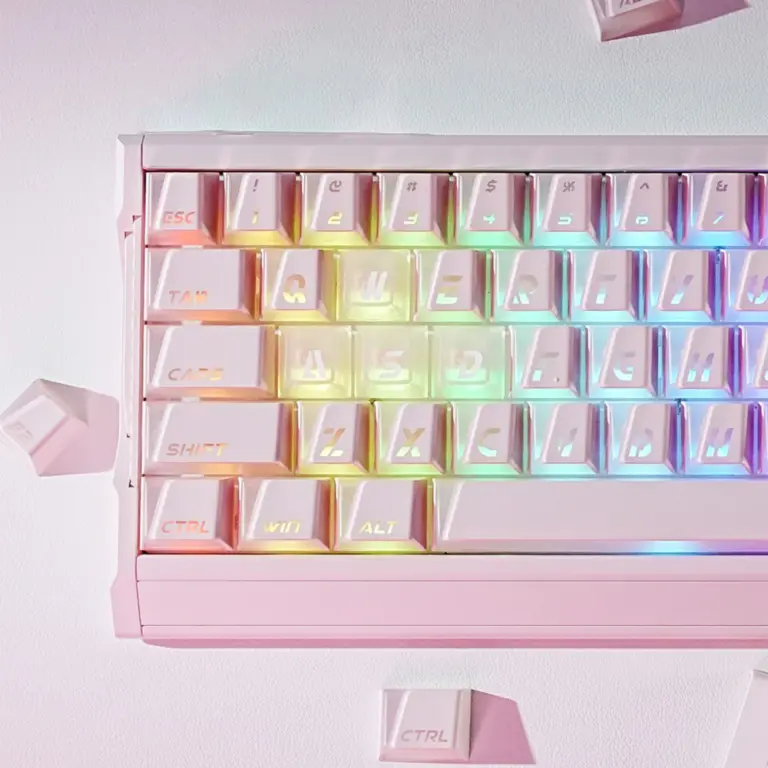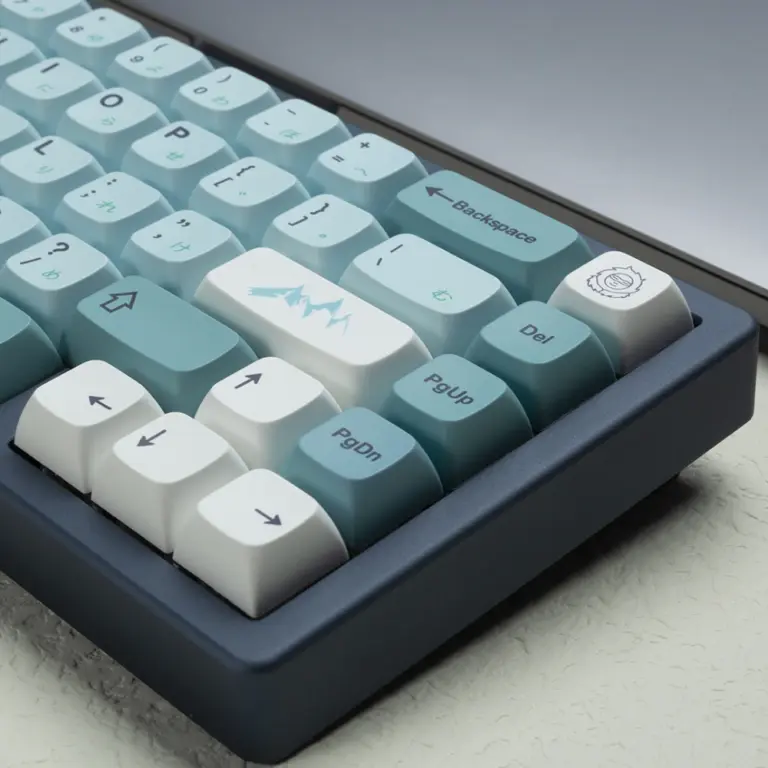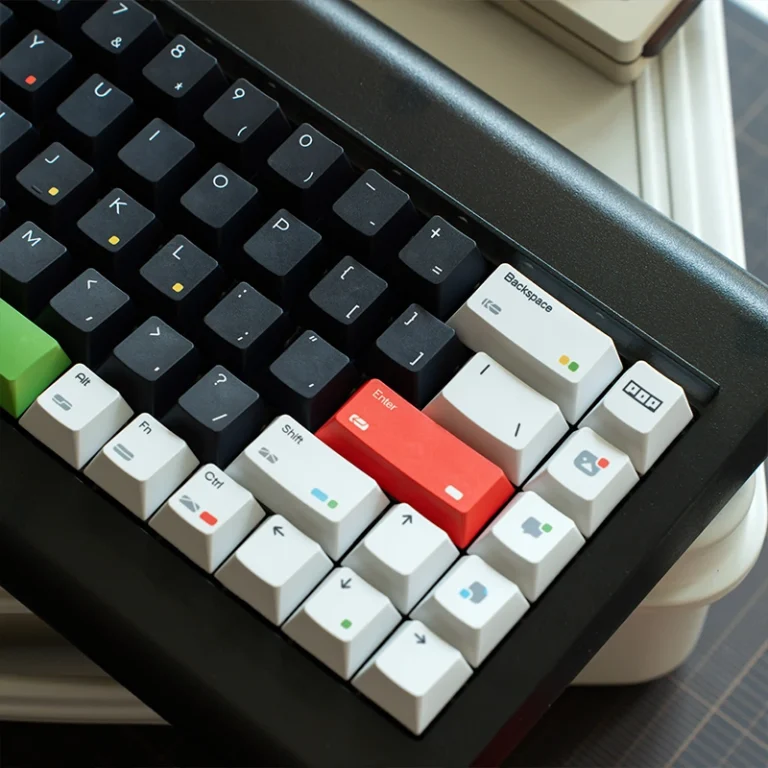
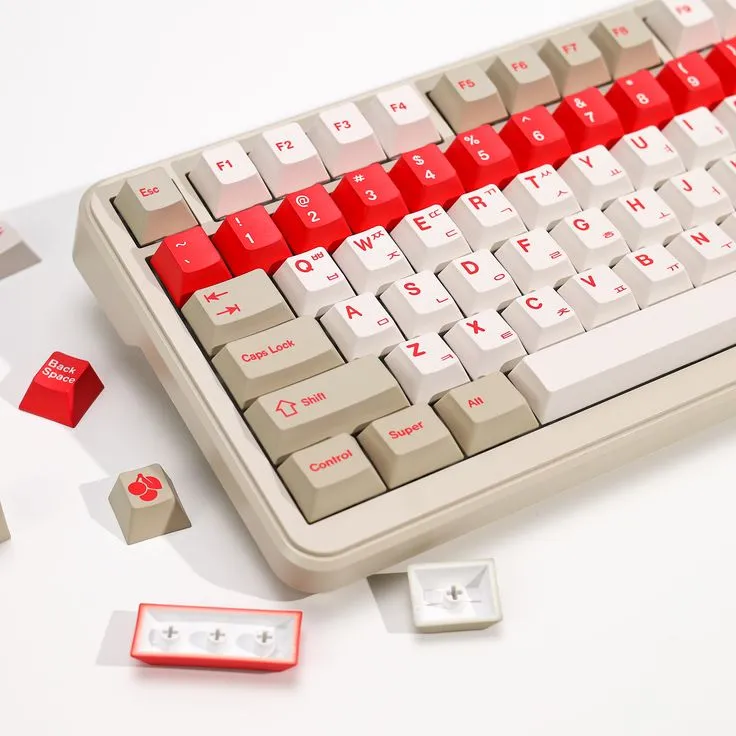
Browse any mechanical keyboard forum or group buy listing, and you’ll see Cherry profile mentioned everywhere—praised as a gold standard, listed in product specs, and recommended in build guides. Yet for newcomers, it remains frustratingly vague. What actually makes Cherry profile different from the keycaps that came with your prebuilt keyboard?
The confusion makes sense: keycaps look like simple plastic pieces, but profile choice fundamentally shapes your typing experience through finger travel distance, ergonomic angles, and sound characteristics. Pick the wrong profile, and even premium switches won’t save your build from feeling awkward during long typing sessions.
This guide breaks down Cherry profile’s exact specifications, compares it against OEM and SA alternatives, and helps you determine if it matches your keyboard layout and typing preferences. You’ll finally understand what “R3,” “sculpted rows,” and “cylindrical tops” actually mean—and make confident keycap decisions backed by technical clarity instead of community hype.
Table of Contents
What Is Cherry Profile?
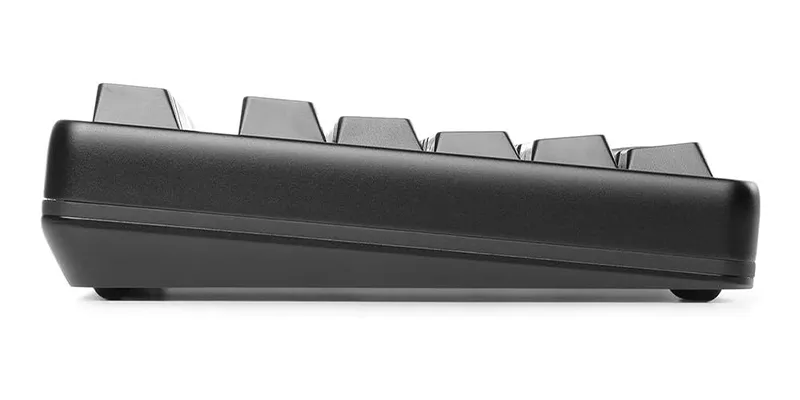
Cherry Profile is a keycap height specification that defines how tall each row of keycaps sits and how they’re angled across your keyboard. It uses a sculpted design where each row (R1 through R4) has a medium height, with spherical dishes on top of each keycap while maintaining ergonomic typing positions, making it one of the most popular profiles among mechanical keyboard enthusiasts.
How Cherry Profile Got Its Name
So here’s where things get interesting from a historical perspective.
The term “Cherry Profile” comes from Cherry Corporation – yes, that Cherry, the German company that’s been making mechanical switches since before most of us were born. Their classic keyboards, particularly the iconic Cherry G80-3000 series from the 1980s, featured a specific keycap height design that was just… right. Not too tall, not too flat, perfectly sculpted for long typing sessions.
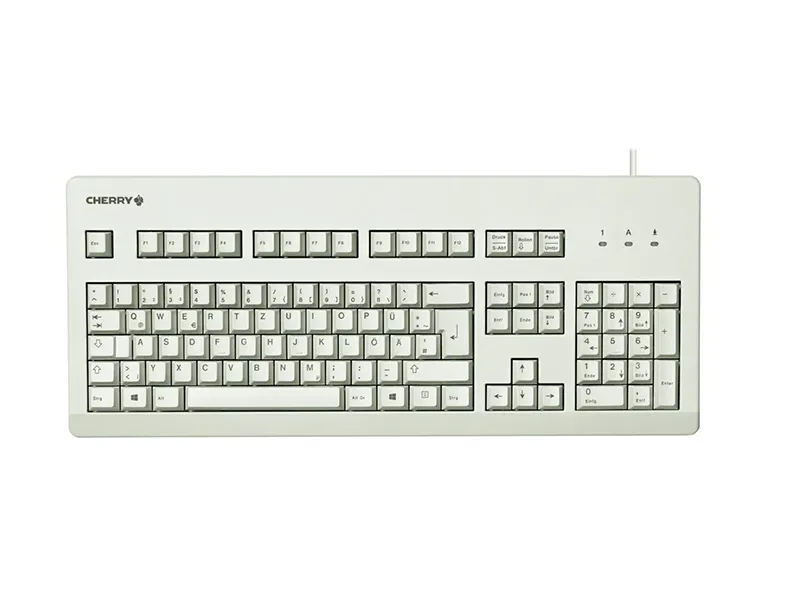
Over the decades, this height specification became the de facto standard that countless keyboard manufacturers adopted. It wasn’t officially called “Cherry Profile” at first – that’s a name the community gave it later. But the specification stuck around because it was genuinely well-designed, backed by decades of ergonomic research (or at least trial and error) from a company that had been making keyboards since the 1950s.
The ironic part? Cherry themselves don’t make that many Cherry Profile keycap sets anymore. Most of the Cherry Profile caps you’ll find today come from aftermarket manufacturers like GMK, ePBT, or various Chinese PBT producers. But the standard lives on, which is pretty remarkable when you think about how quickly everything else in this hobby becomes obsolete.
The Anatomy of Cherry Profile
Alright, this is where I need you to pay attention because this is the part everyone gets wrong at first, and it will absolutely mess you up if you don’t understand it.
Cherry Profile uses a row numbering system (R1, R2, R3, R4) that goes from top to bottom. This is counter-intuitive because you’d think R1 would be the bottom row since that’s where you start typing, right? Wrong. The keyboard industry decided to number from the top down, and now we’re all stuck with it.
A Breakdown of Cherry Profile Rows
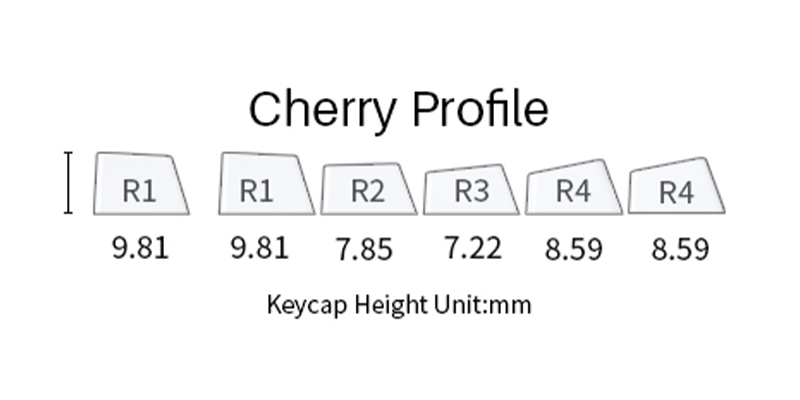
R1 (Row 1) – Top Row
- Location: Number keys (1, 2, 3… Esc, F1, F2…)
- Height: ~9.81mm (tallest row)
- Angle: -1° (negative angle, tilts away from you)
- Surface: Spherical dish (subtle scoop in the keycap top)
R2 (Row 2) – Upper Letter Row
- Location: QWERTY keys
- Height: ~7.85mm
- Angle: 1° (slightly tilted)
- Surface: Spherical dish
R3 (Row 3) – Home Row
- Location: ASDF keys (where your fingers rest)
- Height: ~7.22mm (lowest point in the profile)
- Angle: 5°
- Surface: Spherical dish
- Note: This is your baseline – everything is measured relative to this row
R4 (Row 4) – Bottom Letter Row
- Location: ZXCV keys
- Height: ~8.59mm (slightly lower than R3, but angled up)
- Angle: 12° (steepest angle, tilts toward you)
- Surface: Spherical dish
Spacebar Row
- Height: Variable depending on size (6.25u vs 7u)
- Shape: Usually a gentle curve, sometimes cylindrical
- Note: Technically not part of the R1-R4 system
Visual way to remember this: Imagine your keyboard is a skateboard ramp. R1 is at the top of the ramp (tall and angled away), R3 is the flat bottom, and R4 curves back up slightly. Your fingers flow down this “ramp” naturally as you type.
IMPORTANT: The measurements above are approximations and vary slightly between manufacturers. GMK’s Cherry Profile might measure slightly different from ePBT’s or Domikey’s, but they’re all close enough that you won’t notice the difference in actual use.
The Spherical Sculpting Secret
Here’s a detail that often gets overlooked: Cherry Profile isn’t just about height differences – it’s also about how the top of each keycap is shaped.
Cherry Profile features spherical sculpting (sometimes called “spherical top” or “dished”). This means each keycap has a subtle bowl-shaped depression on its surface. If you run your finger across the top of a Cherry Profile cap, you’ll feel it dip slightly in the center.
Why does this matter? Fingertip retention. That little dish helps your fingertip “lock into” the center of each key, improving accuracy and reducing the feeling of your fingers sliding around. It’s a subtle tactile landmark that your brain picks up on subconsciously.
I won’t pretend the difference is night-and-day life-changing, but after you’ve used Cherry Profile for a while, typing on flat caps can feel a bit like ice skating – technically functional, but weirdly slippery.
The Benefits of Choosing Cherry Profile
1. Ergonomic Advantages
- Reduced finger strain: Lower travel distance between rows minimizes repetitive motion stress
- Natural hand positioning: Sculpted angles match anatomical resting positions
- Decreased fatigue: Ideal for programmers and writers with 8+ hour typing sessions
2. Universal Compatibility
This is huge and often underappreciated: Cherry Profile is compatible with basically everything.
- Works perfectly with standard plate-mounted switches
- No clearance issues with high-profile cases (bezeled/framed designs)
- Compatible with all standard stabilizers
- No interference with switch housings or PCB components
- Keycaps won’t collide with each other even at extreme typing angles
If you’re building a custom keyboard and want to minimize the chance of running into weird fitment issues, Cherry Profile is your safest bet.
3. Balanced Acoustics
Cherry profile’s lower height and specific cavity design contribute to a balanced sound signature:
- Customizable acoustics: Works well with foam dampening modifications
- Muted downstroke: Less “clacky” than taller profiles
- Enhanced “thock”: Especially when paired with PBT material
4. Massive Selection and Availability
Because Cherry Profile is the de facto standard, you have access to:
- Hundreds of colorways and themes
- Budget options starting at $20 (AliExpress PBT sets)
- Mid-range options ($70-120 from ePBT, Domikey, etc.)
- Premium GMK sets ($120-150+, if you can find them in stock)
- Niche designs (anime themes, minimalist sets, retro colorways, etc.)
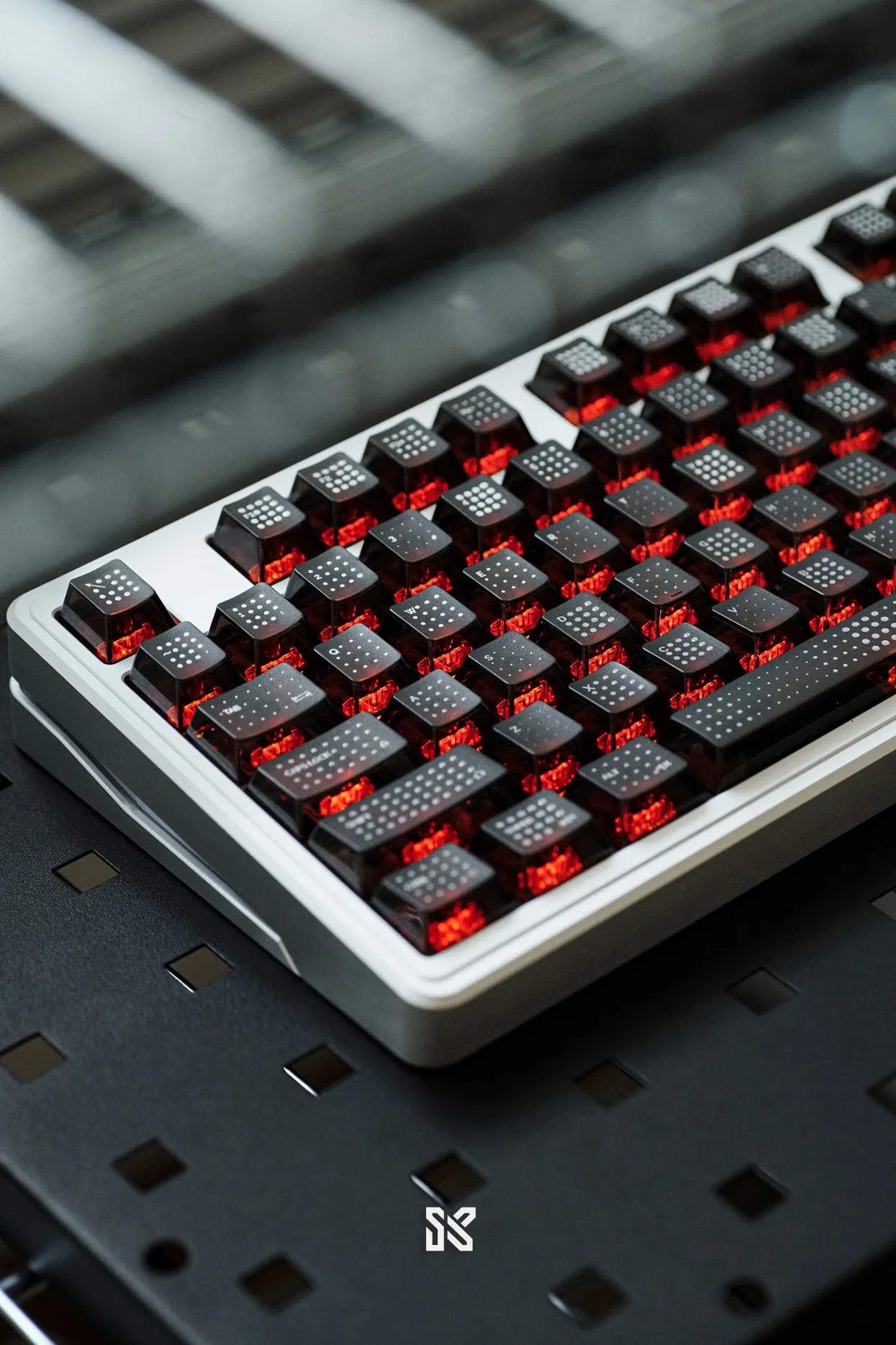
Finding Cherry Profile caps in your preferred aesthetic is way easier than finding, say, MT3 or KAT profile sets.
Cherry Profile vs. The Competition
The Comparison Matrix
| Profile | Total Height | Sculpting Style | Best Use Case | “Vibe” |
| Cherry | Medium | Moderate sculpt, spherical tops | All-purpose daily driver | Classic, safe, professional |
| OEM | Taller | Steep sculpt, cylindrical tops | Stock keyboards, traditional users | “Normal” keyboard feel |
| SA | Very Tall | Dramatic retro curve | Aesthetics, collectors, retro builds | 1970s IBM vibes |
| XDA/DSA | Uniform | No sculpt (flat) | Ortho boards, minimalists | Modern, clean, Scandinavian |
Cherry Profile vs. OEM Profile
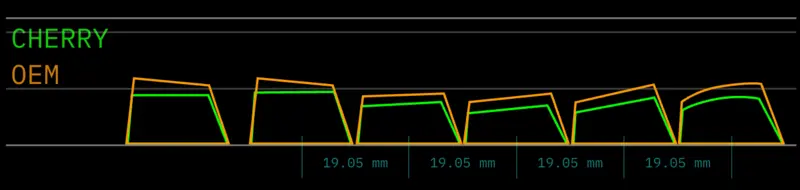
OEM Profile is what most stock keyboards use (think Filco, Leopold, Ducky, Varmilo). It’s often confused with Cherry Profile, but they’re different.
Check out our comprehensive OEM Profile guide: What is OEM Profile? Is It Better Than Cherry Profile? for a detailed breakdown.
Key differences:
- OEM is taller overall: About 1-2mm taller per row
- OEM has steeper angles: The “staircase” is more pronounced
- OEM uses cylindrical sculpting: Cherry uses spherical
What this feels like in practice: If you switch from an OEM keyboard to Cherry Profile, your board will feel noticeably lower and more compact. It’s like going from a SUV to a sports car – closer to the ground, more controlled, faster feeling.
Most people who try Cherry Profile after using OEM prefer it, but the transition can feel weird for the first day or two. Your muscle memory expects your fingers to travel farther, and suddenly they don’t need to. It’s disorienting until it clicks (pun intended).
My take: OEM feels “normal” because it’s everywhere. Cherry feels “right” once you adjust to it. If you’ve been using OEM your whole life and it works for you, great – don’t fix what isn’t broken. But if you have the chance to try Cherry Profile, I’d say it’s worth the $30-40 for a cheap PBT set just to see if you prefer it.
Cherry Profile vs. SA Profile
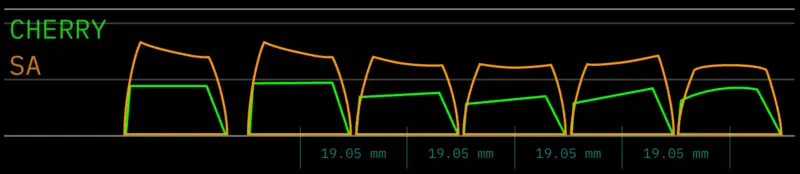
SA Profile is like Cherry Profile’s tall, retro-obsessed cousin who shows up to family gatherings in vintage clothing and won’t shut up about vinyl records.
Key differences:
- SA is much taller: About 3-5mm taller per row
- SA has dramatic sculpting: More aggressive curves, deeper dishes
- SA uses retro aesthetics: Rounded tops, 1970s IBM-inspired design
What this feels like in practice: If you switch from Cherry Profile to SA, it feels like you’ve suddenly mounted your keycaps on stilts. Your fingers have to reach up noticeably higher, and the deep dish on each cap creates a more pronounced “cupping” sensation. It’s substantial, luxurious feeling, but definitely polarizing.
The extra height also means SA requires more deliberate finger movement – you can’t just skim across the keys like you can with Cherry. Some people love this weighted, intentional feeling. Others find it exhausting after an hour.
My take: SA looks absolutely stunning in photos and has that deep, resonant “thock” everyone loves. But it’s a commitment. If you type 8+ hours a day, SA will tire your hands out faster than Cherry. It’s the profile you choose when aesthetics and sound matter more than pure ergonomic efficiency. And yes, you’ll probably want a wrist rest.
Cherry Profile vs. XDA/DSA
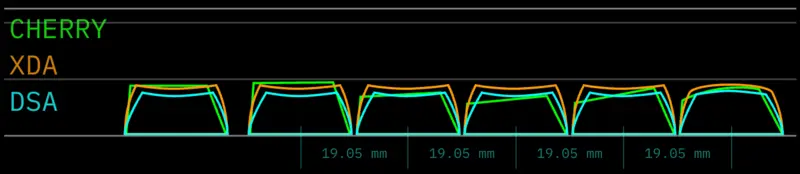
XDA and DSA profiles reject sculpting entirely. Instead of varying heights across rows like Cherry Profile, they keep everything at a uniform ~8mm height.
Key differences:
- XDA/DSA have no height variation: All rows are identical height
- XDA/DSA have flat or minimal sculpting: No spherical dishes like Cherry
- XDA/DSA are slightly lower: About 1-2mm shorter than Cherry’s lowest point
What this feels like in practice: If you switch from Cherry Profile to XDA/DSA, the first thing you’ll notice is how flat everything feels. There are no height landmarks to guide your fingers, which can be disorienting at first. Your brain expects that little height bump when you reach for the number row, and suddenly it’s not there.
For some people, this uniform height feels liberating – especially on ortholinear keyboards (grid layouts) where Cherry’s row-based sculpting doesn’t make as much sense. For others, it feels like typing on a table. Your fingers have to work harder to remember where they are without those tactile height cues.
My take: I’ve tried to daily-drive DSA multiple times and always end up back at Cherry within a week. The uniform height feels “wrong” to my fingers after years of sculpted profiles. But I know plenty of people who swear by DSA for ortho boards and hate anything sculpted. If you have smaller hands or primarily use programmable layers where you’re constantly remapping keys, uniform profiles might actually work better for you.
Final Thoughts
Look, I’m going to level with you here at the end: Cherry Profile is not exciting. It’s not going to make your friends gasp when they see your keyboard. It’s not going to get you tons of upvotes on Reddit. It’s not innovative or experimental or cutting-edge.
But here’s what Cherry Profile is: It’s the refined result of 40+ years of real-world use and iteration. It’s the profile that quietly dominates professional keyboards because it just works. It’s the safe choice that’s safe for a very good reason.
When Cherry Profile Is The Right Choice
If you’re someone who:
- Types for a living (writing, coding, data entry)
- Values function over form
- Wants something reliable and proven
- Doesn’t want to think about their keycaps after the initial purchase
- Is building their first custom keyboard
Then Cherry Profile is probably your answer. It’s the “set it and forget it” option that will just get out of your way and let you work.
When Cherry Profile Might Not Be Right
If you’re someone who:
- Treats keyboards as art pieces first, tools second
- Wants to experiment and try new things
- Has very specific ergonomic needs that standard profiles don’t address
- Is building a themed board where aesthetics are paramount
Then maybe explore other options first. SA for retro builds, MT3 for aggressive sculpting, XDA for minimalism. The hobby is full of interesting alternatives.
Common Questions
No, but I get why this is confusing.
- Cherry Profile = The height specification/shape
- GMK = A German company that manufactures keycaps (among the highest quality)
GMK makes Cherry Profile keycaps, and they’re famous for it. But plenty of other companies make Cherry Profile too.
Think of it like this: “sedan” is a car body style, but “Toyota” is a company that makes sedans. Cherry Profile is the body style, GMK is one of the manufacturers.
Technically yes, but don’t do this unless you have a very specific reason.
Mixing profiles destroys the ergonomic flow that makes sculpted profiles work in the first place. Your fingers will constantly be landing at unexpected heights, which will slow you down and feel terrible.
The one exception: Some people use different profiles for specific modifier keys or function rows that they rarely touch. For example, using SA profile for Esc and F-row on an otherwise Cherry Profile board. It’s unconventional, but if it works for you, go for it.
If your keyboard:
- Uses standard MX-style switches ✅
- Has a standard or mostly-standard layout ✅
- Is a normal mechanical keyboard from a known brand ✅
Then yes, Cherry Profile will work.
If your keyboard:
- Uses low-profile switches ❌
- Is a weird proprietary design (some Razers, Logitechs) ⚠️ (check first)
- Uses optical switches (some Gaterons work, some don’t) ⚠️
Then maybe not – do your research first.
Depends on your desk setup and typing habits:
You probably need one if:
- Your desk is high and your keyboard sits at elbow height or above
- You rest your wrists on the desk while typing (not ideal, but common)
- You’re coming from a laptop keyboard
- You experience wrist pain after extended typing
You probably don’t need one if:
- Your desk and chair are properly adjusted (forearms parallel to floor)
- You’re a “proper” touch typist who hovers their hands
- You’re already comfortable with standard-height keyboards
- You use a keyboard tray
My setup: I use a wrist rest for comfort during long sessions, not because I need it ergonomically. It’s just nice to have somewhere to rest between typing bursts.
Despite the naming, Cherry profile keycaps work with any MX-style switch: Gateron, Kailh, Durock, etc. The profile name references the original manufacturer, not switch compatibility.