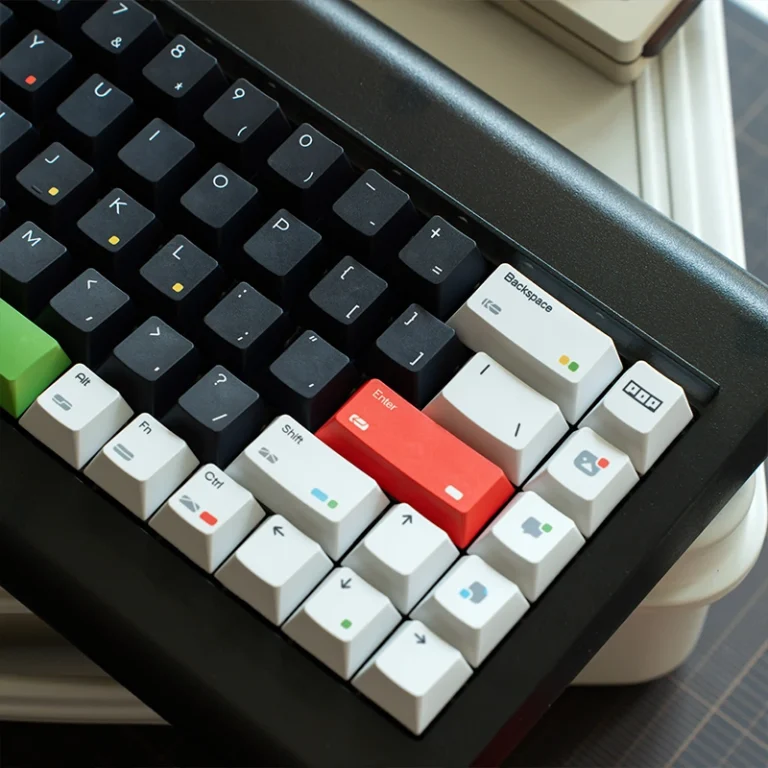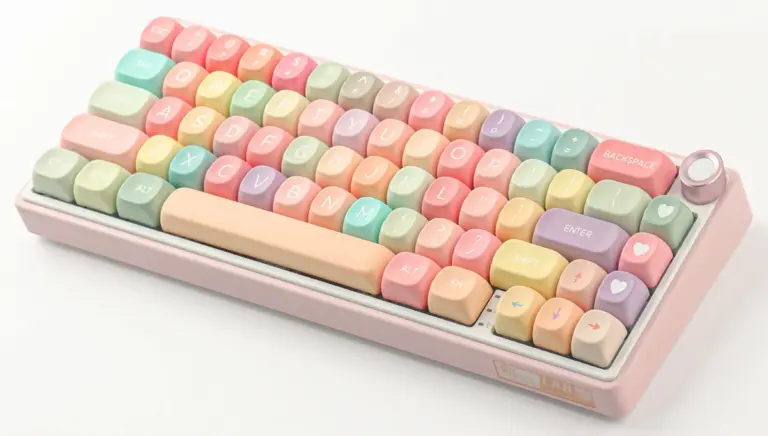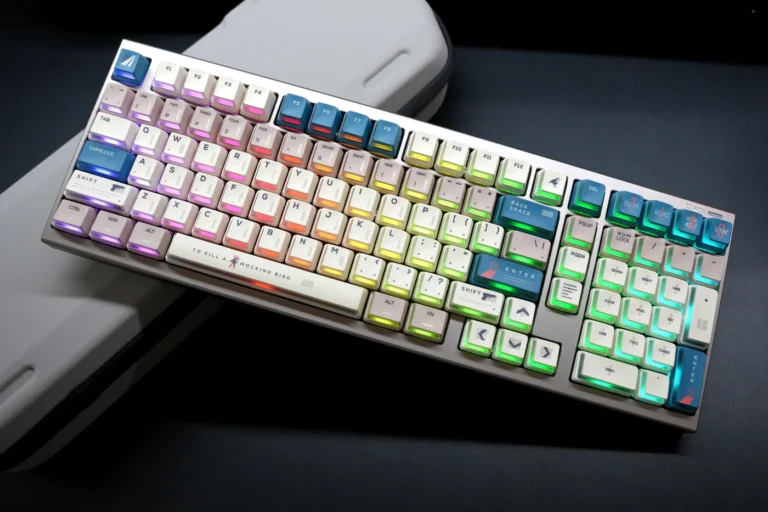
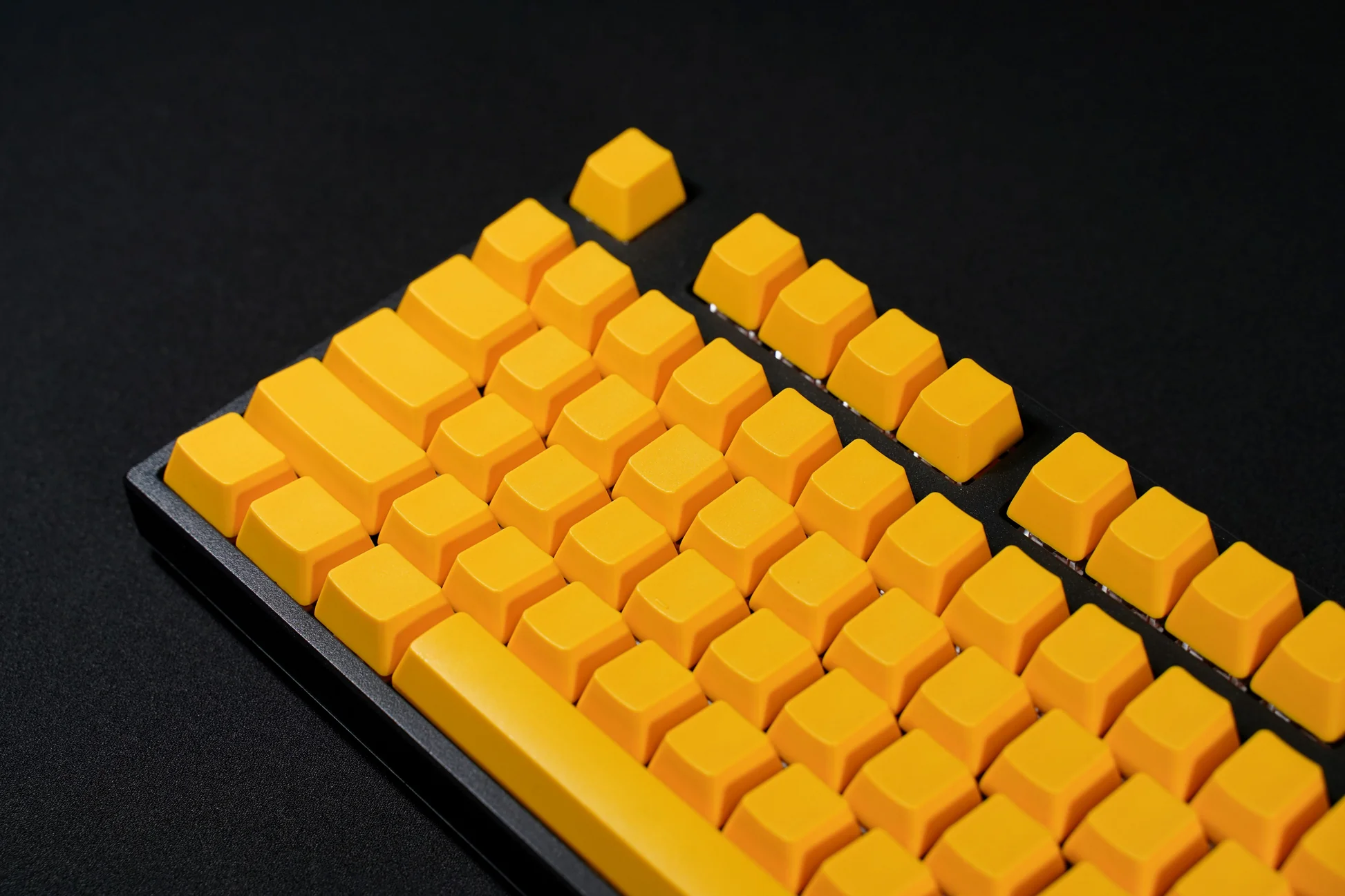
The simplest way to understand mechanical keyboard keycaps is to start with the profile you’re most likely already using. If you own a stock keyboard from Filco, Leopold, Ducky, Corsair, or virtually any mainstream mechanical keyboard brand, there’s about an 80% chance you’re typing on OEM Profile keycaps right now.
Now, OEM Profile might not have the vintage charm of Cherry Profile or the retro aesthetics of SA Profile, but there’s a reason it’s literally everywhere. It’s the “default setting” of the mechanical keyboard world – and understanding it is crucial whether you’re buying your first custom keycap set or your fifteenth.
In this guide, we’re going to break down exactly what OEM Profile is, how it differs from Cherry Profile and other popular options, why it became the industry standard, and whether it’s the right choice for your setup. So, without further ado, let’s get started.
Table of Contents
What Is OEM Profile?
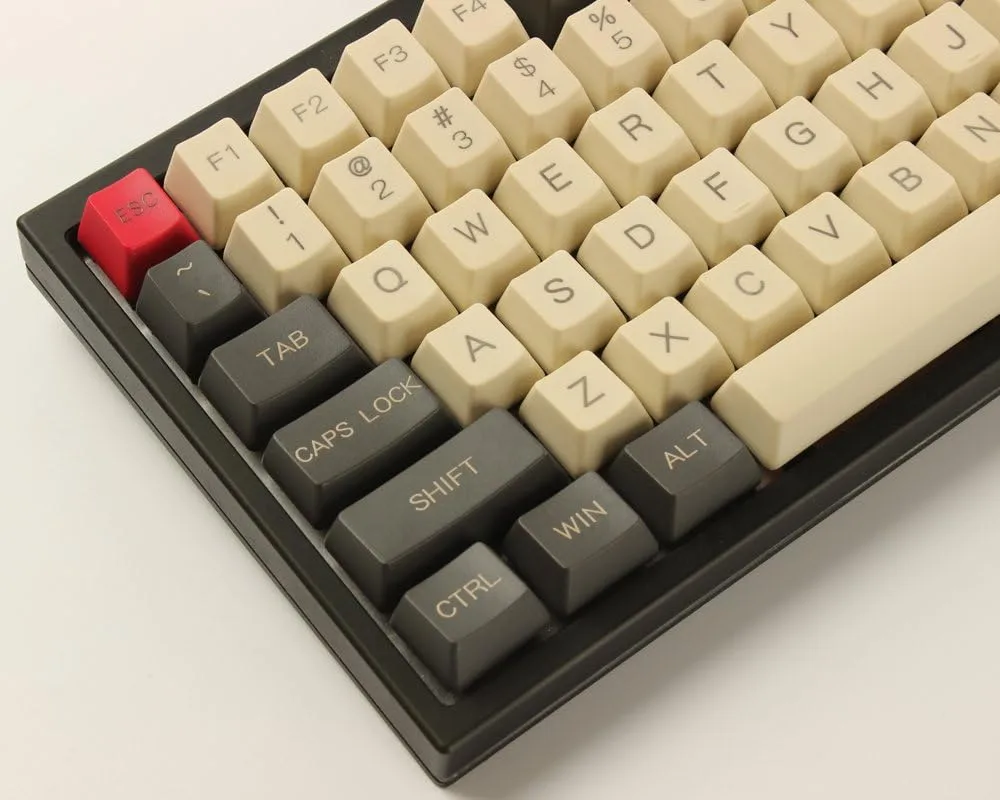
OEM Profile is a keycap height specification characterized by taller keycaps and steeper sculpting compared to Cherry Profile. The term “OEM” stands for “Original Equipment Manufacturer” – these are the keycaps that come pre-installed on most mass-produced mechanical keyboards.
Here’s the origin story: Back in the 1980s and 1990s, Taiwanese keycap manufacturers (most notably companies like Tai-Hao) began producing keycaps for keyboard brands that didn’t manufacture their own caps. These manufacturers developed a specific height and sculpting specification that became so widely adopted across the industry that it earned the name “OEM Profile” – essentially meaning “the standard profile that OEM keyboard makers use.”
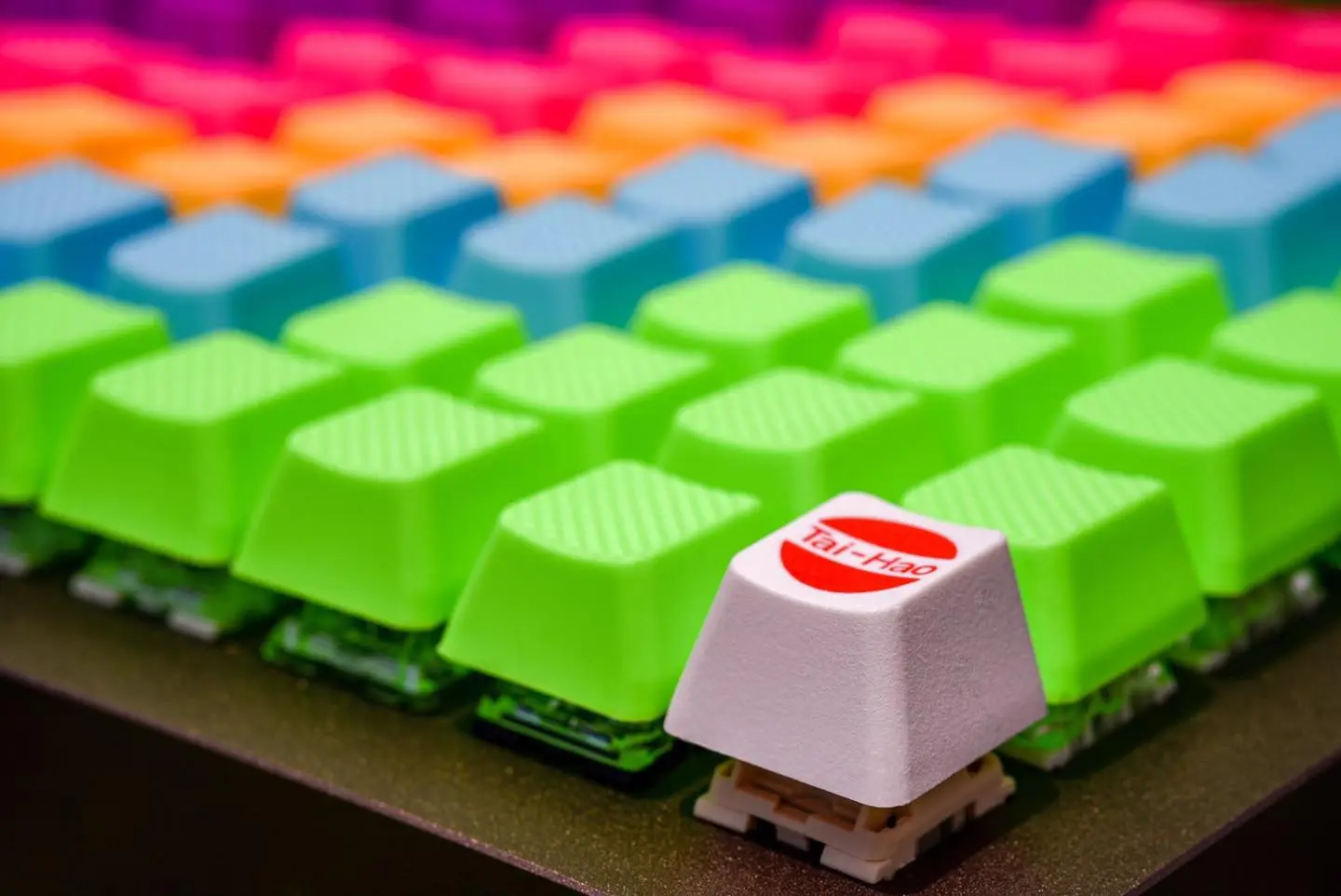
Unlike Cherry Profile which came from Cherry Corporation’s specific keyboard designs, OEM Profile emerged as a manufacturing standard that balanced production efficiency, ergonomics, and cost-effectiveness. Over decades, it became the default choice for the vast majority of mechanical keyboards worldwide.
Key characteristics of OEM Profile:
- Taller overall height: Approximately 1-2mm taller than Cherry Profile per row
- Steeper angles: More pronounced staircase effect from bottom to top
- Cylindrical sculpting: Each keycap has a curved dish that bends in one direction (north-south)
- R1-R4 row system: Uses the same row numbering as Cherry Profile (R1 = top row)
Think of OEM Profile as the mechanical keyboard equivalent of “standard definition” – it’s not trying to be revolutionary or experimental. It’s the baseline that everything else gets compared to, and it’s remained relevant precisely because it just works for most people most of the time.
OEM Profile Height Specifications
Understanding the specific heights of OEM Profile rows helps explain why it feels the way it does. Here’s the technical breakdown:
| Row | Height | Angle | Location |
| R4 | 10.5mm | Negative tilt | Number row (1,2,3…) |
| R3 | 8.3mm | Slight angle | QWERTY row |
| R2 | 6.9mm | Minimal angle | Home row (ASDF) |
| R1 | 7.1mm | Upward angle | ZXCV row |
Height comparison: OEM Profile is approximately 1-2mm taller than Cherry Profile across all rows, based on manufacturer specifications and community measurements.
OEM Profile vs. Cherry Profile: The Direct Comparison
This is the comparison everyone wants to see. OEM and Cherry are often confused with each other, but they’re distinctly different in ways that actually matter for daily use.
Check out our comprehensive Cherry Profile guide: What is Cherry Profile and Why Keyboard Enthusiasts Love It for a detailed breakdown.
The Height Difference
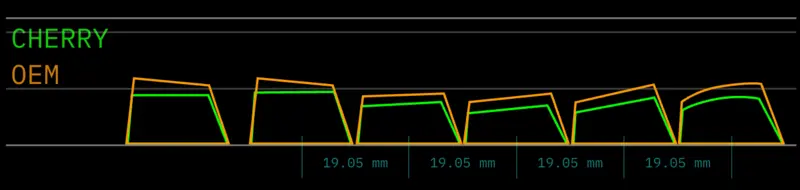
Cherry Profile sits lower and more compact. If you place a Cherry Profile keyboard next to an OEM Profile keyboard, the difference is immediately visible – OEM stands noticeably taller.
What this feels like in practice: Switching from OEM to Cherry Profile feels like your keyboard got “compressed” or “lowered” by about 1-2mm across the board. Your fingers don’t have to reach up quite as far for the number row, and the overall typing motion feels more horizontal than vertical.
Going from Cherry to OEM feels like adding a slight “lift” to your keyboard. Your wrists angle upward a bit more, and there’s more vertical travel in your finger movements.
My take: Most people coming from OEM to Cherry describe it as feeling “faster” or “more responsive” because there’s less vertical distance to travel. But people who’ve used OEM their whole lives often find Cherry feels “cramped” or “too flat” initially. It’s largely what you’re accustomed to.
The Angle Difference
OEM Profile has steeper angles between rows. The staircase from bottom to top is more pronounced, creating a more dramatic slope when you look at the keyboard from the side.
Cherry Profile has gentler angles. The height transitions are more subtle, creating a softer, more gradual curve.
What this feels like in practice: OEM’s steeper angles mean your fingers are reaching at more distinct angles for each row. Some people find this makes it easier to distinguish rows by feel alone. Others find it forces their hands into less natural positions, especially if their desk height isn’t optimal.
Cherry’s gentler angles feel more “neutral” – your fingers stay closer to parallel with the desk surface as they move between rows.
My take: If you use a wrist rest, OEM’s steeper angles can actually feel quite natural. If you hover your hands while typing (proper ergonomic technique), Cherry’s gentler angles tend to work better.
The Sound Difference
This is subtle but noticeable to enthusiasts:
OEM Profile tends to produce a slightly higher-pitched, more “clacky” sound because of its taller internal cavity and specific wall thickness. The extra height creates more resonance space.
Cherry Profile generally sounds deeper and more “thocky” because its shorter, more compact design dampens higher frequencies better.
Important caveat: Sound is influenced by so many factors (switch type, case material, plate, foam, etc.) that profile alone isn’t determinative. But all else being equal, OEM leans slightly brighter and Cherry leans slightly deeper.
OEM Profile vs. Other Popular Profiles
OEM Profile vs. SA Profile
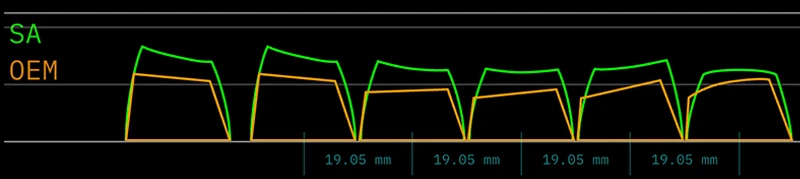
SA Profile is dramatically taller than OEM – we’re talking 3-5mm taller in some rows, making it one of the tallest profiles available.
Key differences:
- SA is much taller: R3 on SA is ~14mm vs OEM’s ~11mm
- SA uses spherical sculpting: Curves in all directions, OEM only curves one way
- SA requires wrist rest: The extreme height makes it uncomfortable without one
- SA is more expensive: Typically starts at $80-100+ vs OEM’s $30-60 range
What this feels like in practice: If OEM is a sedan, SA is a lifted truck. SA feels heavy, substantial, and dramatically sculpted. Your fingers drop into each key in a way that OEM doesn’t provide. It’s polarizing – people either love the retro, substantial feel or find it exhausting after an hour of typing.
My take: SA is for aesthetics and sound first, practical typing second. OEM is the opposite – practical first, with aesthetics as a bonus. If you’ve never tried SA, don’t make it your daily driver without testing first. OEM is the safer bet for actual work.
OEM Profile vs. XDA/DSA Profile
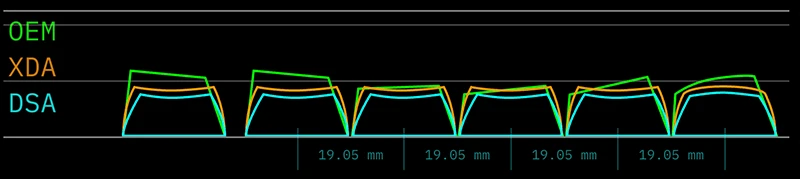
XDA and DSA are uniform-height profiles – every row is the same height, typically around 8-9mm. This is the complete opposite philosophy from OEM’s sculpted approach.
Key differences:
- Uniform profiles are shorter: About 2-3mm shorter than OEM’s tallest rows
- Uniform profiles have no sculpting: Flat or minimal curves vs OEM’s cylindrical channels
- Uniform profiles work for ortholinear: You can rearrange keys freely
What this feels like in practice: Coming from OEM to XDA/DSA feels like typing on a table. All the height landmarks that helped your fingers know where they are? Gone. Some people find this liberating and minimalist. Most people find it disorienting and end up missing the sculpted feedback of OEM.
My take: If you’re building an ortho keyboard or frequently remap your keys, uniform profiles make sense. For standard staggered layouts and traditional typing, OEM’s sculpting provides tangible benefits that uniform profiles can’t match.
Advantages of OEM Profile
Let’s be honest about what OEM Profile does well – and it does quite a bit well, which is why it’s everywhere.
1. Universal Compatibility
OEM Profile is the de facto standard for mechanical keyboards, which means:
- Works with 99% of standard mechanical keyboards
- No clearance issues with cases, switches, or stabilizers
- Compatible with both plate-mount and PCB-mount designs
- Fits all standard layouts (TKL, 75%, 65%, full-size)
If you’re buying OEM Profile keycaps, you can be virtually certain they’ll fit your keyboard without issues. This is not guaranteed with taller profiles like SA or MT3.
2. Massive Selection and Availability
Because OEM is the standard, you have access to:
- Hundreds of colorways from budget to premium
- Every price point: $25 AliExpress sets to $80 Tai-Hao doubleshots
- All materials: PBT, ABS, POM options widely available
- Instant availability: Unlike group-buy-dependent Cherry Profile GMK sets
Want a specific anime theme? OEM has it. Want gradient pastels? OEM has dozens. Want cyberpunk RGB legends? OEM manufacturers are cranking them out by the thousands.
3. Familiar Feel for Most Users
If someone has used a mechanical keyboard before, they’ve almost certainly used OEM Profile. This means:
- Zero adjustment period for most people
- Feels “normal” and “standard” (because it literally is)
- Easy to recommend to beginners without explanation
There’s genuine value in familiarity. If you’re happy with how your stock Filco or Leopold feels, buying an OEM Profile keycap set means you get new aesthetics without gambling on a new feel.
4. Ergonomic Sculpting Without Extremes
OEM Profile’s height differences and angles provide noticeable ergonomic benefits without going to extremes:
- Clear tactile feedback between rows
- Pronounced enough to reduce finger travel confusion
- Steep enough to feel sculpted, gentle enough to not cause wrist strain
- Works well with or without wrist rests (unlike SA which basically requires one)
It’s the “Goldilocks” profile – not too flat (DSA), not too tall (SA), not too low (Cherry for some people). Just… standard.
5. Budget-Friendly Options
You can get perfectly serviceable OEM Profile PBT keycap sets for $25-35 on AliExpress or Amazon. Cherry Profile GMK sets? $120-150 if you can even find them in stock. SA Profile? $80-130 minimum.
For someone building their first custom keyboard or just wanting to refresh their aesthetic, OEM Profile offers the best bang-for-buck in the keycap world.
Disadvantages of OEM Profile
Now for the honest downsides – because no profile is perfect for everyone.
1. Height Can Be Uncomfortable for Some
The 1-2mm extra height compared to Cherry Profile is noticeable, and not everyone likes it:
- Wrist angle issues: If your desk height isn’t optimal, OEM’s height can force your wrists into uncomfortable upward angles
- Fatigue for hovering typists: If you properly hover your hands (ergonomic technique), the extra reach to OEM’s top rows can tire fingers faster
- Less “precise” feeling: Some enthusiasts describe OEM as feeling “floaty” or “tall” compared to Cherry’s “grounded” feel
Who this affects: People with smaller hands, those with ergonomic sensitivities, and typists who’ve fallen in love with Cherry’s lower profile.
2. Less Premium Perception
In enthusiast circles, OEM Profile has a bit of a “basic” reputation:
- It’s what came on your stock keyboard
- It’s not exotic or boutique
- Group buys rarely feature OEM (they usually do Cherry/SA/MT3)
This is purely psychological, but if you’re building a showcase board to impress r/MechanicalKeyboards, OEM Profile won’t generate the same “wow” factor as a $150 GMK Cherry set or a vintage SA colorway. It’s the mechanical keyboard equivalent of “that’s nice” vs “holy shit.”
3. Cylindrical Sculpting Limitations
OEM’s cylindrical sculpting (curves in one direction) is less “finger-hugging” than SA’s spherical sculpting (curves in all directions):
- Your fingertip can slide side-to-side more easily
- Less “locked in” feeling than deeply dished profiles
- Some people find this makes OEM feel less secure for fast typing
Counter-argument: Cherry Profile also uses cylindrical sculpting, and most people don’t complain. This is really only an issue if you’re directly comparing to SA or MT3’s aggressive dishing.
4. Quality Variance
Because “OEM Profile” is a specification rather than a specific manufacturer, quality varies wildly:
- $25 AliExpress OEM sets can have rough edges, inconsistent thickness, poor legends
- $60 Tai-Hao OEM sets are well-made with clean legends and good plastic
- There’s no “official” OEM like there is with GMK for Cherry Profile
You need to research specific manufacturers rather than just buying “OEM Profile” blindly.
5. Not Optimized for Modern Preferences
OEM Profile’s design is decades old and reflects 1990s ergonomic thinking:
- Modern typists increasingly prefer lower profiles (hence Cherry’s resurgence)
- The steeper angles were designed for keyboards without wrist rests in mind
- Newer profiles like KAT and MT3 have incorporated more recent ergonomic research
OEM works, but it’s not pushing any boundaries or incorporating new ideas.
Who Should Use OEM Profile?
Choose OEM Profile if:
✅ You’re using a stock mechanical keyboard and want to upgrade aesthetics without changing the feel you’re used to
✅ You want maximum keycap selection across colorways, prices, and availability
✅ You’re new to mechanical keyboards and want a safe, proven option
✅ You use a wrist rest and prefer more pronounced sculpting angles
✅ Budget is a primary concern – OEM offers the best quality-per-dollar
✅ You value compatibility over experimentation and don’t want to worry about clearance issues
✅ You type with proper desk ergonomics (elbows at 90°, wrists neutral)
Consider alternatives if:
🤔 You prefer lower profiles → Try Cherry Profile for 1-2mm less height
🤔 You want deeper sculpting → Try SA Profile or MT3 for more finger-cupping
🤔 You’re building an ortholinear keyboard → Try XDA/DSA for uniform height
🤔 You have small hands or short fingers → Try Cherry Profile for easier reach
🤔 You hover your hands while typing → Try Cherry Profile for less vertical travel
🤔 You want “premium” aesthetics → Try GMK Cherry Profile or high-end SA sets
Final Thoughts
Look, here’s the truth about OEM Profile that the mechanical keyboard community sometimes forgets: it’s not exciting, but it’s excellent at being exactly what it is.
OEM Profile is the Toyota Camry of keycap profiles. It’s not going to turn heads. It’s not going to spark passionate debates in enthusiast forums. Nobody’s going to post their OEM Profile keyboard and get thousands of upvotes for the profile choice alone.
But you know what the Camry is also known for? Being reliable, comfortable, affordable, and doing its job extremely well for millions of people without complaint.
OEM Profile is the baseline. It’s the standard. It’s what you’re probably using right now, and it’s what will continue to ship on most mechanical keyboards for years to come.
Is it the best profile? That’s the wrong question. The best profile is the one that feels right to your fingers, works with your setup, and doesn’t make you think about it while you’re trying to work.
For millions of people, that’s OEM Profile. And honestly? That’s pretty impressive for a decades-old design that nobody can even definitively attribute to a single inventor.
Happy typing, and remember: the best keyboard is the one you actually use. 🎹✨
Common Questions
As long as your keyboard uses Cherry MX-style switches (which is 95% of mechanical keyboards), yes. OEM Profile is compatible with standard layouts, Cherry MX switches, Gateron switches, Kailh switches, etc.
Because OEM Profile is manufactured by many different companies in high volumes, creating price competition. Cherry Profile (specifically GMK sets) is mostly made by one German company with limited production capacity, creating scarcity and higher prices.
No. OEM Profile is designed for standard-height MX switches. Low-profile switches (like Kailh Choc) need low-profile keycaps specifically designed for them.
Look at them from the side. If there’s a pronounced staircase shape and the keycaps look relatively tall, they’re likely OEM. You can also measure – if R3 (home row) is around 11mm tall, it’s OEM.