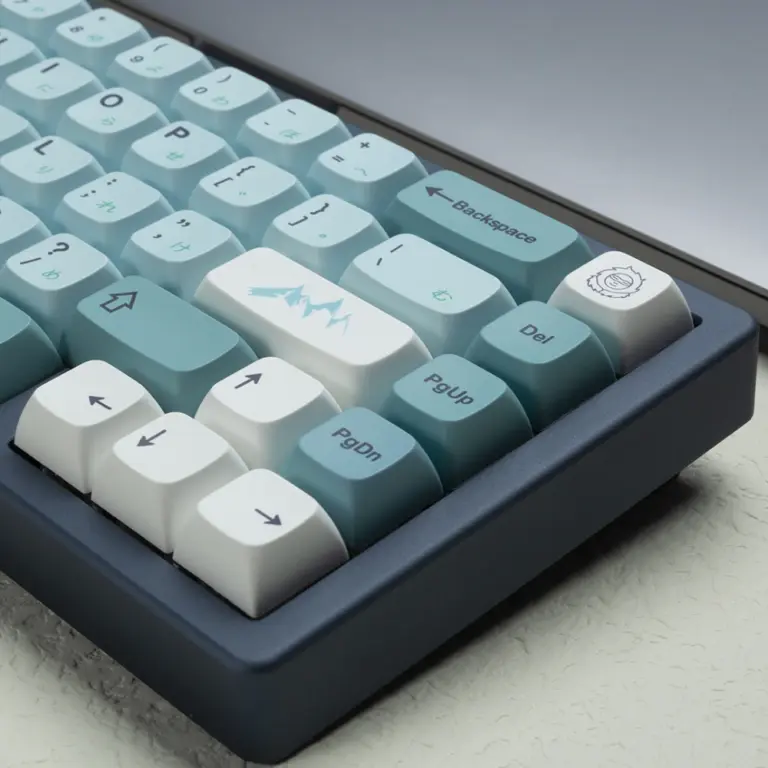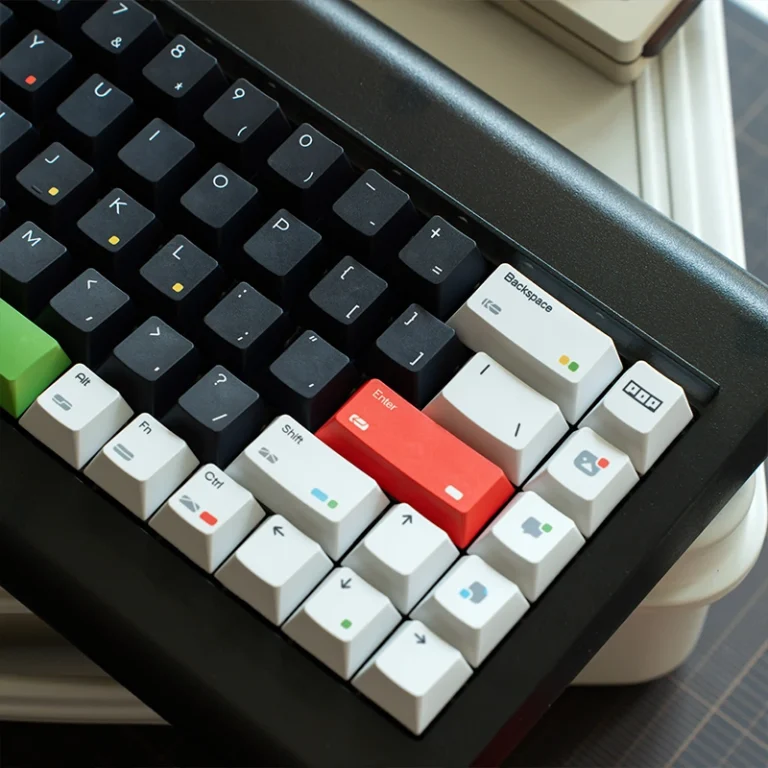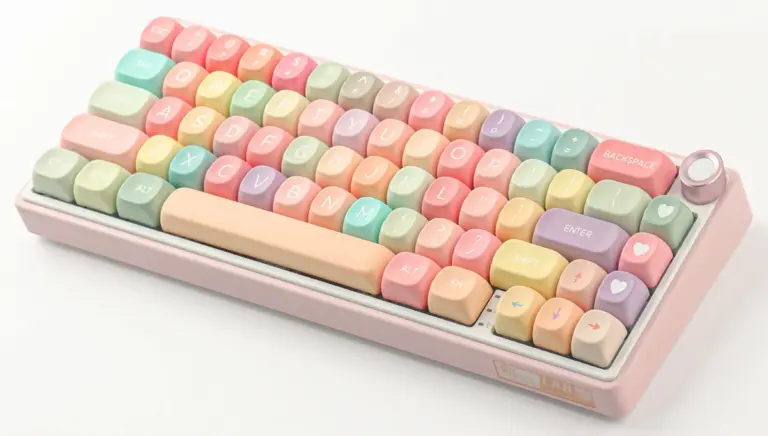
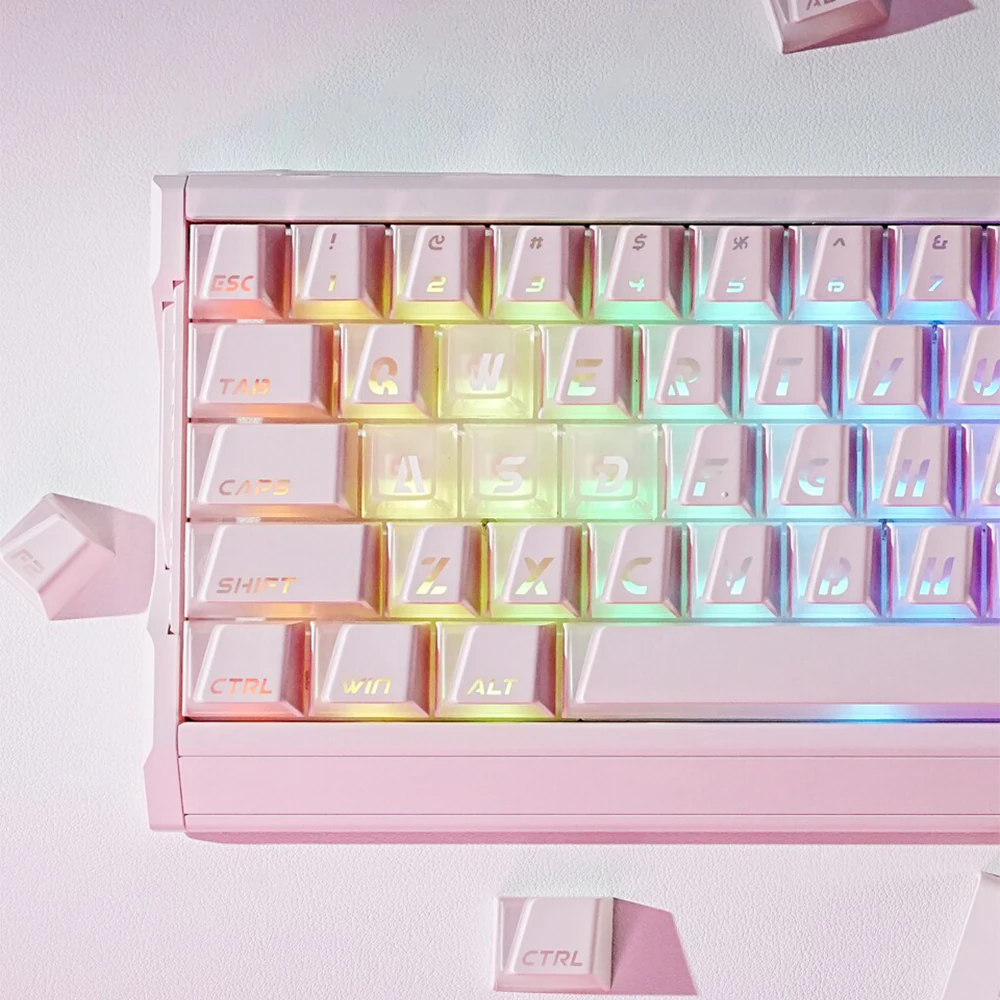
Shine-through keycaps used to mean one thing: an opaque cap with a glowing legend. In 2026, that familiar design is only the starting point. Frosted PC can soften the LED, three-sided walls can push light into the gaps, C-shaped rings can draw an outline, and L-shaped windows or Prism structures can turn the light into part of the cap’s shape.
A traditional backlit keycap helps you find a letter in the dark. Newer designs can outline a switch, cast light between neighboring keys, or work the RGB into the artwork. To see what changed, it helps to look at the familiar constructions first.
Key Takeaways
- Traditional shine-through keycaps use translucent legends inside an opaque body; doubleshot molding is the most durable common construction.
- Pudding and translucent-PC keycaps expose a larger lit area, and both remain visibly translucent when RGB is off.
- Five newer types are worth a closer look in 2026: frosted PC, three-sided transparent, C-shaped ring, Nuclear Power Profile L-window, and Prism keycaps.
- LED direction affects brightness: top legends usually favor north-facing LEDs, while side-lit structures often suit south-facing boards better.
- Choose the light effect first, then verify stem, layout, profile, and kit coverage before ordering.
Table of Contents
What are shine-through keycaps?
Shine-through keycaps have translucent legends or other light-transmitting areas. They do not produce light themselves. Instead, they determine where the keyboard’s LEDs appear: through a character, along a sidewall, across a clear body, or inside a molded window.
“Backlit keycaps” is the broader shopping term, and it is often used interchangeably with “shine-through keycaps.” The label matters less than one practical question: which part of the keycap transmits light?
| Keycap type | What transmits light | Typical result |
|---|---|---|
| Regular opaque keycap | Nothing | RGB appears only around the switch gaps |
| Traditional shine-through | Top or side legend | Characters glow while the body stays dark |
| Pudding keycap | Legend and translucent lower walls | Bright legends plus a wide side glow |
| Transparent PC keycap | Most or all of the body | Bright, exposed RGB across the key |
| Modern structured design | A shaped sidewall, window, ring, or layered path | A controlled RGB pattern built into the keycap silhouette |
Traditional top-legend shine-through keycaps
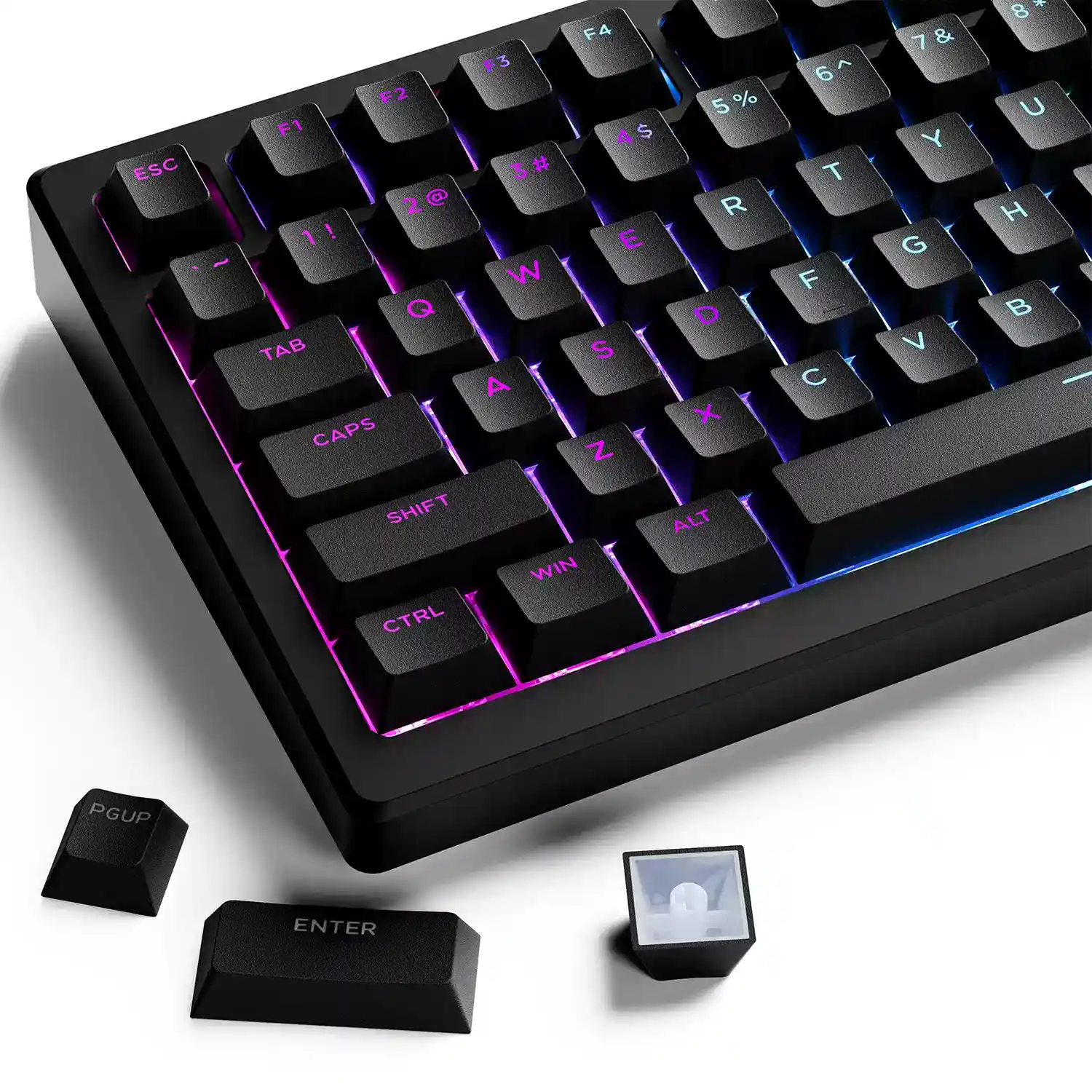
This familiar prebuilt-keyboard design uses a solid-colored body with a translucent letter or symbol. The legend glows, while the rest of the key stays dark.
The most durable common version uses doubleshot molding. One plastic shot forms the translucent legend and another forms the surrounding shell. The character is part of the cap itself, so it cannot rub off like printed ink.
Coated alternatives start with a translucent cap, add an opaque layer, then laser away the legend. They can look sharp, but the coating becomes the wear surface.
Side-printed and front-legend shine-through keycaps
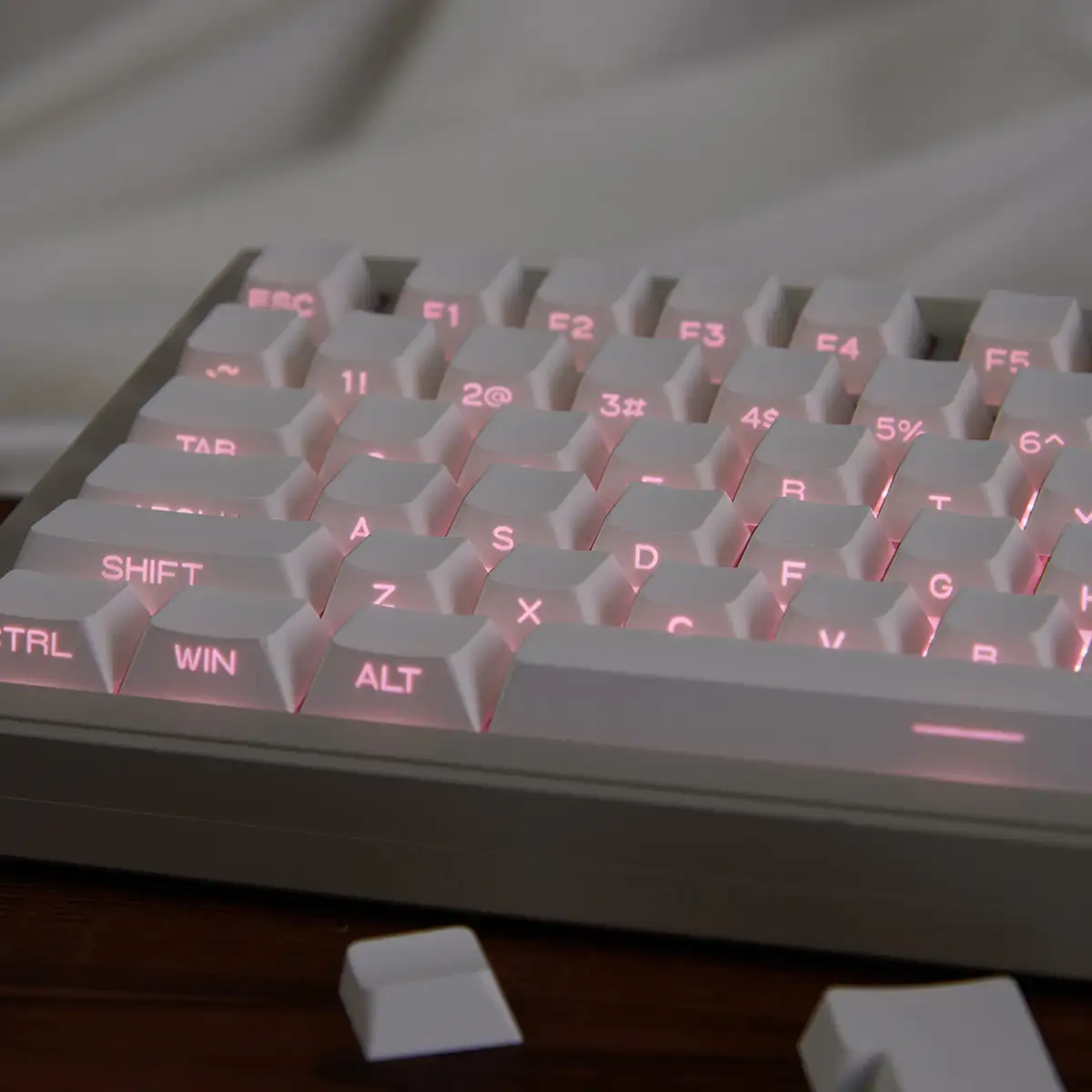
Side-printed shine-through keycaps move the character from the top to the side facing you. This leaves more room for artwork and places the legend closer to your line of sight. On many boards, it also brings the translucent area closer to a south-facing LED.
The legend may be molded, screen printed over a clear area, or built into a PC base. “Side-lit” describes where the light exits, not how every cap is made.
Pudding keycaps
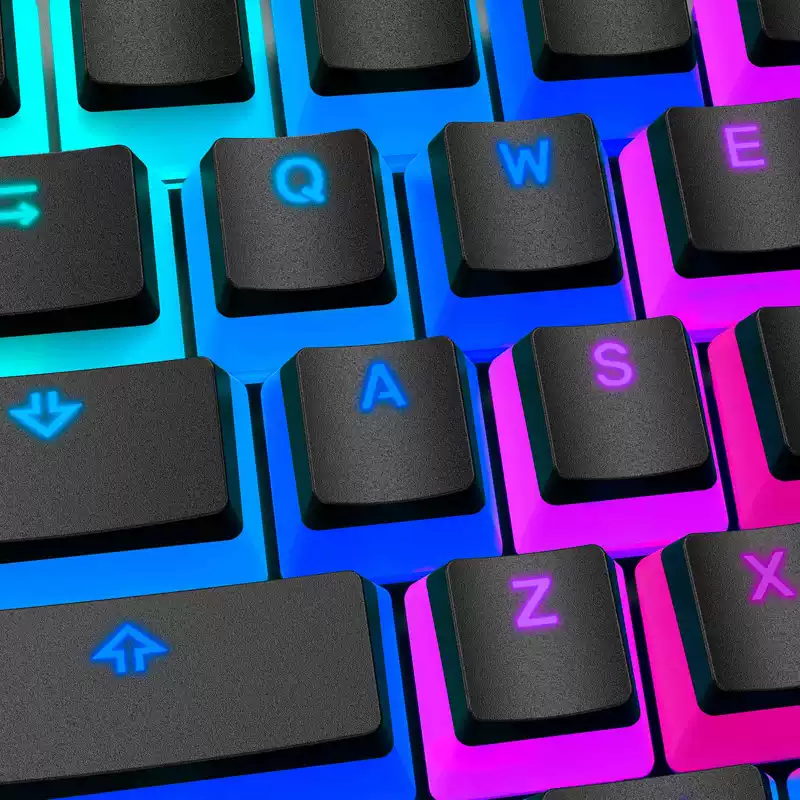
Pudding keycaps pair an opaque upper section with a translucent lower wall. Turn on RGB and the light escapes through the legend and the sides, making each key look as if it is sitting on a glowing base.
Many pudding sets use a dual-layer doubleshot construction, with opaque PBT above a translucent lower layer. This lets out plenty of light, but the pale lower walls are still visible when RGB is off.
Transparent PC keycaps
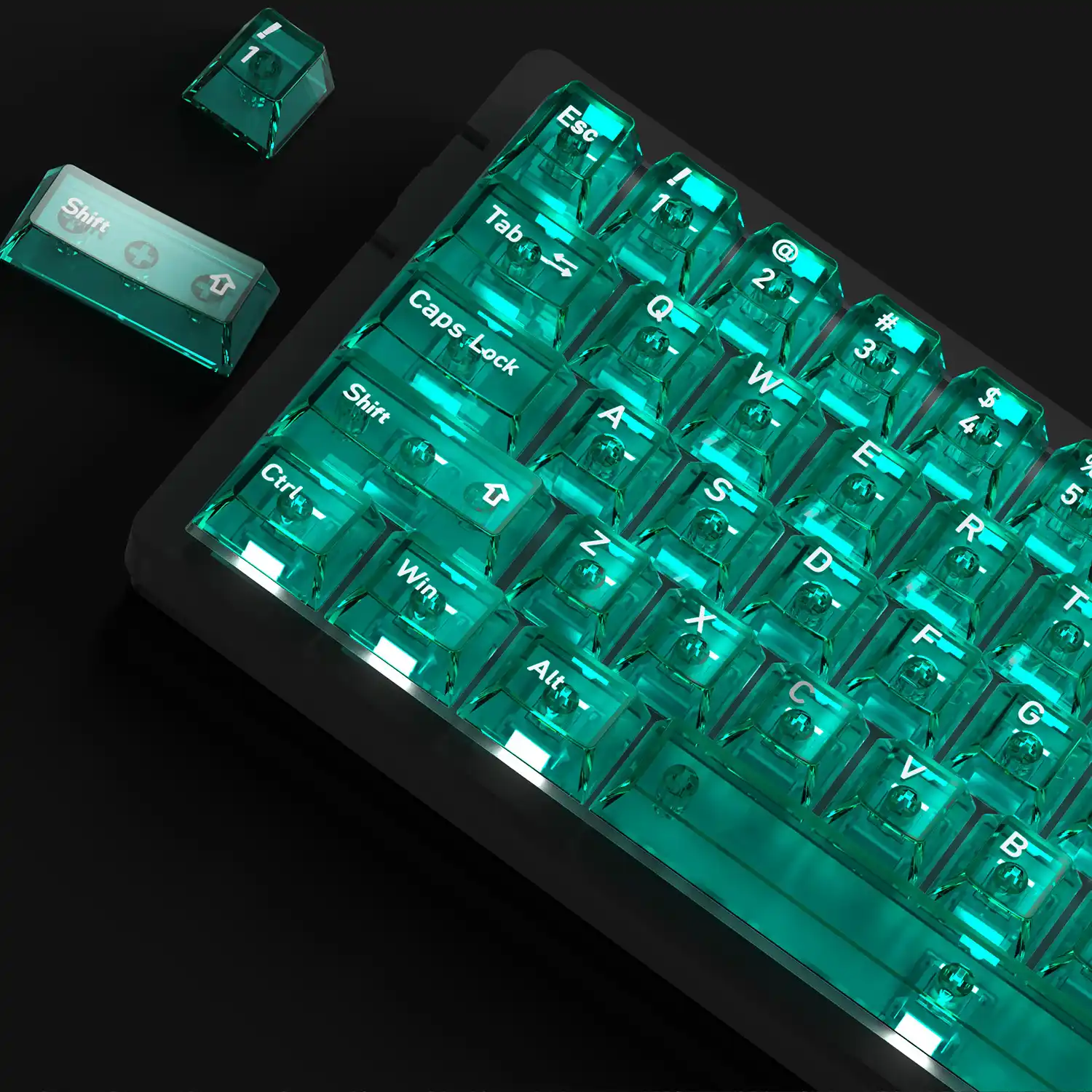
Polycarbonate, or PC, can transmit light through most of the cap instead of limiting it to a legend. Clear PC produces crisp reflections and lets RGB remain visible across the keycap body.
UV or screen printing can add artwork over that body. More light transmission also means the translucent cap remains visually prominent when RGB is off.
What changed in shine-through keycaps for 2026?
The materials are familiar, but the design process has changed. More keycaps now treat light as part of the cap’s geometry, rather than as an effect added after the shape is finished.
Over the past two years, diffusion, selectively transparent walls, profile-specific windows, and shaped light paths have appeared in more designs. The five labels below are practical ways to compare them, not official industry categories.
Type 1: Frosted PC softens LED hotspots
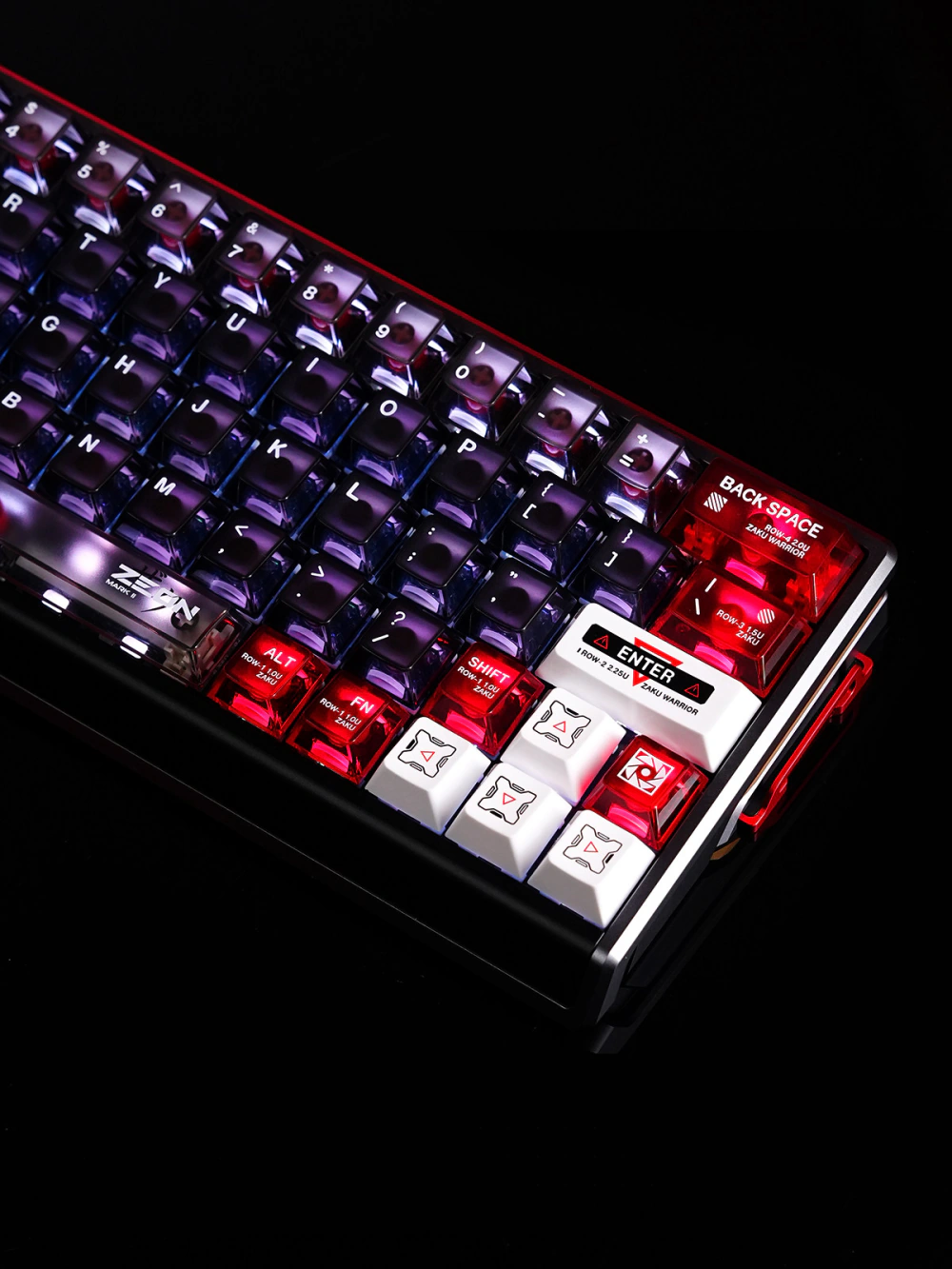
Clear PC makes it easy to see where the LED sits. A frosted surface scatters that same light across a wider area.
Instead of one bright point above the LED, more of the cap takes on a soft glow. Frosting gives up some peak brightness and sharp reflection, but the lighting looks more even. Static colors appear less harsh, and RGB gradients blend more smoothly from key to key.
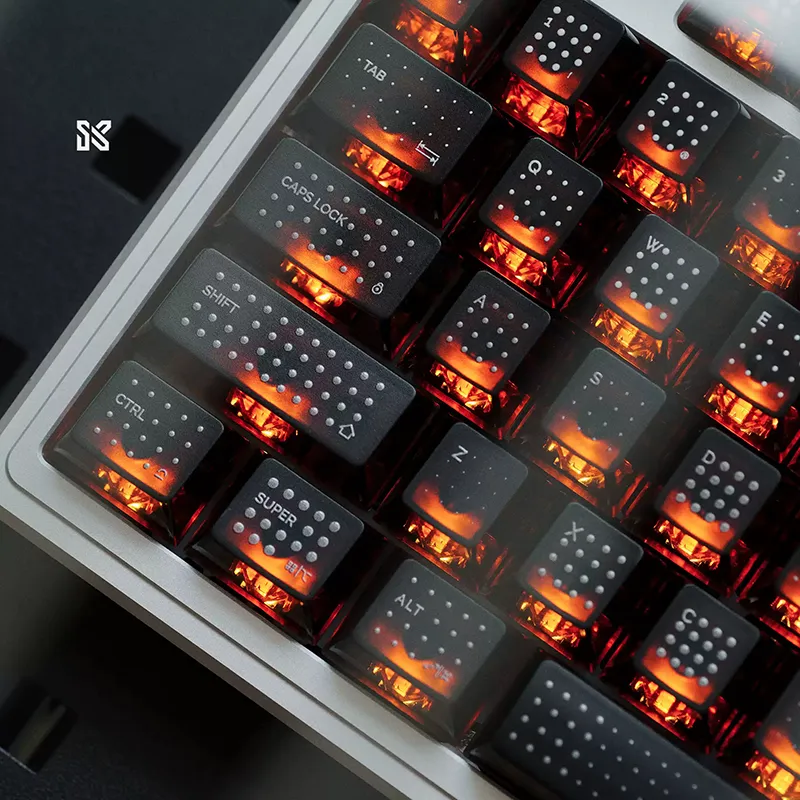
With RGB off, frosted PC looks muted and less reflective than clear PC. It also hides the exact LED position more effectively. It suits a broad, diffused glow better than exposed LED points or glass-like reflections.
The amount of frosted PC still matters. A larger frosted area spreads light across more of the cap, while opaque sections keep artwork and legends easy to read. Two sets can use the same diffusion idea and look quite different once those areas change.
Type 2: Three-sided keycaps leave the front wall opaque
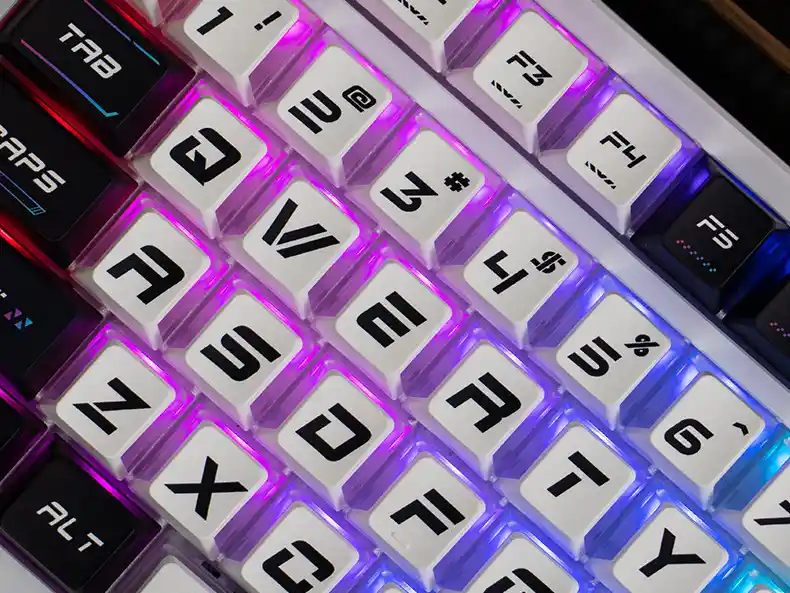
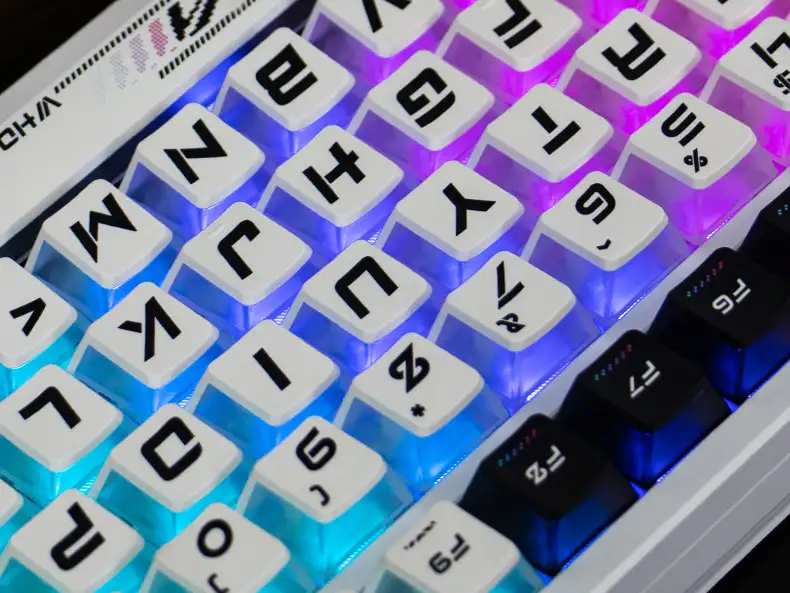
Three-sided translucent keycaps are deliberately uneven. The wall facing you stays opaque, while the left, right, and rear walls are transparent or translucent. RGB can spread around three sides of the switch without turning the front into another bright panel.
A pudding keycap normally carries its translucent lower band around the whole cap. Here, the opaque front gives you a darker edge from the seated view, while the other three walls send RGB into the gaps between neighboring keys. You get wraparound underglow without a bright front face.
Wall clarity, switch housing, and plate color all affect the finished look. Clear walls show stronger reflections and more of the switch beneath them. Tinted or lightly diffused walls soften the light. When RGB is off, you can still see the contrast between the opaque front and the other three walls.
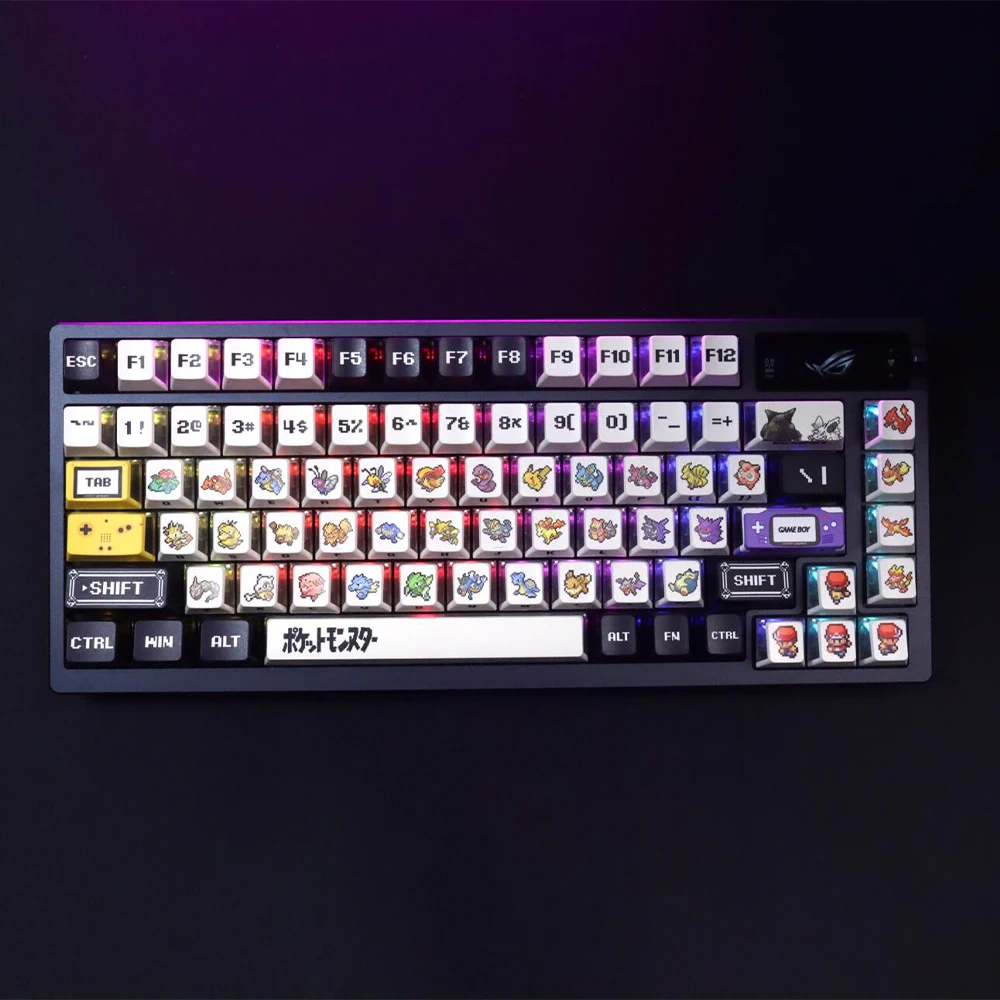
Retro Red & Green Pixel Three-Sided Translucent Keycaps
Type 3: A PC C-shaped ring outlines the PBT body
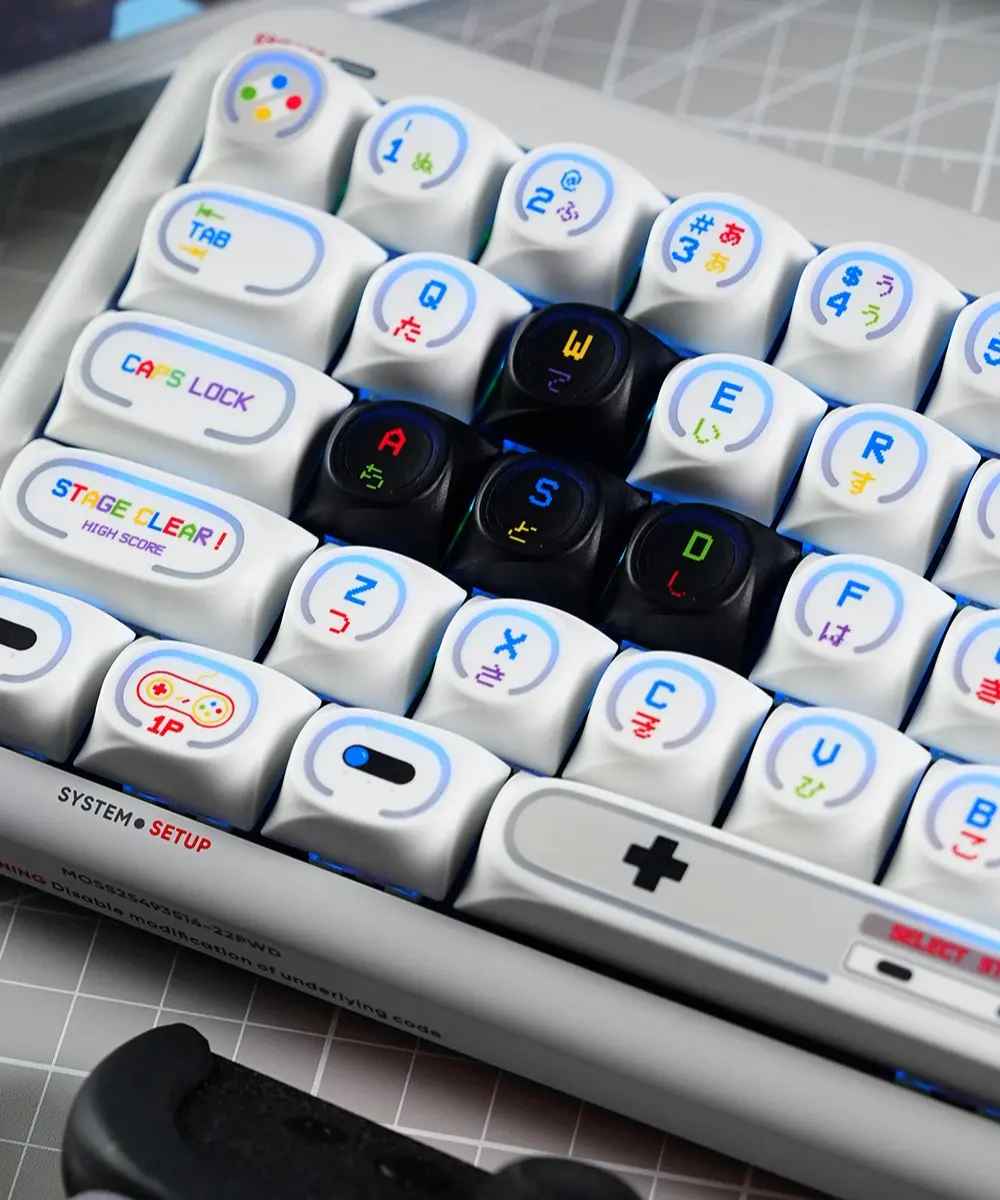
C-shaped ring keycaps keep a PBT main body. Legends and artwork remain clear, and the typing surface retains PBT’s resistance to wear and surface shine. Our PBT keycaps guide ↗ covers those material properties in more detail.
The C-shaped light-transmitting section uses PC. It carries light well, resists yellowing, and draws a clear illuminated boundary without making the whole cap transparent.
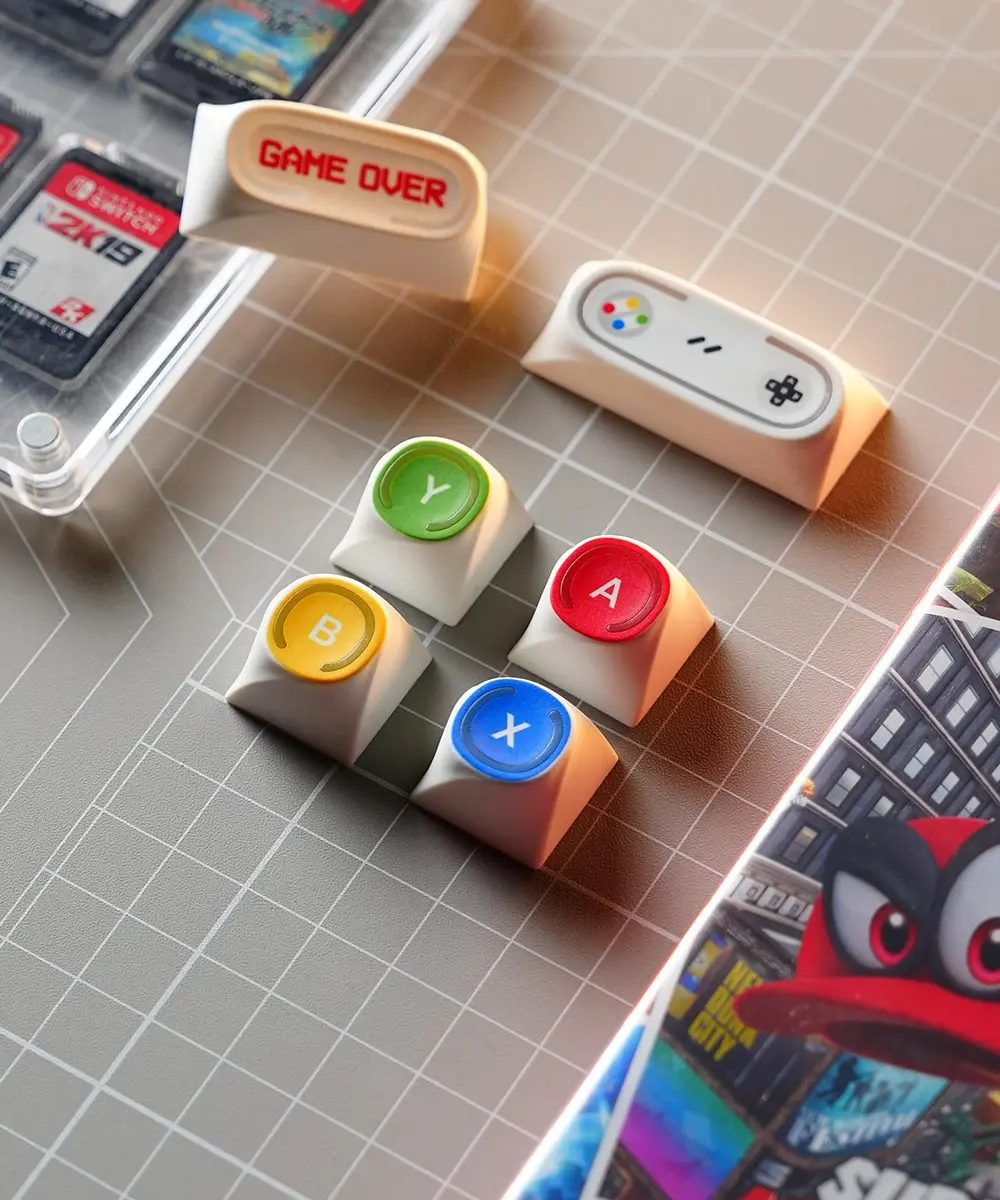
Once the PBT body and PC ring are joined, the RGB follows the C-shaped outline. The narrow glow stays soft and even instead of shining directly at you. Characters and themed artwork remain easy to see, while the ring adds a separate layer of light.
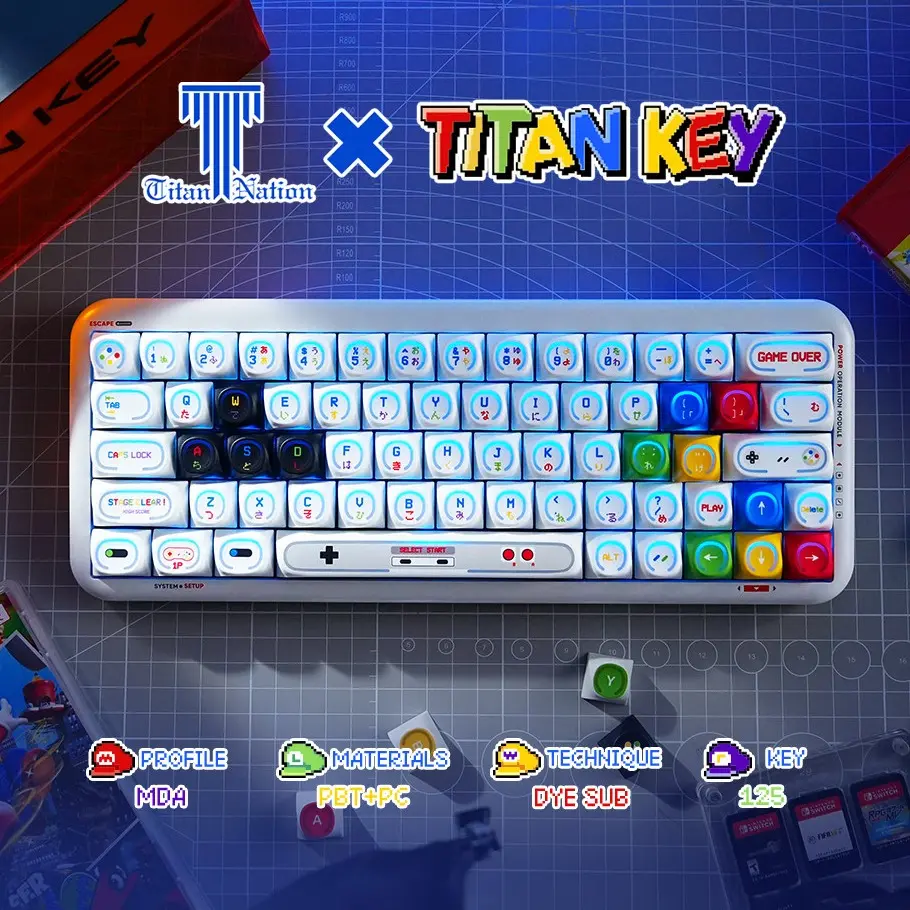
Game Console Theme Backlit MDA profile keycaps
Type 4: Nuclear Power Profile uses an L-shaped edge window
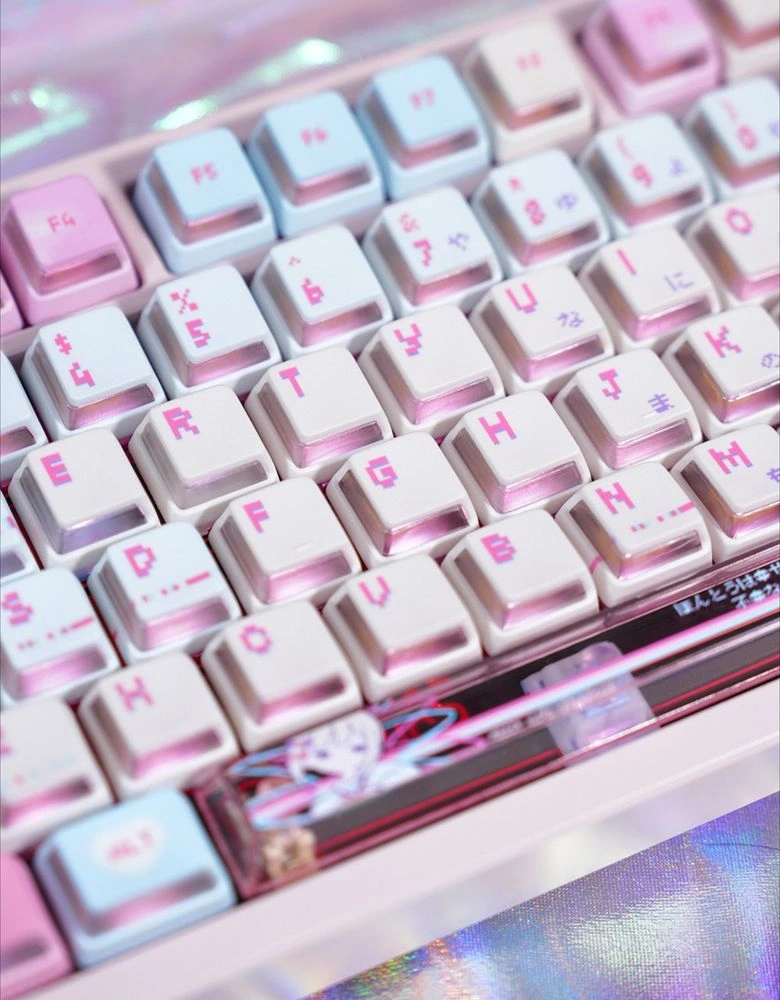
An L-shaped window wraps translucent material around an edge of the keycap. RGB traces the cap’s outline instead of lighting only the text.
Because the window does not need to form a readable character, it can be wider and continue around a corner. That gives it more area to collect light from below. The opaque upper section keeps the keycap’s color and artwork intact, while the window forms the illuminated border.
The taller, OEM-inspired Nuclear Power Profile has enough side area for a window that can extend across two faces. Its extra height changes the typing feel and gives the light more surface to travel through. If you want to compare available L-window sets, browse the Nuclear Power Profile keycaps collection ↗. For a closer look at the shape, construction, and compatibility, see our detailed Nuclear Power Profile guide↗.
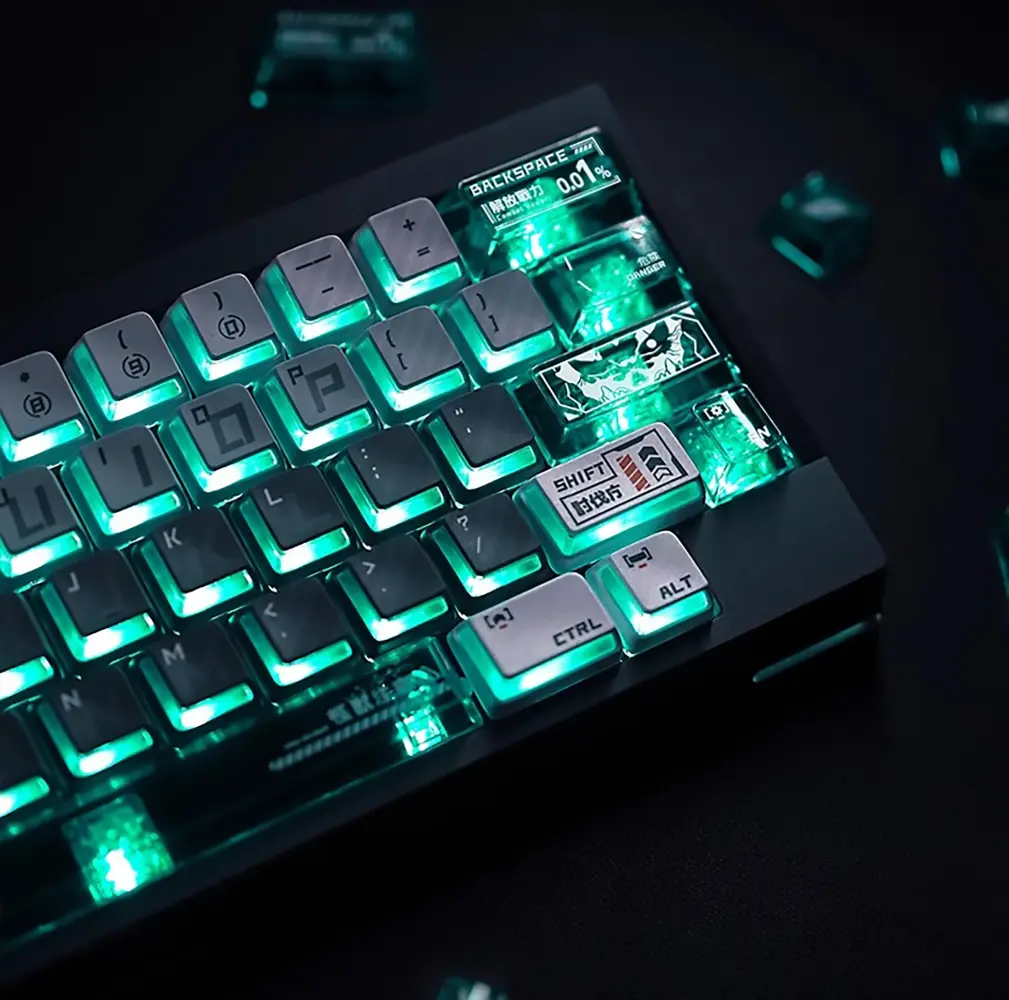
Before choosing this style, check whether your keyboard uses south-facing LEDs (the LED sits at the bottom of the switch in a top-down view). This position brings the light closer to the window facing the typist and helps the RGB look its brightest.
Type 5: Prism splits light between legends and faceted PC
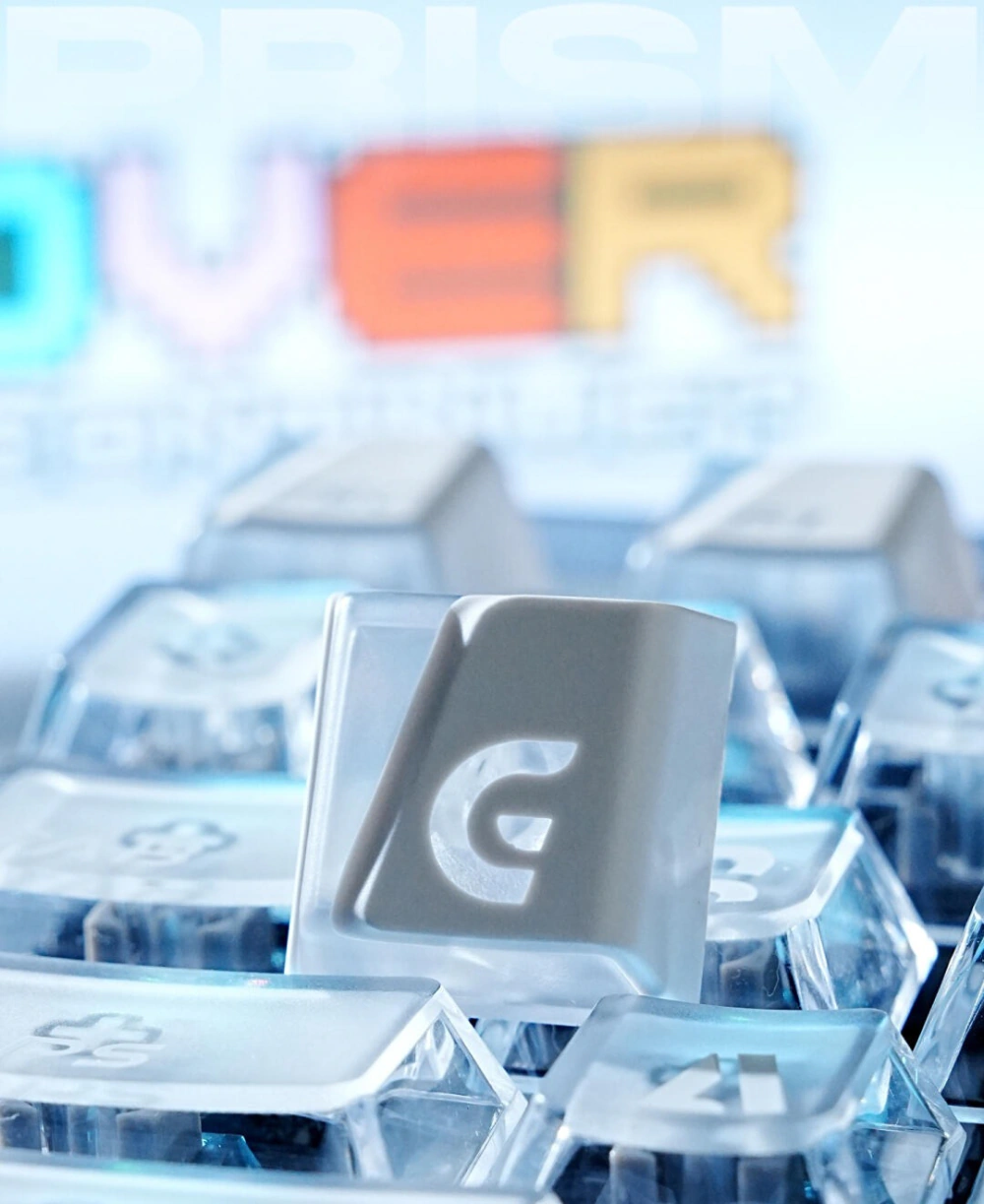
Prism keycaps use an asymmetric ABS+PC construction made with doubleshot molding. The solid-color ABS top continues down one side of the cap. In the close-up, this is the right side, and it is fully opaque. PC remains exposed on the other sides, where angled faces catch the RGB and produce the cut-prism look.
The Prism RGB Shine-Through Cherry Profile ↗ Keycaps give the backlight two paths. One passes through the oversized legends and the other through the exposed PC faces. The characters and selected transparent sections light up together, but the glow does not continue evenly around the entire cap.
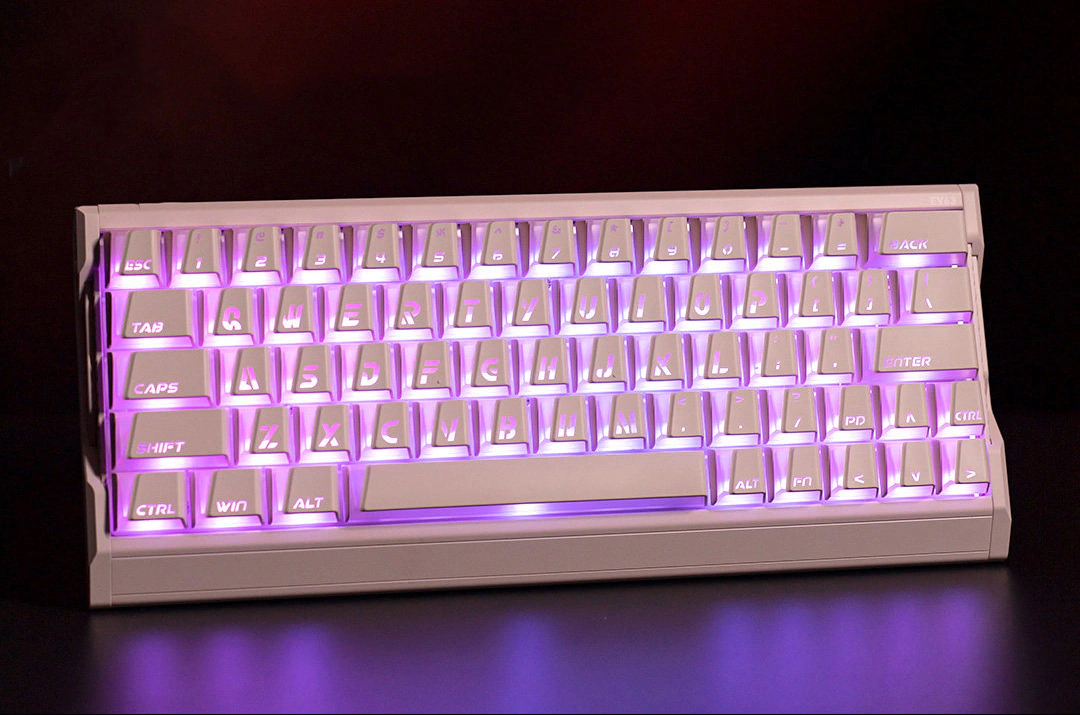
Across a full keyboard, the exposed PC creates bright gaps between neighboring keys. The opaque side cuts off one edge of the glow, so the underglow has a clear direction instead of forming the same halo on all four sides.
Which shine-through keycap type should you choose?
Start with the lighting you want to see every day. Then compare material, profile, and artwork.
| Your priority | Choose this type | Why |
|---|---|---|
| Readable characters with clean top artwork | Side-printed legends | The light stays useful without taking over the top surface |
| Soft, even ambient lighting | Frosted PC keycaps | Diffusion reduces harsh LED hotspots |
| Controlled light around three sides | Three-sided transparent keycaps | The opaque front restrains the seated view while the other walls carry underglow |
| A narrow illuminated frame | C-shaped ring keycaps | The ring outlines each key without making the whole body transparent |
| Strong side glow on a south-facing board | Nuclear Power Profile L-windows | The larger L-shaped zone places light along the keycap edge |
| Bright legends plus directional layered underglow | Prism keycaps | Oversized legends and exposed faceted PC sections work together |
| Maximum classic RGB brightness | Pudding keycaps | Translucent lower walls expose more light around every key |
Do not judge the set only with RGB on. Side-printed PBT looks closest to a conventional keycap during the day. Frosted and clear PC remain visibly translucent, while pudding walls keep their high-contrast two-layer look with or without lighting.
The right choice depends on the keyboard around it. A quiet single-color office build needs a different balance from a bright themed setup. Pick the lighting behavior that suits your desk, not whatever happens to be popular in your feed.
How materials and manufacturing change the glow
Material names tell you what the cap is made from, but they do not tell you where the light will appear. Construction and printing matter just as much.
PBT: Texture and artwork first
PBT offers a dry, matte texture, resists surface shine, and works well with dye-sublimated artwork. Standard dye-sub legends are opaque, so PBT shine-through designs need a separate translucent legend, PC sidewall, window, or base.
ABS: Easier light transmission, smoother wear
ABS is common in classic backlit and doubleshot keycaps because it can produce crisp translucent legends and saturated colors. It may become smoother with wear. In a Prism cap, ABS controls the solid color while PC carries the light.
PC: The light carrier
PC can carry light through clear walls, frosted bodies, extension keys, and shaped windows. It can also be placed only where a cap needs to glow, leaving textured PBT or a matte surface under your fingers.
Doubleshot, dye-sub, UV, and screen printing
- Doubleshot molding physically combines separate plastic sections. It works well for durable translucent legends and multi-material caps.
- Dye-sublimation infuses dye into a compatible surface. It produces detailed PBT artwork but does not make a legend translucent by itself.
- UV printing cures artwork on the surface and works well on translucent PC, including the Polka Dot sets.
- Screen printing applies defined graphics or legends to PC and multi-material caps. The transparent material underneath still determines the light path.
A dye-sub PBT top with a clear PC window may beat a fully translucent cap when texture and artwork matter more than maximum brightness.
Check compatibility before you buy backlit keycaps
A keycap can fit the switch and still look disappointing once the LEDs come on. Check mechanical fit and lighting compatibility separately.
- Confirm the stem. Most KeysFusion sets in this guide use MX-style cross stems. If your keyboard uses a different mount, verify it before going further.
- Check the layout. ANSI versus ISO is only the beginning. Look at the spacebar, right Shift, bottom row, compact arrow cluster, and any split keys. Use our full keycap compatibility guide ↗ before ordering.
- Identify the LED direction. North-facing LEDs sit above the switch in a top-down view; south-facing LEDs sit below it.
- Match the LED to the light path. Top legends often look brightest with north-facing LEDs. Side legends, windows, and underglow structures can work better with the light coming from the south-facing side.
- Check the exact kit option. One product page may contain Cherry, Nuclear Power, extension, and non-backlit variations.
Shine-through keycaps FAQ
Do all shine-through keycaps light up through the legends?
No. Traditional sets illuminate top or side legends, but newer designs may send light through sidewalls, L-shaped windows, frosted PC bodies, or shaped rings. Some caps use two paths at once.
Which type of shine-through keycap is brightest?
Fully transparent PC and pudding-style keycaps usually expose the most light. Actual brightness still depends on LED power, switch housing, keycap color, surface diffusion, and the position of the translucent area.
Do backlit keycaps work with south-facing LEDs?
Yes, but the brightness varies. Top legends designed around north-facing LEDs may look dimmer on a south-facing board. Side-printed legends and side-lit windows often line up more naturally with the LED below the switch.
Are transparent PC keycaps good for RGB keyboards?
Yes. Clear PC shows sharper reflections and more of the LED itself. Frosted PC spreads the light more evenly. The better choice depends on whether you prefer crisp reflections or a softer glow.
Are PBT shine-through keycaps better than ABS?
Not automatically. PBT usually feels more textured and resists surface shine, while ABS often supports crisp doubleshot legends. A PBT-and-PC cap can keep the PBT typing surface and use PC only for the light-transmitting section.
Do all shine-through keycaps fit every mechanical keyboard?
No. Check the stem, layout, key sizes, profile, and kit coverage. “MX-compatible” does not mean that every set includes the correct spacebar, Shift, or ISO Enter for your board.
Pick a shine-through design you will enjoy every day
Classic glowing legends still make sense when readability is the main goal. The newer 2026 designs are for people who also care about the shape of the light and how it works with the rest of the keycap.
Frosted PC gives the softest spread. Three-sided caps keep the front restrained, while C-shaped rings and Nuclear Power L-windows draw a defined edge. Prism sends light through both the legend and selected faceted PC faces.
Before ordering, check the stem, layout, LED direction, and exact kit. Five minutes spent on compatibility can save you from a set that fits poorly or puts the brightest part of the LED in the wrong place.
Explore all KeysFusion shine-through keycaps and choose your light path →