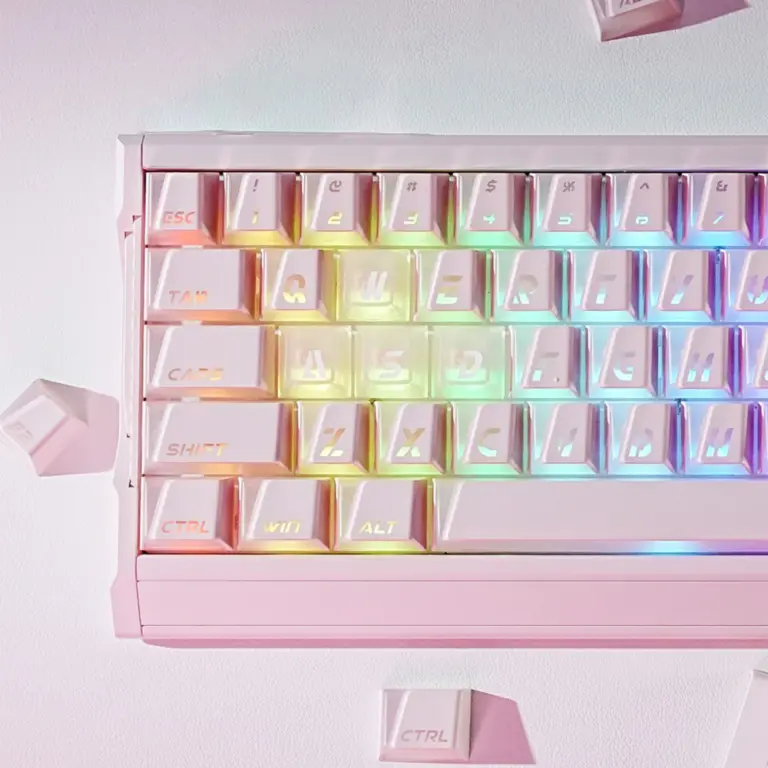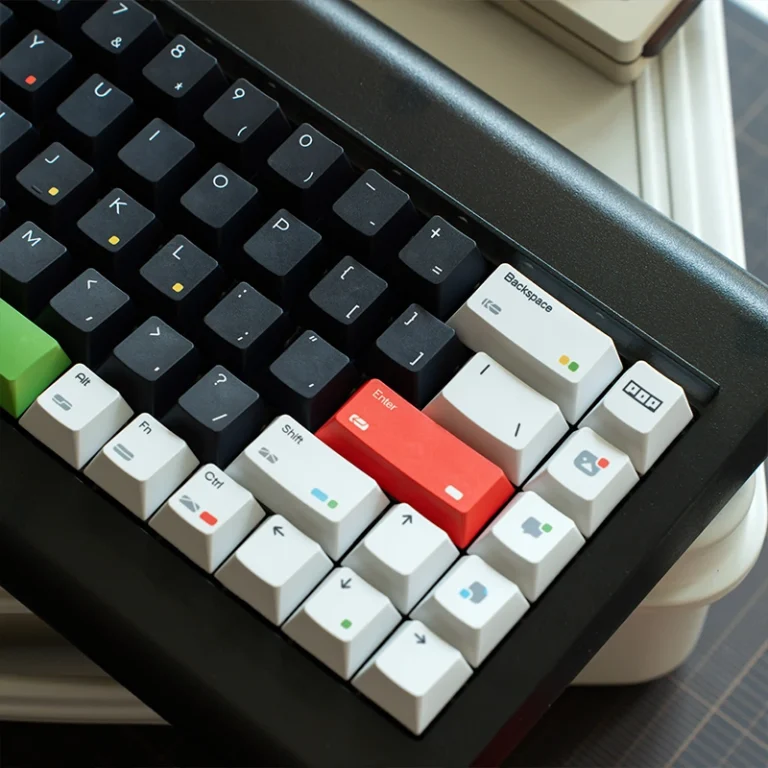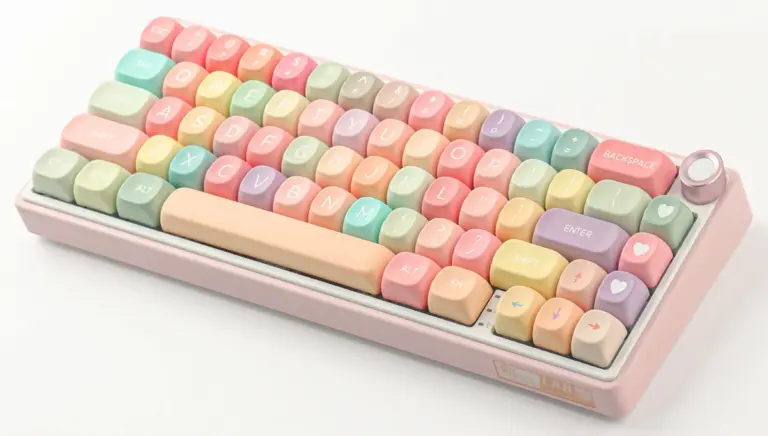
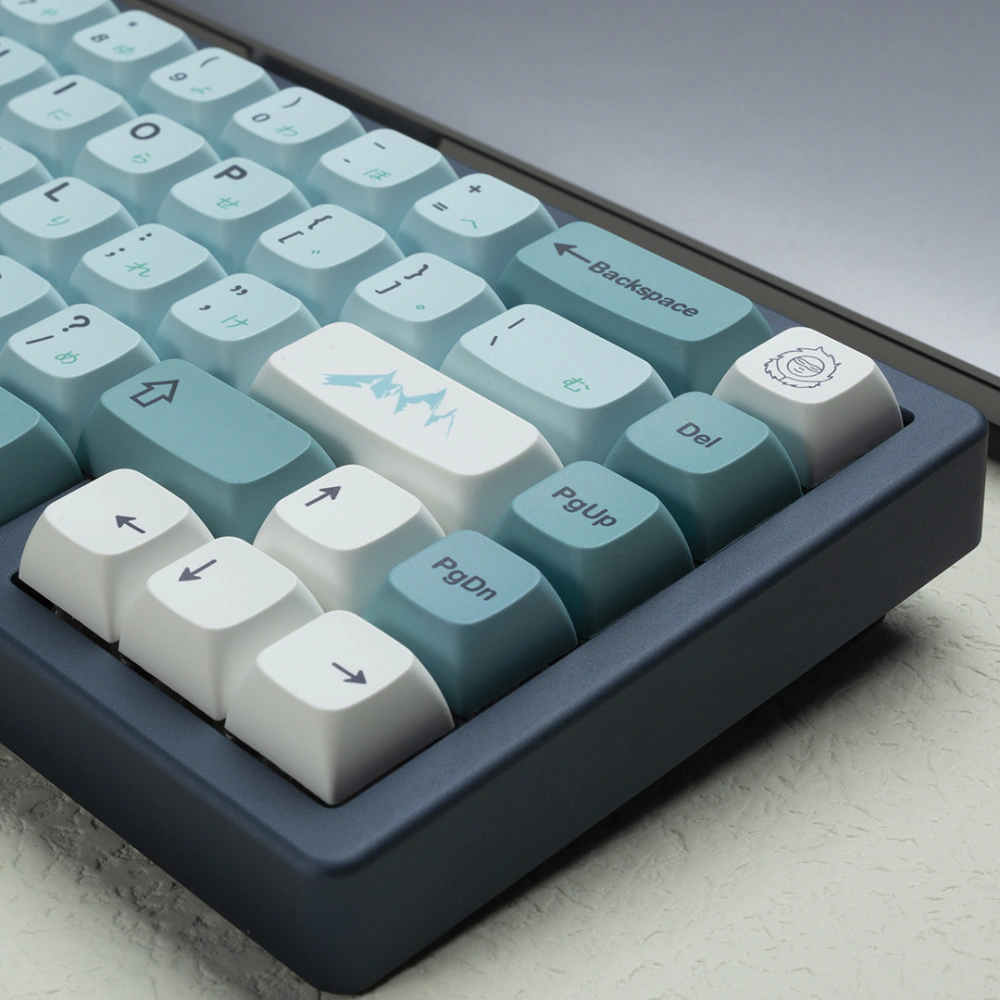
XDA profile keycaps are uniform mechanical keyboard keycaps with the same height and shape across every row. If you want xda keycaps because they look clean, flat, and modern, the real question is simple: will your fingers enjoy that flatness after the first week?
That is where XDA gets interesting. It has no dramatic row sculpting, tall retro towers, or aggressive angles. Just a wide, calm typing surface.
But simple does not mean universally comfortable. XDA gives you layout freedom and a gorgeous visual plane. It also takes away some of the row-by-row guidance you get from Cherry or OEM Profile caps.
This guide walks through what XDA Profile keycaps are, how they feel, how they compare with other profiles, and how to decide whether they belong on your next build.
Key Takeaways
- XDA Profile keycaps use a uniform shape, so every row has the same height and angle.
- XDA works especially well for clean desk setups, custom layouts, split keyboards, and themed keycap sets.
- Cherry and OEM feel more guided for long typing sessions; XDA feels flatter, wider, and more open.
- PBT XDA Profile keycaps are usually the safest pick for texture, durability, and Dye-sub legends.
- Choose XDA if visual consistency and layout freedom matter more than sculpted finger guidance.
Table of Contents
What Are XDA Profile Keycaps?
XDA Profile keycaps are uniform keycaps with the same shape across all rows. Most sets use a low-to-medium height, a wide top surface, and a gently dished center where your fingertip lands.
Because XDA is not row-sculpted, you can move many keys between rows without creating a strange height mismatch. That makes XDA useful for split keyboards, ortholinear boards, macropads, and unusual layouts.
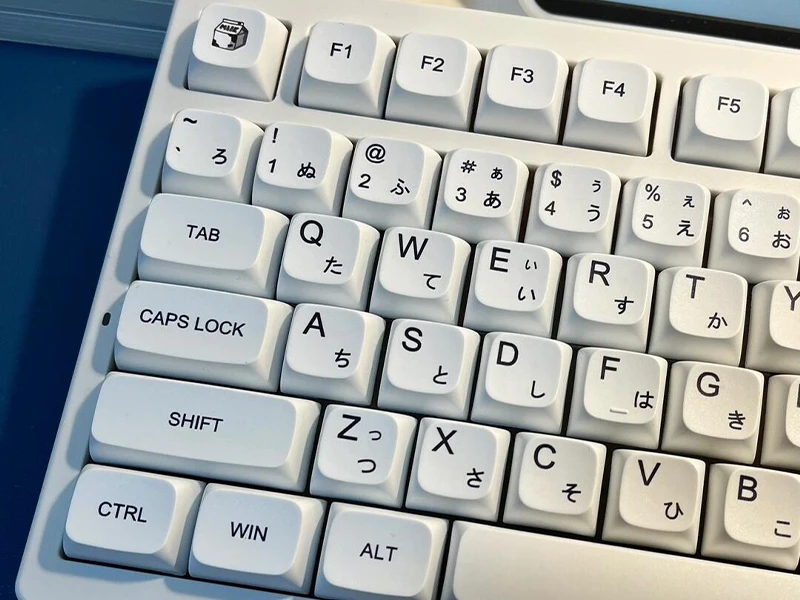
Here is the quick version:
| Feature | XDA Profile |
|---|---|
| Shape | Uniform |
| Row sculpting | None |
| Height feel | Low-to-medium |
| Top surface | Wide and gently dished |
| Common materials | PBT and ABS |
| Best for | Clean aesthetics, custom layouts, themed sets |
| Main tradeoff | Less row guidance than Cherry or OEM |
If you already know you want that clean XDA look, you can browse KeysFusion’s XDA Profile keycaps and compare the visual themes as you read. If you are still unsure, keep going before you buy. Your hands get a vote too.
XDA Profile Keycaps Pros and Cons
The biggest strength of XDA Profile keycaps is visual consistency. Every row sits on the same plane, so the keyboard looks calmer and more deliberate. That is why XDA sets often look great with large legends, Japanese sub-legends, novelty keys, and illustrated themes.
The second strength is layout flexibility. If you use an ortholinear board, split keyboard, macropad, Alice-style layout, or any board with unusual key placement, uniform keycaps are easier to work with.
The tradeoff is feel. XDA does not tell your fingers where they are as clearly as Cherry or OEM. The tops are wider, the rows feel more similar, and the keyboard can feel slightly “open” under your hands. Some people love that. Some people make more typos for the first few days.
What XDA Gets Right
- Clean desk aesthetic: XDA creates a neat, flat visual line.
- Flexible layouts: Uniform rows help with non-standard keyboard layouts.
- Great legend space: Wide tops give artwork and sub-legends room to breathe.
- Beginner-friendly height: XDA is not as tall or dramatic as SA.
- Strong PBT options: Many XDA sets use PBT with Dye-sub legends.
Where XDA Can Feel Weird
- Less finger guidance: Every row feels similar.
- Wider landing area: Some typists feel less precise at first.
- Adjustment period: Fast touch typists may need three to seven days.
- Not the safest ergonomic pick: Cherry often feels better for long typing.
- Sound is not automatically deep: XDA is not a magic shortcut to thock.
I have seen builders fall for XDA visually before they understand the feel. The board looks cleaner immediately, but the first typing test can be a surprise: your fingers suddenly have fewer landmarks.
XDA vs Cherry Profile: Which Feels Better?
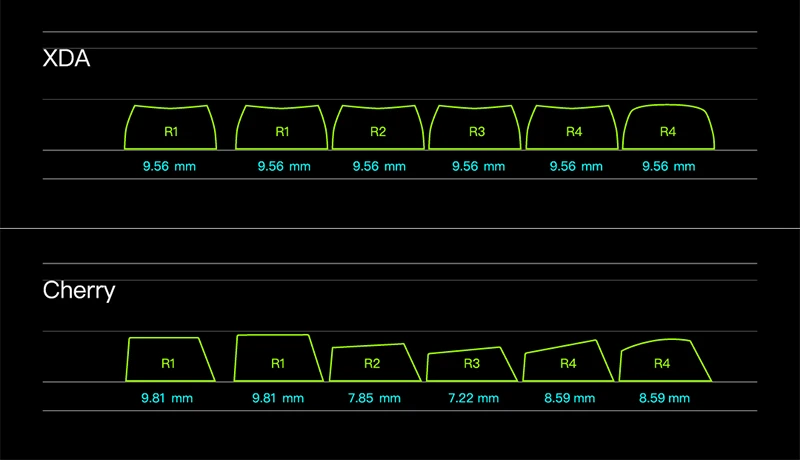
XDA vs Cherry Profile is the comparison most people should start with. Cherry is lower, sculpted, and directional. XDA is uniform, wider, and flatter.
Neither is universally better. Cherry is usually safer for typing comfort. XDA is usually better for visual consistency and layout freedom.
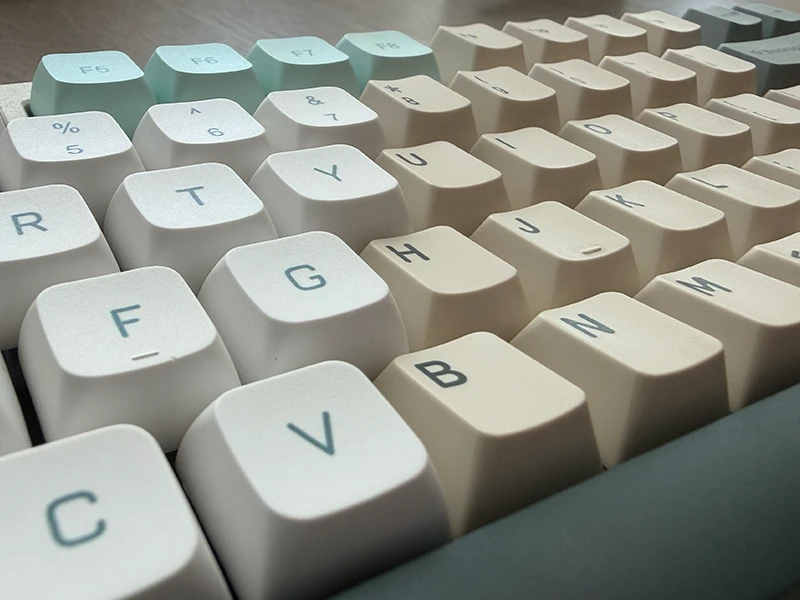
Cherry Feels Guided; XDA Feels Open
Cherry Profile cups your fingertips more clearly. Each row has a different height and angle, so your hands get subtle positional feedback. That is why many typists and programmers keep coming back to Cherry: it disappears under your fingers once you adapt.
XDA feels flatter and more even. Your fingertip lands on a wider pad instead of a narrower sculpted cup. It can feel relaxed on a low-angle keyboard, but less precise if you type fast.
Use this table as a quick decision filter:
| User Type | Better Pick | Why |
|---|---|---|
| Fast touch typist | Cherry Profile | Better row guidance |
| Programmer on a standard layout | Cherry or XDA | Cherry for comfort, XDA for aesthetics |
| Split keyboard user | XDA Profile | Easier key rearrangement |
| Aesthetic builder | XDA Profile | Cleaner surface and larger legend space |
| Complete beginner | OEM or Cherry | Safer first profile |
If you want the familiar enthusiast standard, read KeysFusion’s guide to Cherry Profile keycaps. If you want the flatter, more layout-friendly option, XDA deserves a real test.
XDA vs OEM, DSA, SA, and MOA
XDA makes more sense when you compare it with nearby profiles: flatter than OEM, broader than DSA, much lower than SA, and cleaner than the taller, rounder MOA style.
XDA vs OEM Profile
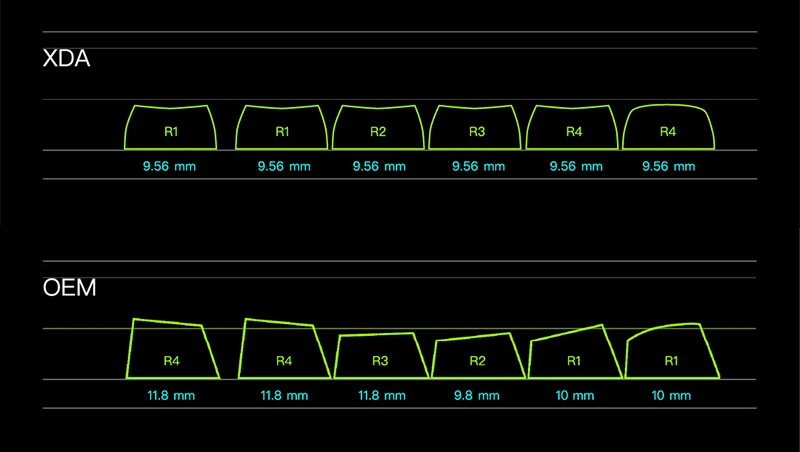
OEM Profile is the shape many people know from prebuilt mechanical keyboards. It is taller than Cherry, sculpted by row, and familiar under the fingers. XDA feels more custom: flatter, cleaner, and less guided.
For more context, compare it with KeysFusion’s OEM Profile guide.
XDA vs SA Profile
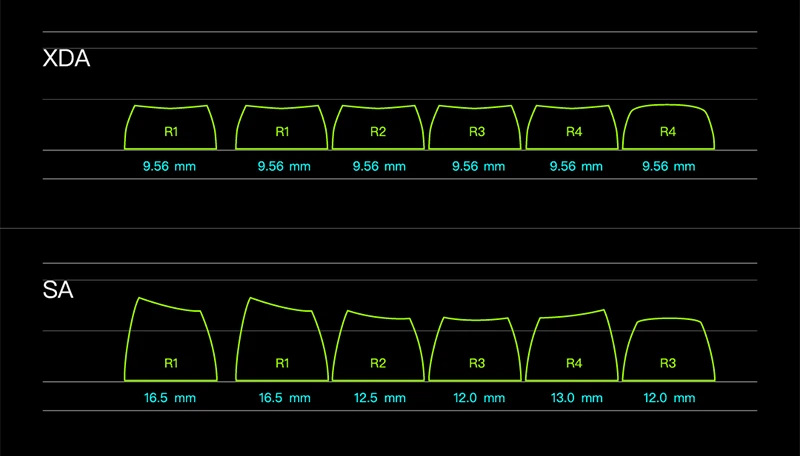
SA is tall, retro, and dramatic. It has a deep spherical top and a big acoustic presence. XDA is calmer, lower, and more modern.
Choose SA when you want old-terminal personality and do not mind height. Choose XDA when you want a clean surface without climbing a tower every time you type.
XDA vs MOA Profile
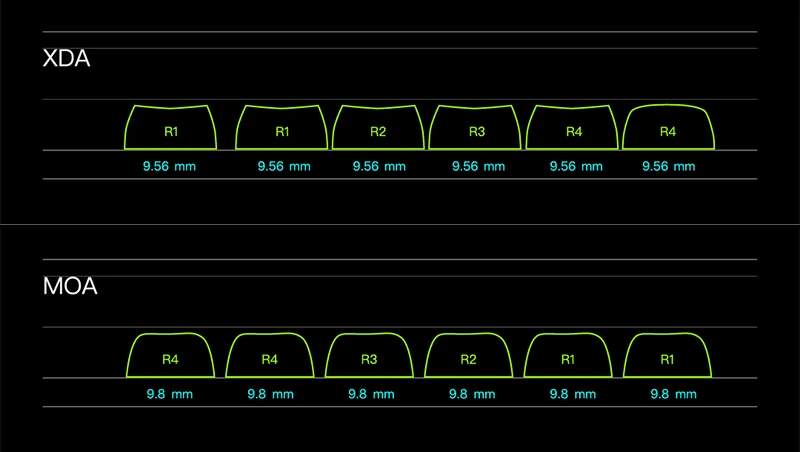
MOA and XDA both appeal to aesthetic-first builders. MOA is taller, rounder, and often cuter. XDA is flatter, cleaner, and more restrained.
If you want a taller uniform profile with a softer, rounder look, browse MOA Profile keycaps. If you want the visual plane to stay low and calm, XDA is the better direction.
| Profile | Sculpted? | Height Feel | Top Feel | Sound Tendency | Best For |
|---|---|---|---|---|---|
| XDA | No | Low-medium | Wide and flat | Balanced clack | Clean builds, custom layouts |
| Cherry | Yes | Low | Guided cup | Crisp | Typing comfort |
| OEM | Yes | Medium | Familiar cup | Balanced | Beginners, stock boards |
| SA | Yes | Tall | Deep spherical top | Deeper resonance | Retro builds |
| MOA | No | Tall | Rounded top | Deeper, softer | Cute themed builds |
How XDA Profile Feels for Typing and Gaming
XDA Profile keycaps can feel comfortable, but they are not automatically ergonomic. Your keyboard angle, wrist position, typing style, and switch choice all matter.
The first week is the honest test. If you are coming from Cherry or OEM, your fingers may reach for row cues that are no longer there. Many people adapt after a few days, but high-speed touch typists may always find XDA less anchored.
Is XDA Good for Typing?
XDA is good for typing if you like a flat, even surface and do not need strong row guidance. It works especially well for light-to-medium typists, custom layout users, and builders who keep their keyboard at a low typing angle.
It is less ideal if you type for eight hours a day and already know Cherry Profile feels natural. Switching to XDA for looks alone may not be worth the adjustment.
Is XDA Good for Gaming?
For casual gaming, yes. XDA Profile keycaps work fine for most games, and the uniform feel can be easy to adapt to.
For competitive FPS, it depends. If you rely on the sculpted shape of WASD and surrounding keys to orient your hand, Cherry or OEM may feel safer. If you mostly care about a clean board and consistent key height, XDA will not hold you back.
For rhythm games, MMOs, macropads, and remapped layouts, XDA can work well because uniform caps make custom key groups easier to manage.
XDA Profile Sound: Thocky, Clacky, or Somewhere Between?
XDA Profile keycaps are usually more balanced than dramatic. They are not as tall as SA or MOA, so they do not naturally create the same deep, hollow resonance. But with thick PBT, good switches, and a solid case, XDA can still sound full and satisfying.
Material matters more than profile alone. Thin ABS XDA caps can sound brighter and lighter. Thick PBT XDA caps tend to sound drier, softer, and more muted.
Here is the practical pairing guide:
| XDA Setup | Likely Sound | Best For |
|---|---|---|
| Thick PBT XDA + linear switches | Smooth, muted clack | Clean daily builds |
| PBT XDA + tactile switches | Dry, crisp feedback | Typists who want definition |
| Thin ABS XDA + linears | Brighter clack | Budget or color-first builds |
| XDA + hollow plastic case | Lighter, echo-prone sound | Modding practice |
| XDA + dampened case | Softer, rounder sound | Quiet workspace builds |
If you are chasing thock, do not ask the keycaps to do all the work. Stabilizers, case material, plate material, foam, switch type, and desk mat all change the result. XDA is one ingredient, not the whole recipe.
PBT XDA Profile Keycaps: The Best Default Choice
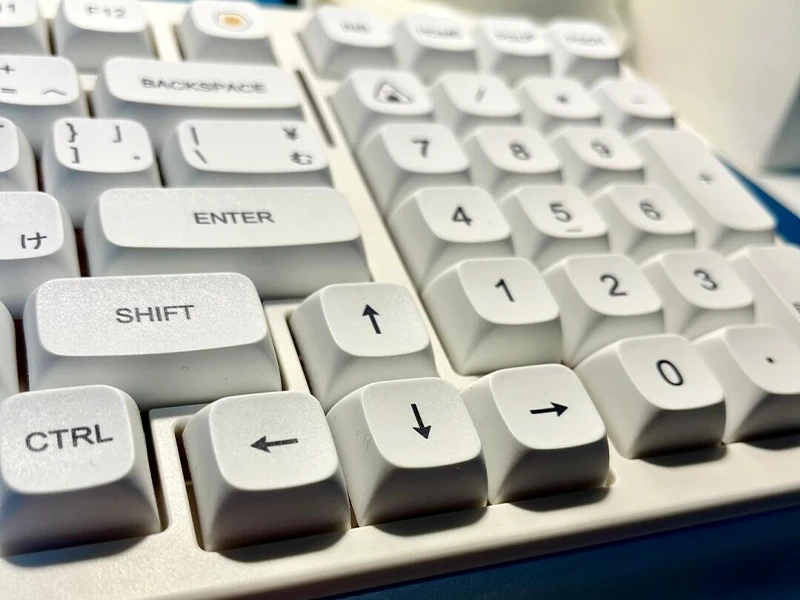
For most people, PBT XDA Profile keycaps are the safest buy. PBT keeps a dry, lightly textured feel longer than ABS, resists shine better, and works well with Dye-sublimation legends.
That matters because XDA’s wide top surface puts the legend on display. A good PBT XDA set keeps the surface matte and the artwork clean.
ABS still has a place. It can produce brighter colors and a smoother feel. But for most XDA buyers, especially with themed or illustrated sets, PBT is the easier recommendation.
Dye-Sub vs Double-Shot for XDA
Dye-sub is common on PBT XDA sets because it handles detailed legends and visual themes well. Double-shot legends can look sharp and last a long time, but they are less common in budget XDA sets with complex artwork.
Before you buy, check:
- Material: PBT or ABS.
- Wall thickness: 1.4 mm or thicker is a good sign.
- Legend method: Dye-sub or double-shot.
- Layout support: Make sure your exact board is covered.
- Stem type: Most sets should be Cherry MX-compatible.
For a deeper material comparison, use KeysFusion’s PBT keycaps page as your starting point.
Will XDA Keycaps Fit Your Keyboard?
Most XDA Profile keycaps use Cherry MX-style cross stems, so they fit common mechanical switches from brands like Cherry, Gateron, and Kailh. They do not automatically fit every keyboard. Check switch compatibility and layout compatibility before buying.
Switch Compatibility
If your keyboard uses standard MX-style switches, you are probably fine. If it uses Topre, low-profile switches, some optical switches, or a non-standard stem, check carefully before buying.
XDA typically avoids the north-facing switch interference issue that can happen with some Cherry Profile caps. Still, unusual switch housings and extra-thick caps can create surprises, so check the specs.
Layout Compatibility
Uniform profile helps with row placement, but it does not create missing keys. A 60% kit may not cover a 75% board, and a standard bottom row may not fit unusual modifier sizes.
Check these before checkout:
- Keyboard size: 60%, 65%, 75%, TKL, full-size, Alice, split, or ortholinear.
- Bottom row: Spacebar and modifier sizes.
- Right Shift: Many compact boards use smaller right Shift keys.
- Extra keys: Mac legends, novelty keys, and accent keys.
- Stabilized keys: Spacebar, Enter, Backspace, and Shift support.
If that feels like a lot, start with KeysFusion’s keycap compatibility guide. Compatibility is boring until your new set arrives and the right Shift does not fit.
How to Choose the Best XDA Keycaps
The best xda keycaps are not the most expensive set. They are the set that matches your typing style, layout, and visual taste without forcing daily compromises.
Use this checklist:
| Buying Factor | What to Look For | Why It Matters |
|---|---|---|
| Material | PBT for most users | Better texture and shine resistance |
| Thickness | Around 1.4 mm or thicker | Fuller feel and sound |
| Legend method | Dye-sub or double-shot | Longer-lasting legends |
| Layout support | Exact kit coverage | Prevents missing key sizes |
| Profile preference | Wide, flat XDA tops | The feel must suit your hands |
| Theme | Colors you will still like in six months | Keycaps dominate desk aesthetics |
Choose XDA If…
- You want a clean, flat keyboard aesthetic.
- You use a split, ortholinear, Alice, or custom layout.
- You like themed keycap sets with large legends or novelty keys.
- You want a lower-profile alternative to SA or MOA.
- You do not rely heavily on sculpted row feel.
Skip XDA If…
- You want the safest profile for long typing sessions.
- You play competitive games and rely on key shape cues.
- You dislike flat or laptop-like surfaces.
- You want a deep SA-style or MOA-style sound.
- You already know Cherry Profile feels perfect.
FAQ
Are XDA Keycaps Good?
Yes, XDA keycaps are good if you want a uniform profile, clean aesthetics, and layout flexibility. They are less ideal if you want strong row guidance for fast touch typing.
Is XDA Better Than Cherry Profile?
XDA is better for visual consistency and custom layouts. Cherry Profile is usually better for long typing comfort because its sculpted rows guide your fingers more clearly.
Are XDA Keycaps Good for Gaming?
XDA keycaps are good for casual gaming and custom gaming layouts. Competitive FPS players may prefer Cherry or OEM if they rely on sculpted key shapes to find WASD quickly.
Are XDA Keycaps Thocky?
XDA keycaps can sound full with thick PBT, smooth switches, and a solid case, but they are not automatically thocky. Taller profiles like SA or MOA usually create a deeper sound more easily.
Do XDA Keycaps Fit All Switches?
No. Most XDA keycaps fit Cherry MX-style switches, but they may not fit Topre, low-profile, or unusual optical switches. Always check stem type and layout support before buying.
What Is the Difference Between XDA and DSA?
Both are uniform profiles. DSA usually feels smaller and more compact, while XDA has a wider top surface and a slightly broader fingertip landing.
What Is the Difference Between XDA and MOA?
XDA is flatter and lower. MOA is taller, rounder, and often deeper sounding. Choose XDA for a clean modern surface; choose MOA for a softer, cuter, more rounded profile.
Conclusion: Should You Choose XDA Profile Keycaps?
Choose XDA Profile keycaps if you want a keyboard that looks clean, supports layout experimentation, and gives themed legends room to breathe. Skip XDA if your top priority is sculpted typing guidance or deep sound.
The best move is simple: decide whether you care more about visual consistency or finger guidance. If you want your keyboard to feel familiar immediately, Cherry or OEM may be safer. If you want a flatter, calmer surface that works across custom layouts, XDA is worth trying.
Start with your layout, case color, typing angle, and daily use. Then compare KeysFusion’s XDA Profile keycaps and pick the set that makes your desk feel like yours.