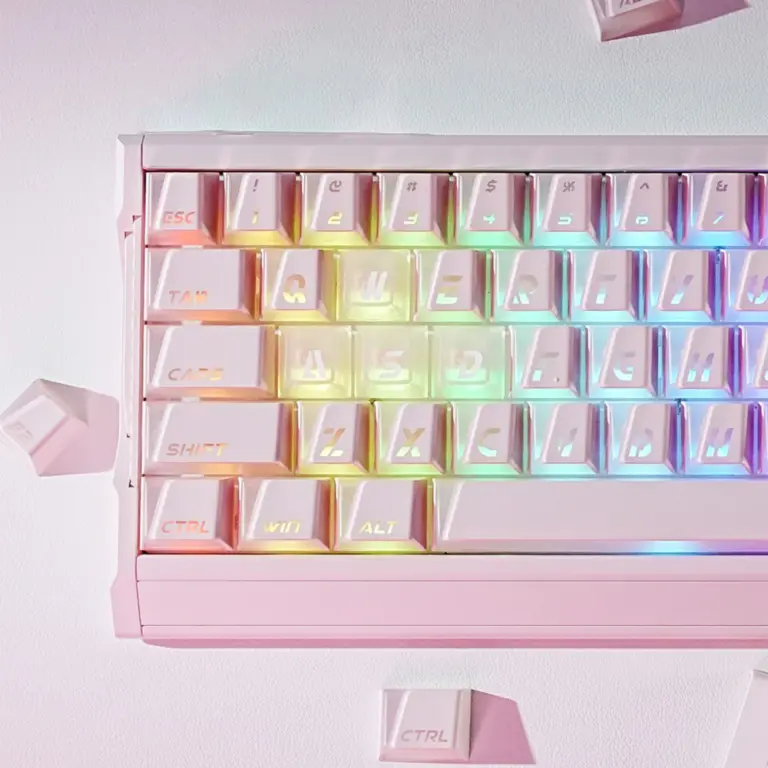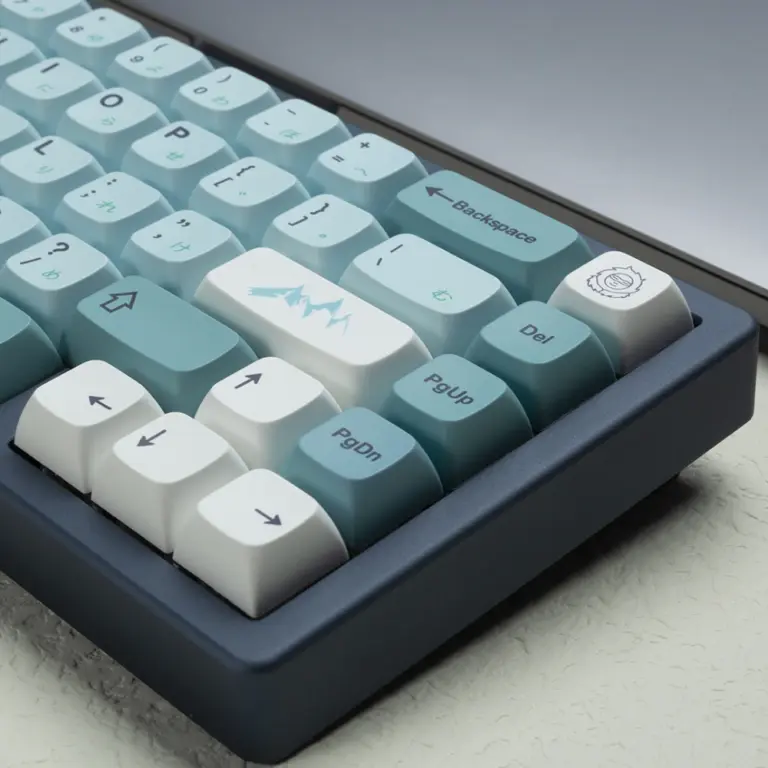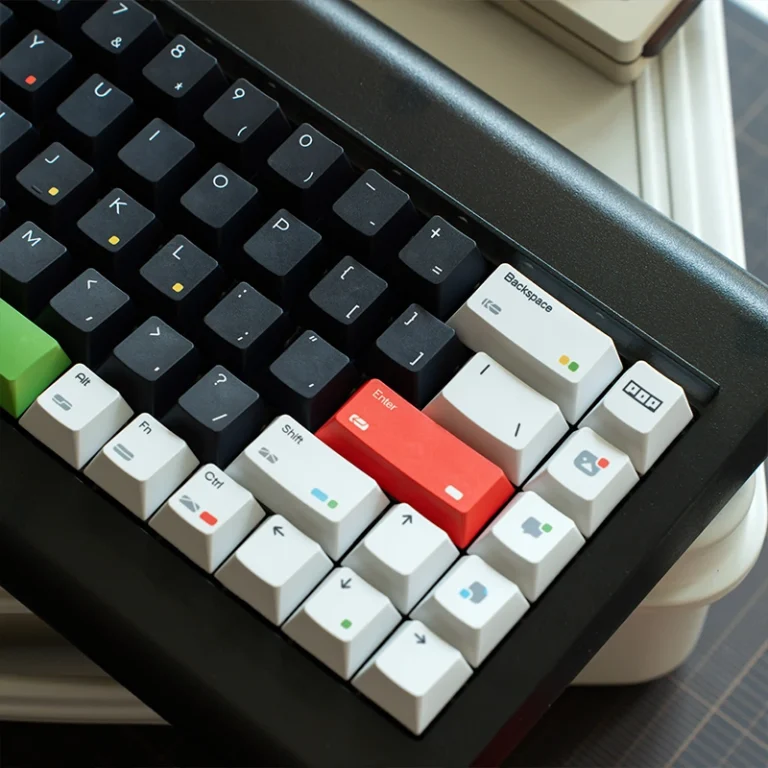
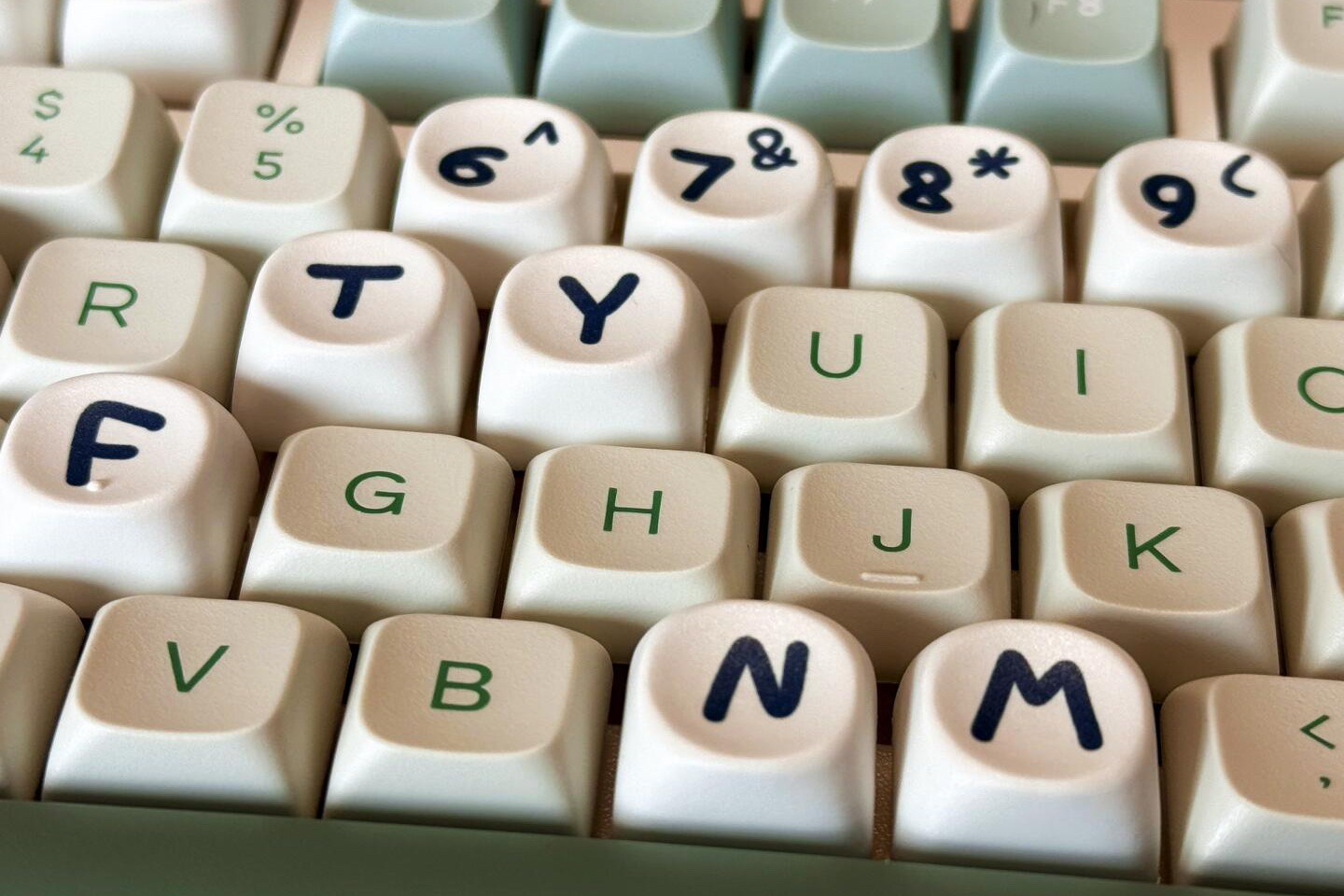
Keycap profiles are the height, top shape, and row-by-row contour of the caps on a keyboard. If you want a familiar first replacement set, start with OEM or Cherry. If you want a level surface that suits unusual layouts, look at XDA or DSA. If you want a taller, rounded look, explore SA or MOA. For a distinctive cat-ear silhouette, look at MAO.
You can change the entire feel of a keyboard without touching its switches. Put a low, sculpted Cherry set beside a tall SA set and the difference is visible before you press a key. Under your fingers, the change is even clearer: one guides you along angled rows, while the other offers deeper, rounder landing spots.
You don’t need to memorize every profile name. Start with the keycaps on your desk: what feels right, and what would you change? This guide covers the common shapes and the fit checks that matter before you buy.
Key Takeaways
- Cherry and OEM keycaps have sculpted rows; OEM is generally taller, while Cherry sits lower.
- XDA, DSA, and MOA are uniform profiles, so the letter rows keep the same shape across the board.
- SA is tall and strongly sculpted; MDA has a gentler, shorter sculpt; MOA is taller and rounded but uniform.
- MAO adds raised cat ears to a rounded keycap. Despite the similar letters, it is a different shape from MOA.
- Profile describes feel and shape. Stem mount, key sizes, and low-profile switch systems determine whether a set fits.
- No profile makes every keyboard faster, quieter, or more comfortable. Try one before paying extra for an unfamiliar shape.
Table of Contents
What Does a Keycap Profile Actually Change?
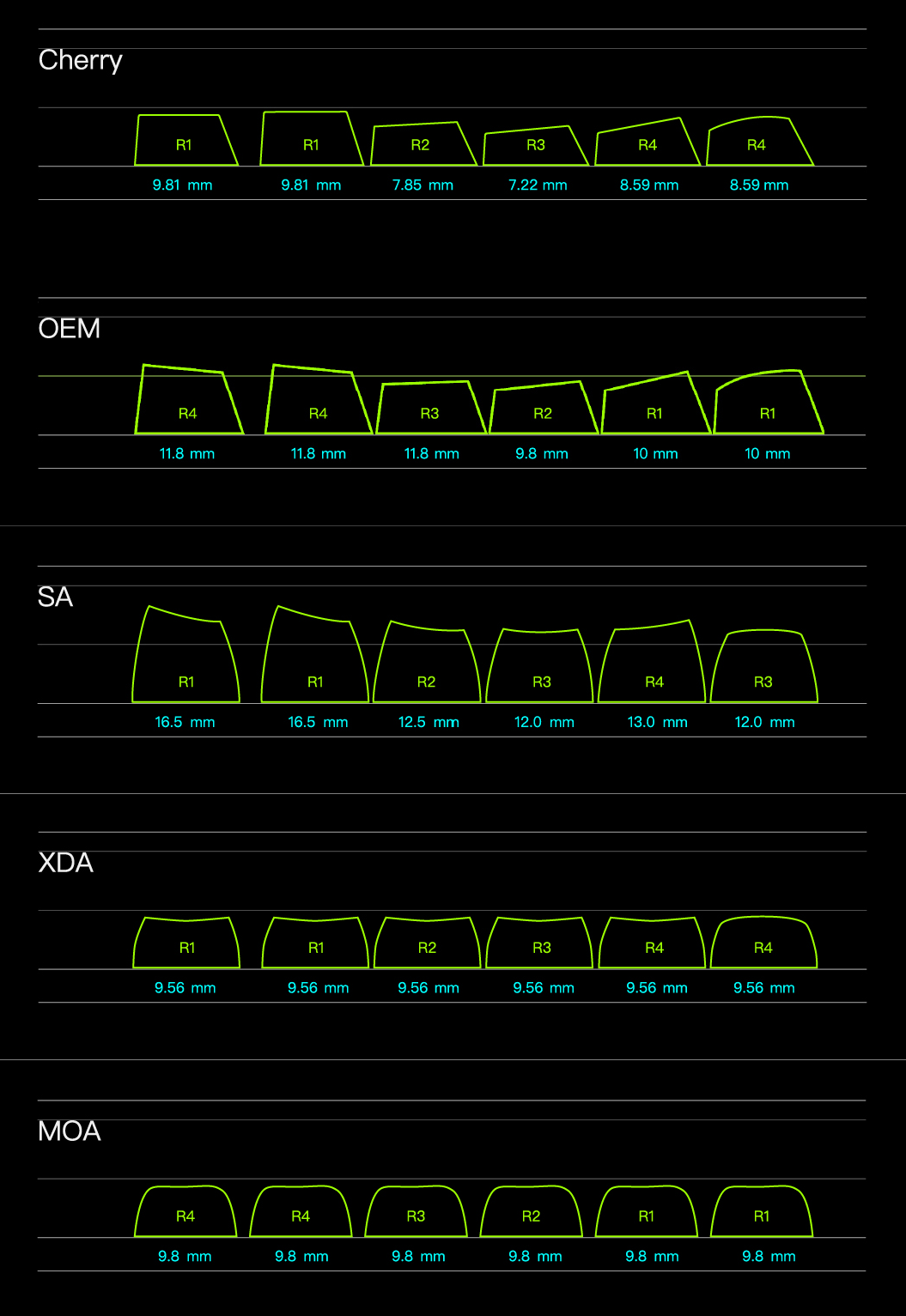
Set a few keycaps side by side and look across the rows. Some sit low and flat; others rise and tilt. Three details explain the difference: height, top surface, and row shape. Height is how far the cap rises above the switch.
The top surface might be wide and gently dished, narrow and curved, or deeply scooped. Row shape determines whether the number row, home row, and bottom row sit at different heights and angles.
That last feature splits the choices into two useful groups. A sculpted set changes shape by row. Viewed from the side, it makes a subtle staircase or curved arc. Cherry, OEM, SA, and MDA commonly work this way.
A uniform set uses essentially the same key shape across the main rows. XDA, DSA, and MOA are common examples. For a specialty shape such as MAO, check the actual kit’s row diagram before assuming that keys can move between rows.
Sculpting can help your fingers tell one row from another. Uniform caps give the keyboard a flatter visual line and can make certain custom layouts easier to arrange. Neither design wins for everyone.
If you regularly move legends between rows for a split or ortholinear layout, uniform caps are convenient. If you learned to touch type on a conventional board, sculpted rows may feel more familiar.
Profile is separate from material. A Cherry set can be ABS or PBT. It is also separate from the legend method, such as dye sublimation or double shot molding. Those details influence texture, durability, appearance, and sometimes sound, but they do not turn Cherry into XDA.
If Cherry already sounds like your style, see KeysFusion’s Cherry profile guide for a closer look at its rows and typing feel.
Keycap Profiles Compared at a Glance
The table is a starting point, not a measurement standard. Makers may use slightly different molds under the same profile name. Compare photos of the actual set you plan to buy, especially the side view and row diagram.
| Profile | Relative height | Row design | What it feels like | Good starting point for |
|---|---|---|---|---|
| Cherry | Low to medium | Sculpted | Lower, gently guided rows | Daily typing and a compact look |
| OEM | Medium | Sculpted | Familiar, more raised rows | A first keycap swap |
| XDA | Low to medium | Uniform | Broad, gently dished landing area | Clean builds and flexible layouts |
| DSA | Low | Uniform | Smaller, more compact spherical tops | Compact boards and rearranged keys |
| SA | Tall | Usually sculpted | Deeply cupped, dramatic rows | Retro style and a pronounced feel |
| MDA | Medium | Sculpted | Broad tops with a gentler arc than SA | A rounded look without SA’s full height |
| MOA | Medium to tall | Uniform | Soft, rounded tops across rows | Playful themes and a level silhouette |
| MAO | Check the set | Check its row diagram | Rounded tops with two raised cat ears | A playful cat-head silhouette |
Low-profile keycaps need their own fit check. “Low profile” can describe how short a cap looks, but it often refers to a thinner keyboard and a distinct low-profile switch family. Do not assume a standard MX keycap set will fit one of those boards.
How Do These Keycap Profiles Feel?
Cherry and OEM: Familiar Shapes With Different Heights
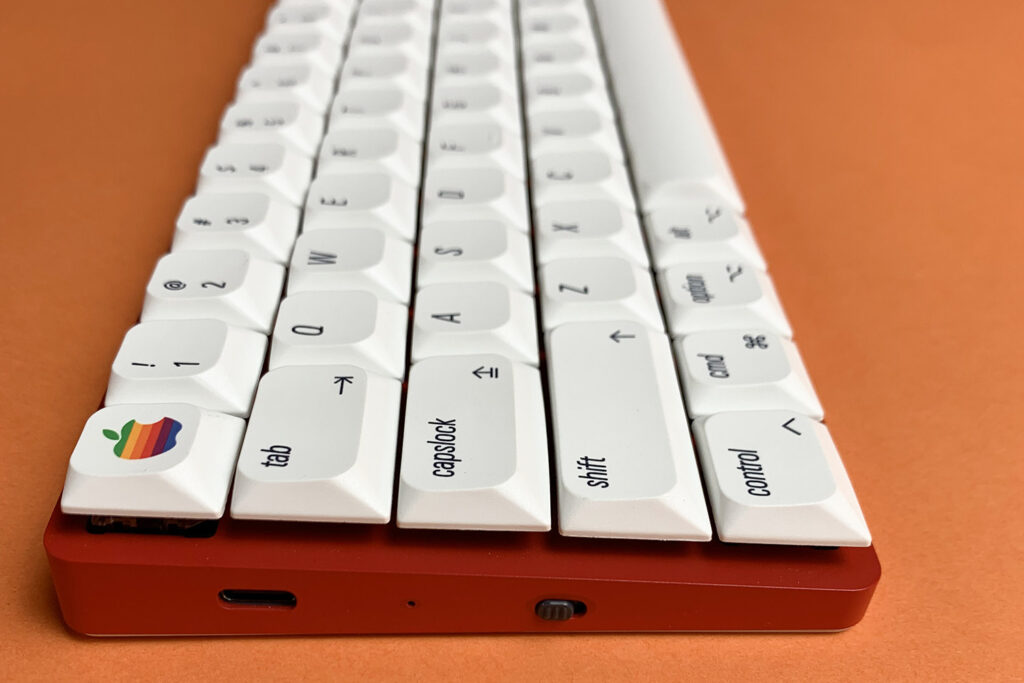
Cherry profile keycaps and OEM keycaps are sensible places to begin because both guide the fingers with row-by-row shaping. OEM is generally taller and often feels close to the caps on a conventional prebuilt mechanical keyboard. Cherry keeps the same broad idea but sits lower and looks more compact. Our OEM profile guide compares their height and row shaping in more detail.
If your current keyboard feels right and you only want a new color scheme, check whether its stock caps are OEM. Another OEM set may be the least disruptive swap. If you like sculpted rows but wish the keyboard sat a little lower under your fingers, try Cherry. Compare the actual set’s row diagram before buying.
Do not buy Cherry because someone promises faster gaming or pain-free typing. A lower cap does not change a switch’s actuation point, and comfort depends on your overall setup. Choose it because you prefer how the rows feel and how the keyboard looks.
XDA and DSA: A Level Surface
XDA profile keycaps and DSA keycaps use uniform rows. XDA usually has a broader top where your finger lands; DSA tends to look more compact and has a more pronounced spherical dish. Both make it easier to rearrange same-size keycaps between rows without placing a tall number-row cap in the middle of the home row.
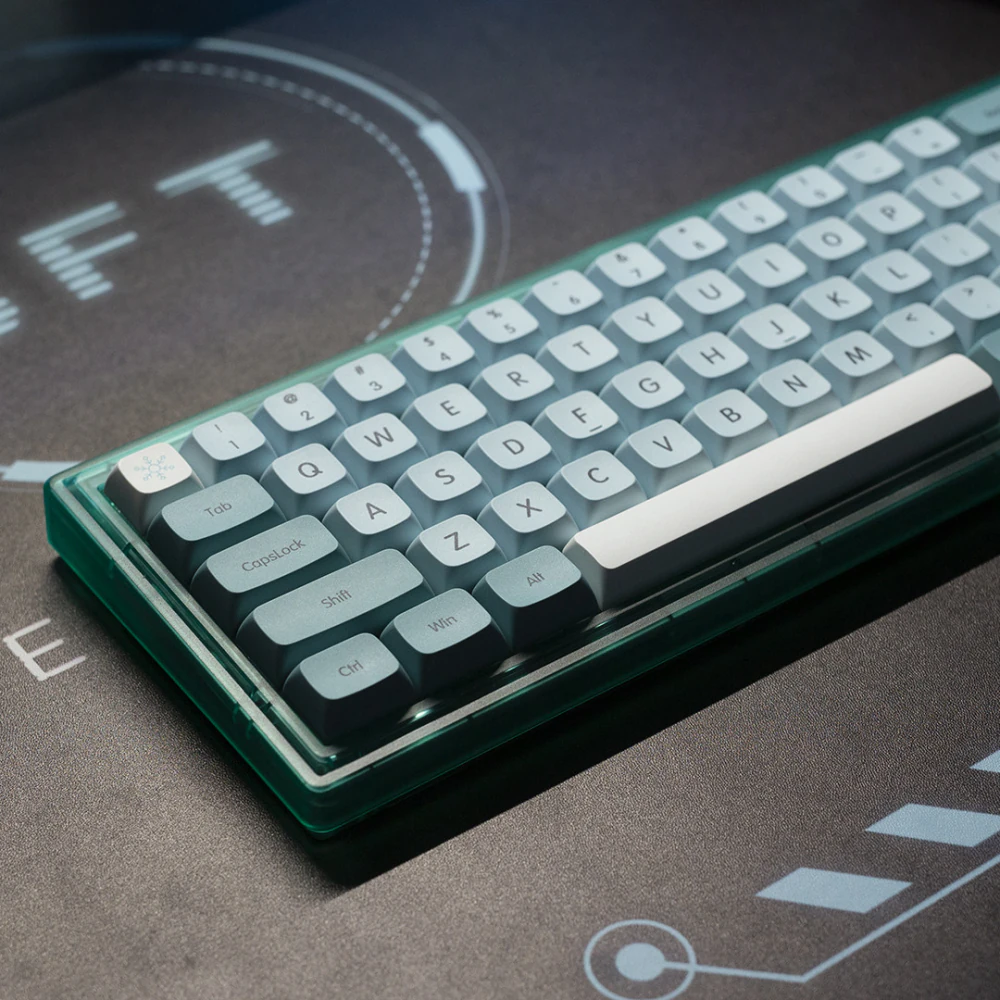
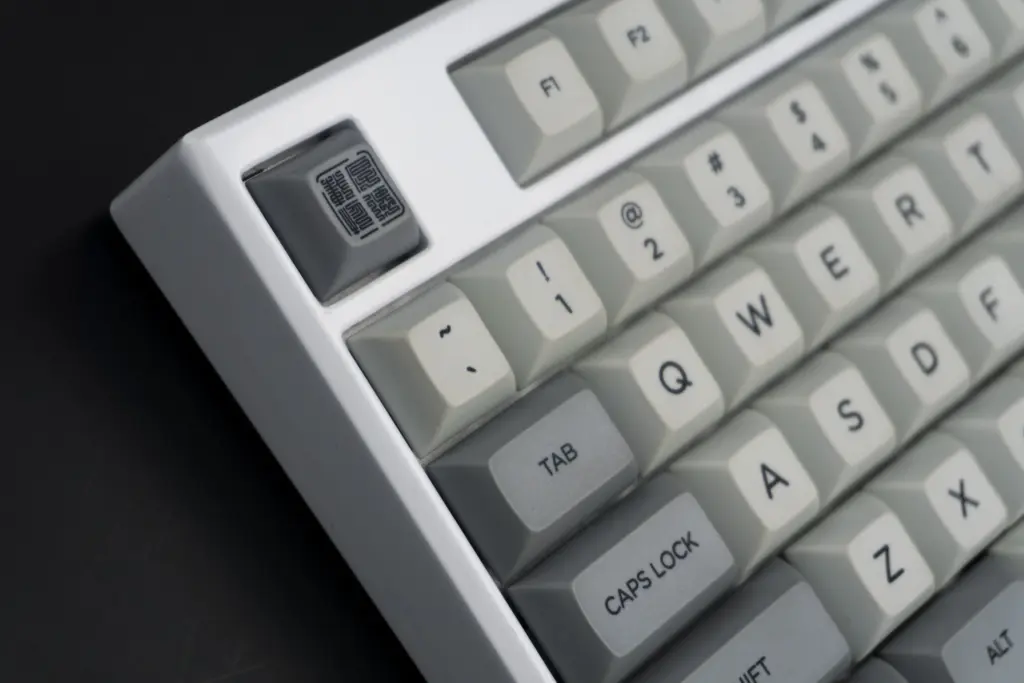
That freedom is useful on split, ortholinear, and heavily remapped keyboards. On a standard layout, it is mostly a question of feel. You might love the even surface, or you might miss the row cues that OEM and Cherry provide. Our XDA guide explains that tradeoff in more detail.
Uniform does not mean “all keys fit everywhere.” A spacebar and a letter key have different widths, and legends may point the wrong way after a swap. It only means the profile does not force each same-size key into a particular row.
SA and MDA: Rounded, Sculpted Rows
SA has tall caps with deep, rounded tops, a shape common in retro sets. Its row curve is easy to spot from the side. If you’re coming from Cherry, the extra height may take some getting used to.
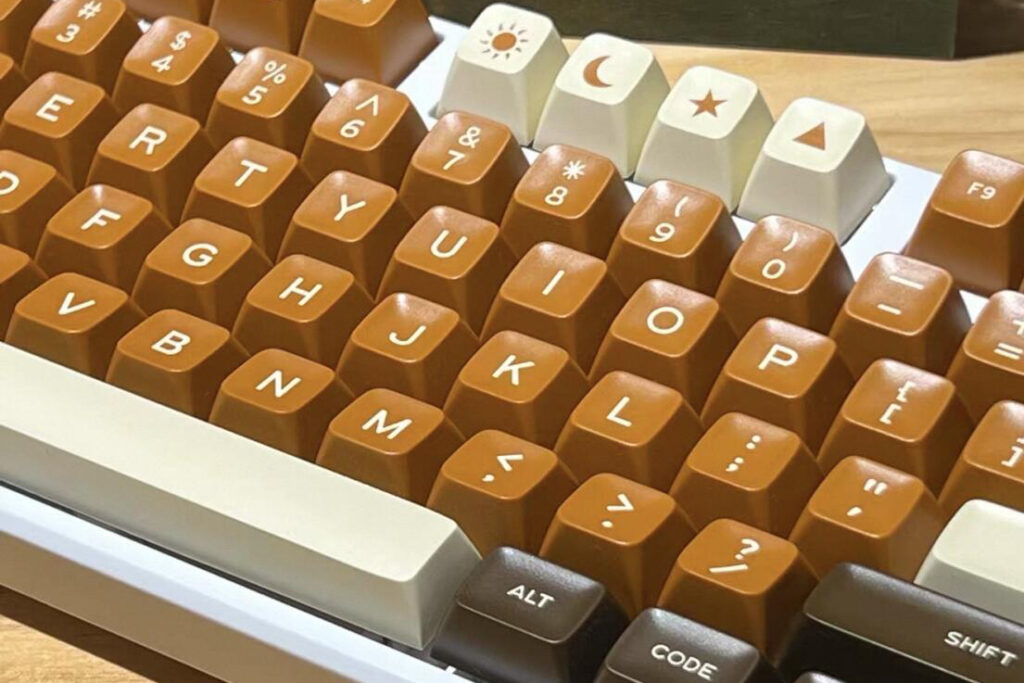
MDA is another sculpted option with broad tops and a gentler row-to-row slope. It generally sits lower than SA while keeping a rounded feel. If SA’s height gives you pause, compare side-view photos of the exact sets you are considering.
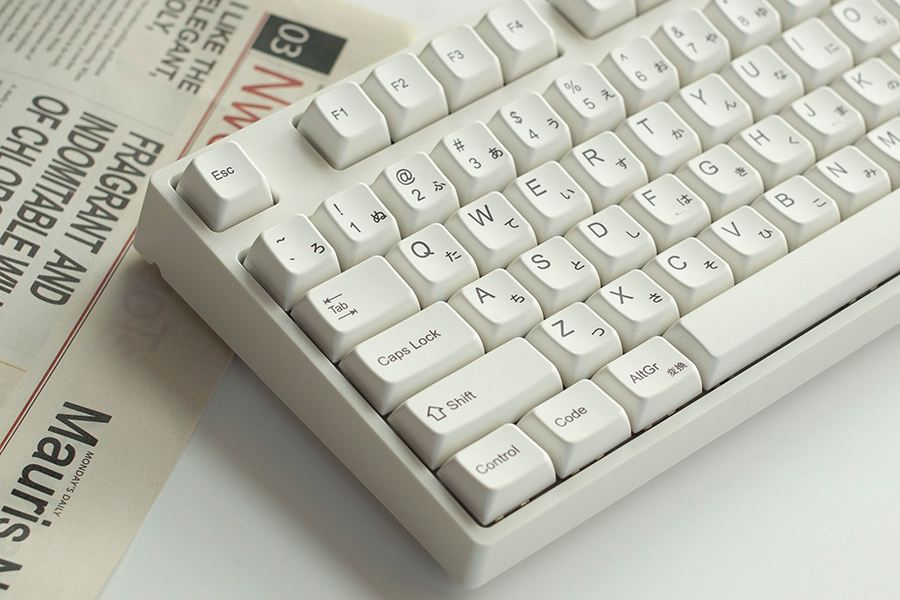
There is no guaranteed “SA sound” or “MDA sound.” Keycap thickness, material, switches, plate, case, and desk surface all affect what you hear. A recording can help you hear one specific build, but it cannot predict exactly what the caps will sound like on yours.
MOA: Rounded Tops, Uniform Rows
MOA profile keycaps have a soft, rounded silhouette that pairs well with cute illustrations and playful themes. The cap’s curves echo the rounded lines often used in those designs. Like XDA, the shape is uniform across rows. Unlike XDA, it generally looks taller and more bulbous. Those broader, rounded tops can feel inviting if you dislike sharper edges, though your own fingertips should make the final call.
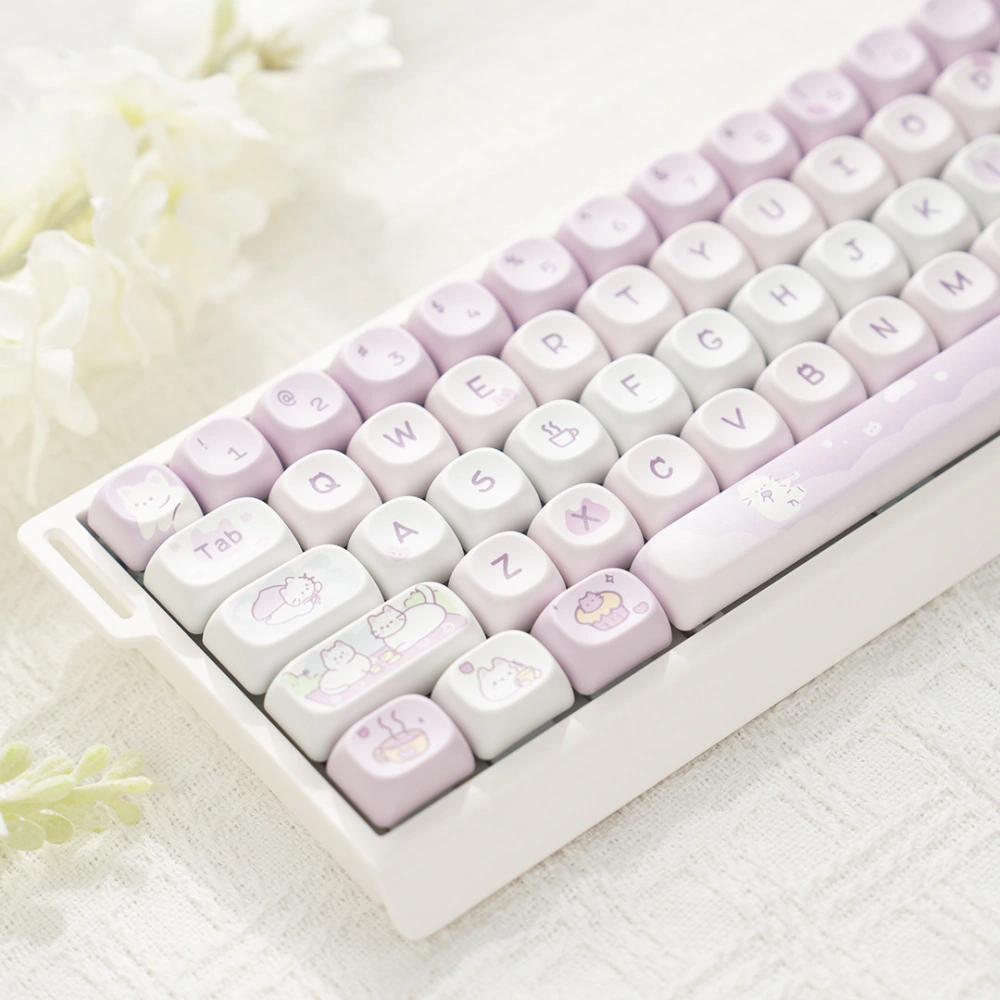
This is an easy profile to confuse with MDA because the names are similar. Remember the useful distinction: MDA is sculpted; MOA is uniform. Our MOA profile guide shows the shape in context, and you can browse MOA keycap sets when you are ready to compare designs.
MAO: A Rounded Cat-Ear Silhouette
MAO keycaps have rounded tops with two raised corners shaped like cat ears. The ears are molded into the cap, so the cat-head outline is visible even without a printed design. That is the clearest difference from MOA, which has a smooth, rounded top. You can see the shape in KeysFusion’s MAO keycap collection.
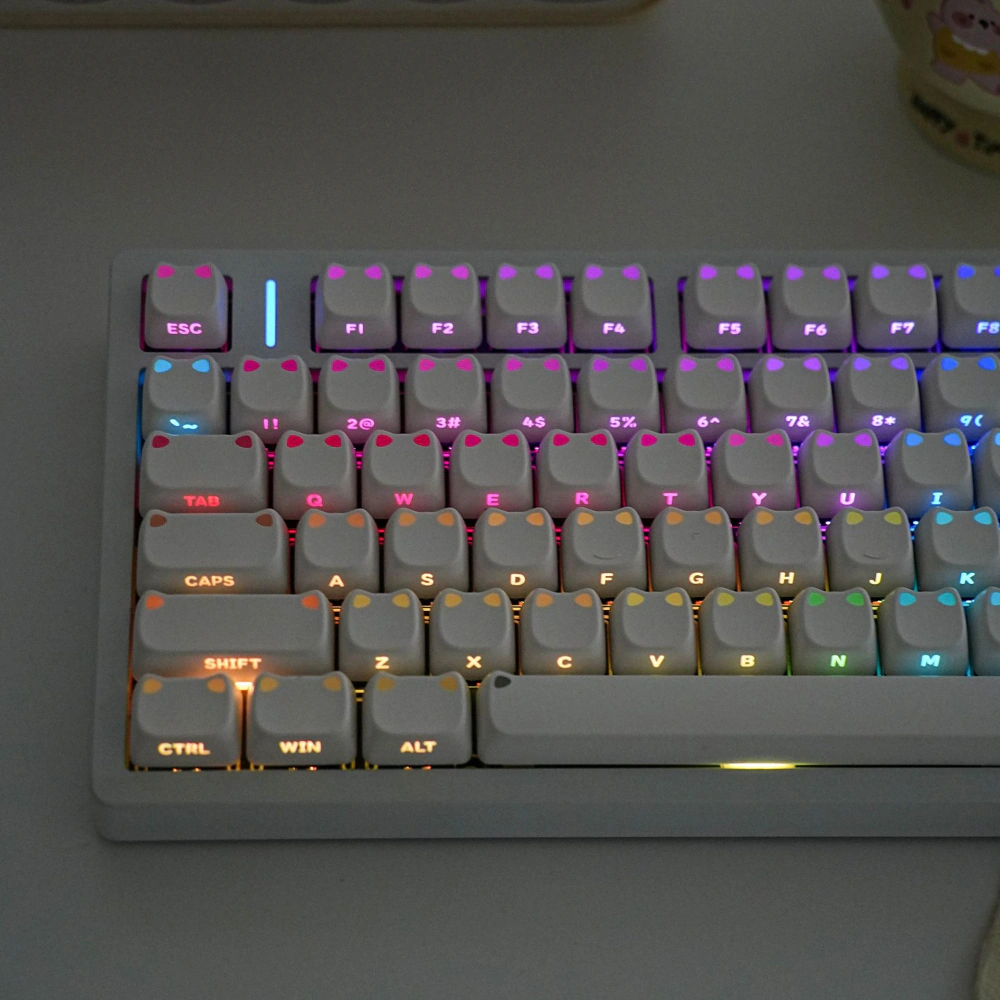
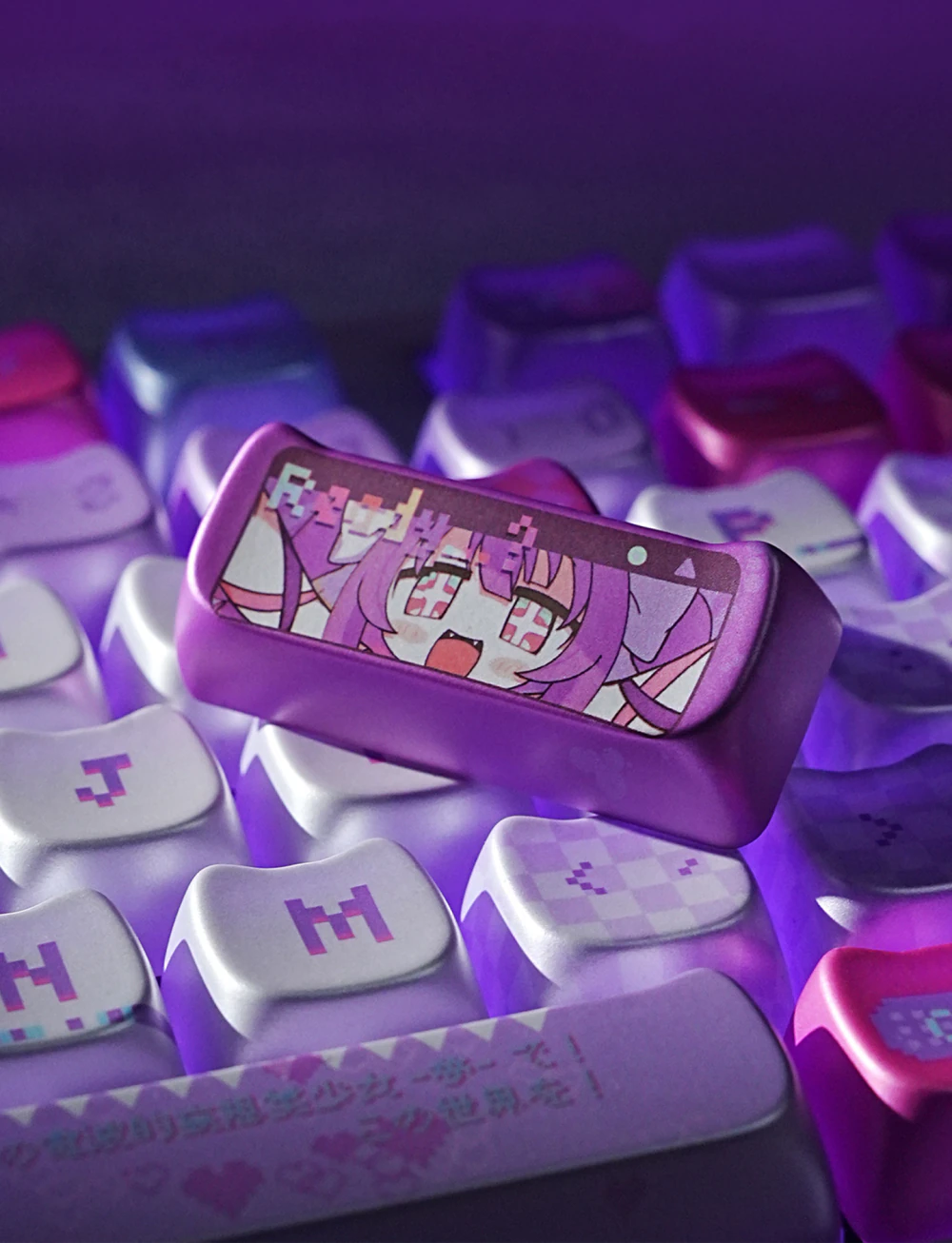
Some MAO sets have a distinctive lighting effect: backlighting shines through the raised cat ears. You can see it on this white MAO set. Lighting varies by set; the Yunyun Denpa MAO set offers both shine-through and opaque options. To judge height and row shape, check photos and the row diagram for the exact set you want.
Which Keycap Profile Should You Choose?
Start with what you already know about your board. If the current set feels comfortable, identify its profile and decide whether you want a familiar replacement or a deliberate change. If you do not know the profile, remove a few caps and line them up from the side. A pronounced arc suggests a sculpted set; a straight, even line suggests a uniform one.
Then use these practical shortcuts:
- Want the smallest adjustment? Stay with your current profile, or try OEM if your prebuilt board already uses it.
- Want sculpted rows with a lower silhouette? Compare Cherry sets.
- Move keys between rows or use an unusual layout? Start with XDA or DSA, then check the kit for the widths you need.
- Love a tall, vintage look? Compare SA with MDA in side-view photos before buying.
- Want a rounded, even look? Compare MOA with XDA; the former is usually fuller and taller.
- Want a cat-head shape? Look at MAO, and compare its raised ears with MOA’s smooth rounded top.
For gaming, ask which shape helps you find your keys, especially WASD and modifiers, without looking. For long writing sessions, ask whether the height and row cues remain comfortable after a few hours. Neither use has a single winning profile. A small tester set or a friend’s keyboard can teach you more than a claim that one profile is “best.”
Profile can influence how your fingers meet the keys, but it does not set the switch travel distance. It also will not fix a keyboard that is too high at the front edge or a desk position that makes you bend your wrists sharply. Judge the complete setup.
Will a Different Profile Fit Your Keyboard?
Often yes, but profile name alone cannot confirm compatibility. A standard-height board with MX-style cross stems can accept many profiles. You still need the correct key widths, stabilizer mounting, and enough clearance. Low-profile boards require extra care because their switch mounts vary.
Before checkout, check these four things:
- Switch stem: Match the keycap mount to your switches. “MX-compatible” usually refers to the cross-shaped stem, but verify the specific set and board. Our keycap compatibility guide covers stem types and layout sizes.
- Layout and key sizes: Check the spacebar, right Shift, bottom-row modifiers, and any unusual Enter key. Confirm ANSI or ISO support and your language’s legends if you need them. A 75% board may need keys missing from a basic kit.
- Row coverage: Sculpted sets need the correct caps for each row. A kit made for one layout may include the right legend but the wrong row shape for your board.
- Lighting: Profile alone does not tell you whether legends shine through. Inspect the legend construction and LED position if backlighting matters to you.
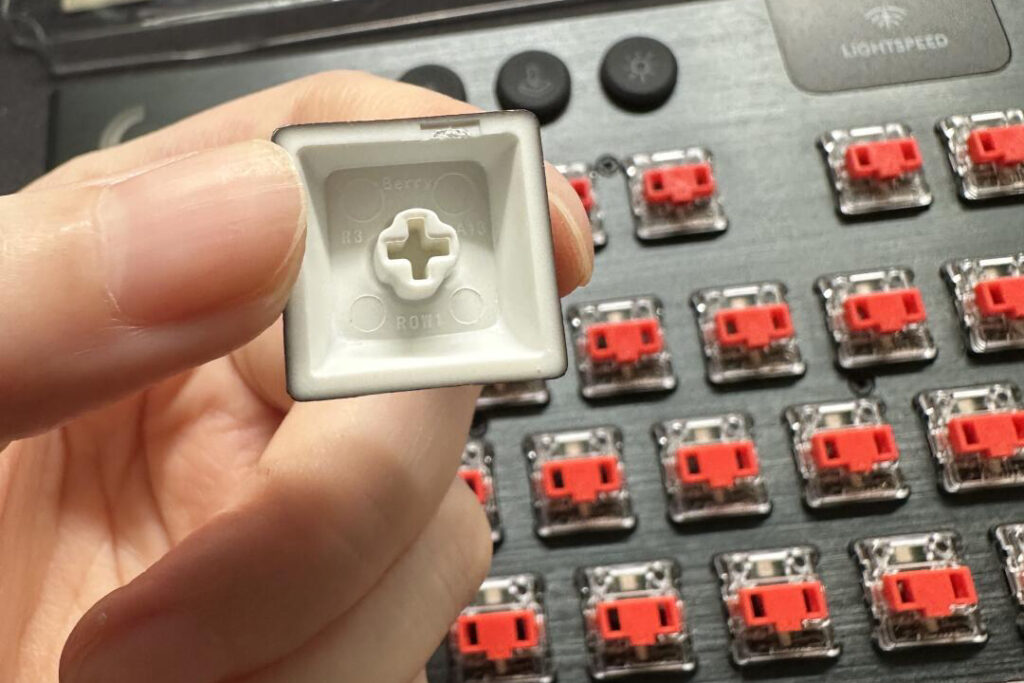
If you are unsure about a set, compare its kit diagram with your keyboard before ordering. A few minutes checking the key sizes can save a disappointing unboxing.
Keycap Profile FAQ
What Profile Keycaps Should I Use?
If you like the shape of your current keycaps, start with the same profile. For a first change on a standard mechanical keyboard, compare OEM’s familiar raised rows with Cherry’s lower sculpted rows. Choose XDA or DSA if you want a uniform surface or move keys between rows; compare SA, MDA, and MOA if you prefer a taller or rounder look. Choose MAO if you specifically want raised cat ears. Before buying, check the switch mount and the exact key sizes in the set.
Are Keycap Profiles Interchangeable?
You can replace one profile with another when the new set matches your switch stems and layout. Profile changes the feel and height, but it does not by itself determine stem fit. Check key widths, stabilizers, row coverage, and possible clearance issues before buying.
Is Cherry Profile Better Than OEM?
Cherry is lower; OEM is taller and familiar to many owners of prebuilt boards. Both are sculpted. Pick Cherry if you want a lower feel, or OEM if you like what you have and want a simple visual refresh. There is no universal winner for speed or comfort.
What Is the Difference Between XDA and MOA?
Both use uniform rows. XDA looks flatter and more restrained, with broad, gently dished tops. MOA is typically taller and more rounded. Compare actual product photos because individual molds vary.
Can I Put Regular Keycaps on a Low-Profile Keyboard?
Do not assume so. Low-profile switches and stabilizers can use different mounts from standard-height MX parts. Check the keyboard maker’s compatibility list and the keycap seller’s supported switch models.
Start With the Shape You Want to Feel
If this is your first swap, OEM and Cherry give you a familiar sculpted starting point. XDA and DSA suit a level surface or a layout you like to rearrange. SA and MDA add rounded, sculpted character, while MOA brings a rounder look with uniform rows. MAO adds the distinctive cat-ear outline. The best choice is the one your hands enjoy on the board you actually use.
Choose two profiles that appeal to you, compare their side views, and check the kit diagram against your keyboard. Once the fit is settled, you can explore KeysFusion keycap sets by shape, material, and design without guessing what the profile name means.
For a quick visual and sound comparison, this multi-profile typing test lets you see Cherry, OEM, XDA, SA, and OSA on keyboards. Treat the sound as an example of those complete builds, rather than a promise for your own.